Participant
July 19, 2017
Answered

Working with multiple clipping masks

  • July 19, 2017
  • 1 reply
  • 9079 views

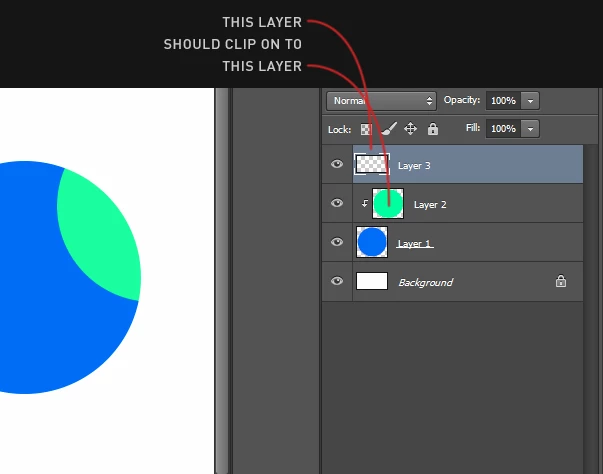
I'm struggling to find out how to make a clipping mask on to a layer that is already added as a clipping mask to another layer.

Does that even make sense?

How do you guys do this?

I've attached image to illustrate what I mean.
    This topic has been closed for replies.
    Correct answer davescm

    Hi Brian

    It would be great if we could put the top two layers into a group and then clip the group to the layer below. Unfortunately at present we cannot.

    So your choices are a separate vector mask (which would need updating if you moved the lower layer)

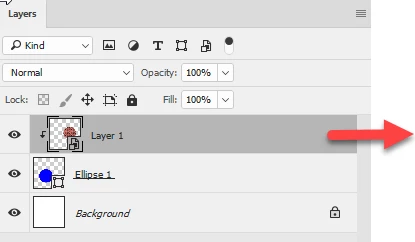
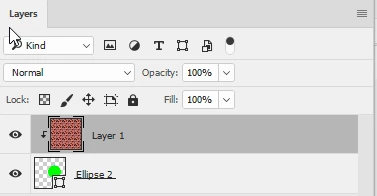
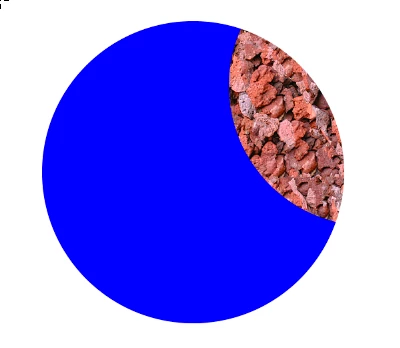
    Or a smart object containing the top two layers

    You might want to add some feedback and comments to the ongoing request here :

    Photoshop: Grouping layers clipped in a clipping mask. | Photoshop Family Customer Community

    Dave

    1 reply

    davescm
    Community Expert
    davescmCommunity ExpertCorrect answer
    Community Expert
    July 19, 2017

    Hi Brian

    It would be great if we could put the top two layers into a group and then clip the group to the layer below. Unfortunately at present we cannot.

    So your choices are a separate vector mask (which would need updating if you moved the lower layer)

    Or a smart object containing the top two layers

    You might want to add some feedback and comments to the ongoing request here :

    Photoshop: Grouping layers clipped in a clipping mask. | Photoshop Family Customer Community

    Dave

    Participant
    July 19, 2017

    Oh yes, ofcourse, smart objects could be used in a situation like this.

    Thanks for the answer Dave :-)