
Participant
June 12, 2017
Answered

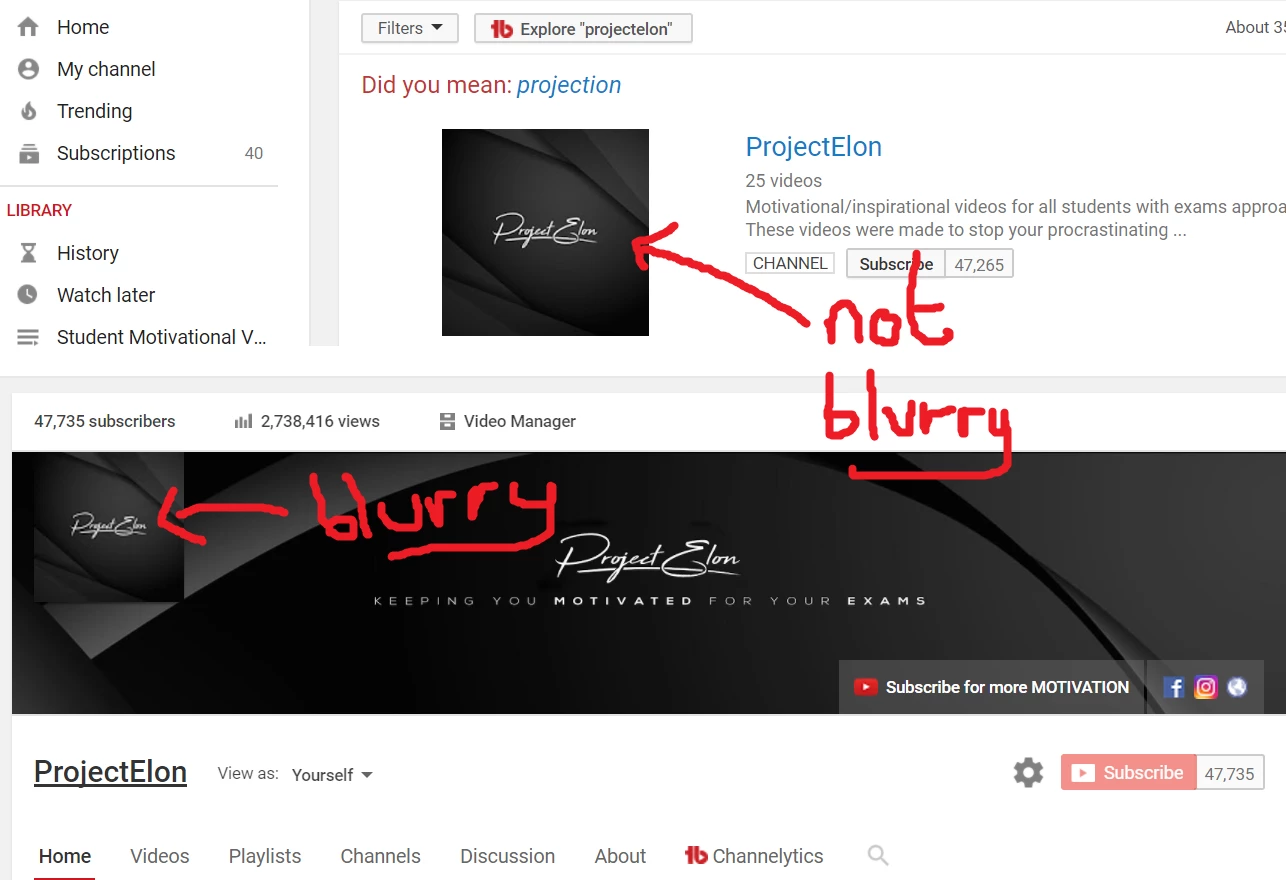
YouTube Profile Picture Is Blurry
  • June 12, 2017
  • 2 replies
  • 16315 views

I made a new profile picture on Photoshop CC for my YouTube channel and when I search for my channel, the picture is fine. However when click into my channel because the picture shows as slightly smaller, it goes blurry. I've attached 2 screenshots to try and illustrate what I'm talking about. Is there any way to fix this so that when you click onto my channel, my profile picture is not blurry?

Any help on fixing this would be really appreciated!

Thanks.

    This topic has been closed for replies.
    Correct answer Nancy OShea

    I think this is a YouTube glitch.  IMO, all YT thumbnails look blurry when you're logged in to your home page.  If you log-out of YouTube, they probably look OK. 

    If you don't mind off color language, this guy explains what's going on.

    YouTube Thumbnails Are Blurry (Why Is My YouTube Thumbnails Not HD Quality) - YouTube

    2 replies

    Nancy OShea
    Community Expert
    Nancy OSheaCommunity ExpertCorrect answer
    Community Expert
    June 12, 2017

    I think this is a YouTube glitch.  IMO, all YT thumbnails look blurry when you're logged in to your home page.  If you log-out of YouTube, they probably look OK. 

    If you don't mind off color language, this guy explains what's going on.

    YouTube Thumbnails Are Blurry (Why Is My YouTube Thumbnails Not HD Quality) - YouTube

    Nancy O'Shea— Product User & Community Expert
    melissapiccone
    Community Expert
    Community Expert
    June 12, 2017

    Looks like youtube is resizing it and making it that way... can you make another image at the right size or does Youtube use just one and resize? That would be my only suggestion.

    Melissa Piccone | Adobe Trainer | Online Courses Author | Fine Artist