Answered
Adobe Elements Premiere 2018, how to change Defualt Text settings
Is there a way to change the default text setting so you do not have to change them each time you add a title.
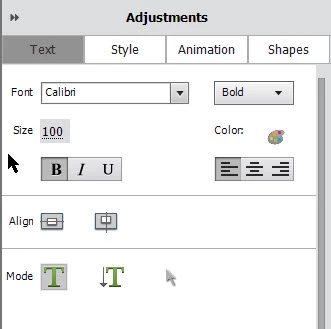
These are the settings I would like.

Is there a way to change the default text setting so you do not have to change them each time you add a title.
These are the settings I would like.
Your only option for changing the default settings is to open the Style tab, right-click on a Style and select the option to set it as your default.
Already have an account? Login
Enter your E-mail address. We'll send you an e-mail with instructions to reset your password.
 AdChoices