
Participant
April 2, 2018
Answered

Adobe Premiere Elements 15 Freezing with Hollywood Looks

  • April 2, 2018
  • 2 replies
  • 392 views

As it says above I have Adobe Premiere Elements 15. Everytime I try to drag an item from the Hollywood Looks tab under Effects it freezes up. My mouse works and I can go anywhere else on my computer including the internet, but not the program. Any thoughts?

[Here is the list of all Adobe forums... https://forums.adobe.com/welcome]

[Comments is to ask about the operation of the Forum, not a specific program]

[Moved from the Comments forum to the specific Program forum... Mod]
This topic has been closed for replies.
Correct answer williebegoode

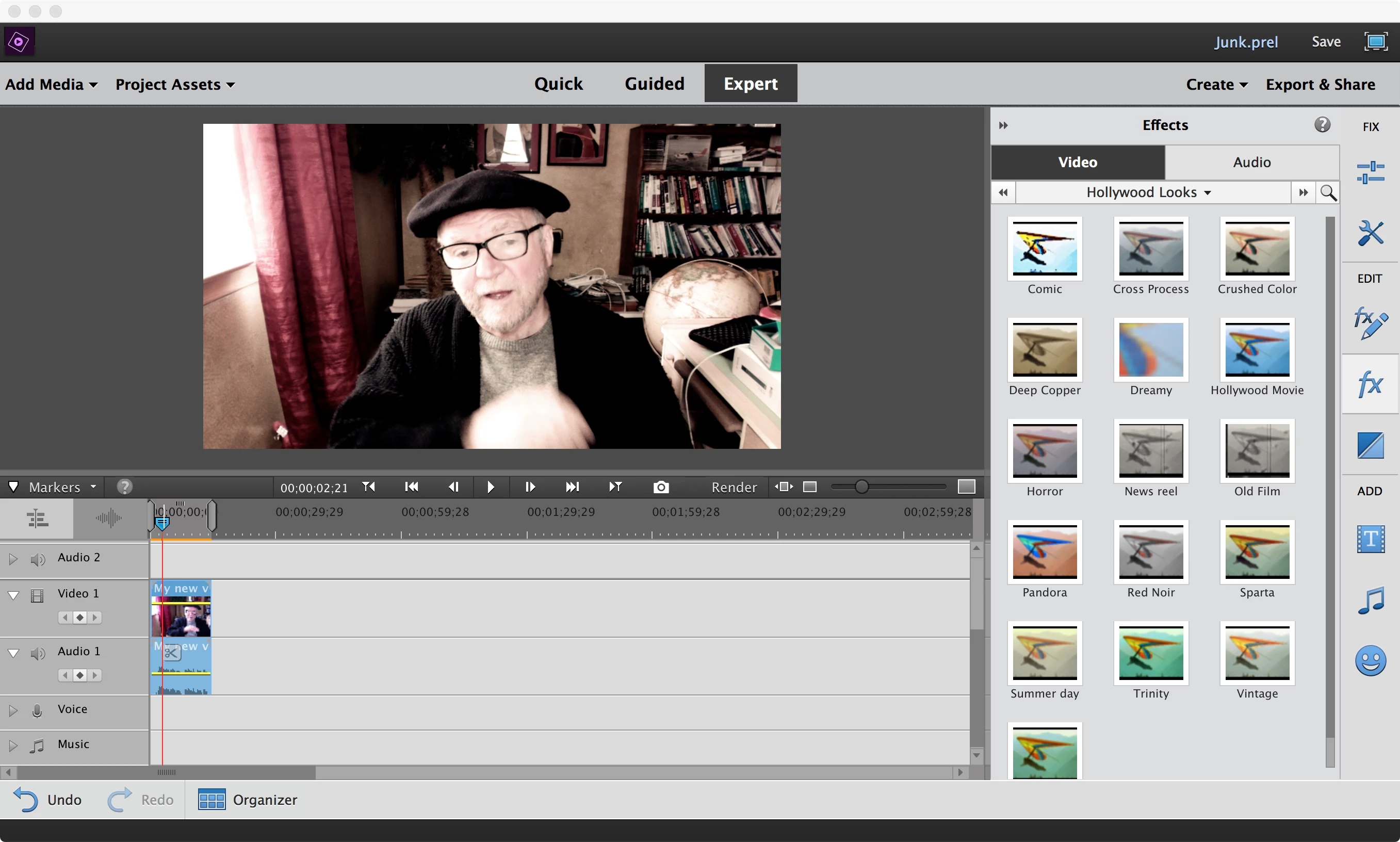
I used to used Hollywood Looks a lot; so here's what I'd suggest.

1. Close all of your apps and re-start your computer.

2. Open PRE

3. Make a short video. (Use your built-in or attached Webcam if you have one.)

4. Apply the desired Hollywood Effect (I used 'Crushed Color' in the example).

5. Preview and save.

If you're still getting a crash, Whsprague is probably right. Time to add more memory and/or faster processor. (Keep it simple; just upgrade your computer.)

2 replies

williebegoode
williebegoodeCorrect answer
Participating Frequently
April 2, 2018

I used to used Hollywood Looks a lot; so here's what I'd suggest.

1. Close all of your apps and re-start your computer.

2. Open PRE

3. Make a short video. (Use your built-in or attached Webcam if you have one.)

4. Apply the desired Hollywood Effect (I used 'Crushed Color' in the example).

5. Preview and save.

If you're still getting a crash, Whsprague is probably right. Time to add more memory and/or faster processor. (Keep it simple; just upgrade your computer.)

Community Expert
April 2, 2018

Without knowing more, my first guess is that your computer is not up to the task.  Can you offer detailed information about your computer, the project and the source of the media?