


Inspiring
October 24, 2023
質問

Adobe Premiere Elements 2024 & earlier - saturation - strange effect

  • October 24, 2023
  • 返信数 1.
  • 305 ビュー

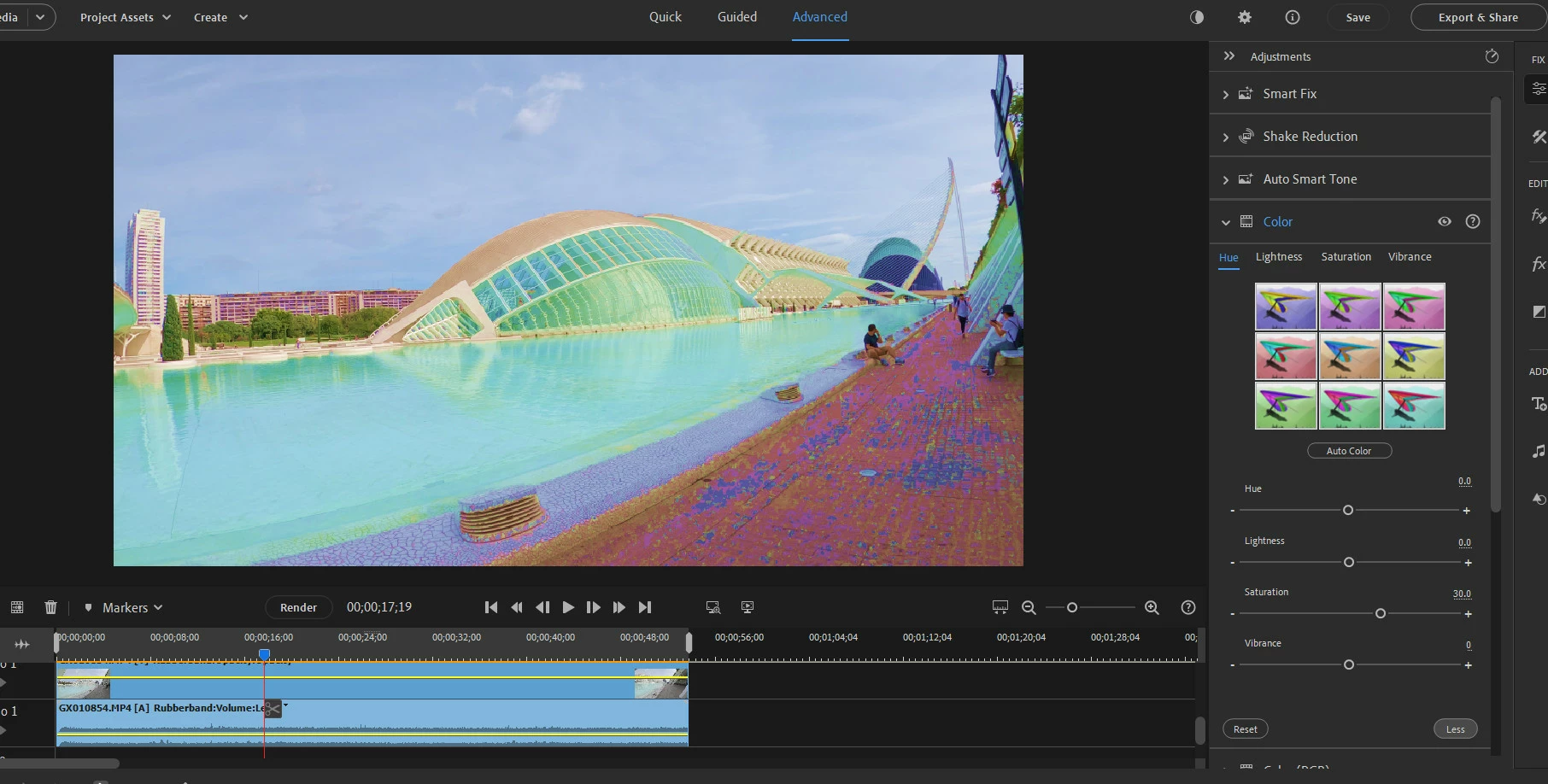
Adjustment/Color/Saturation produces very strange effects. It’s hard to described them but they are very well visible in this print screen.

It is not even oversaturation. The colors of the image are distorted is some strange way.


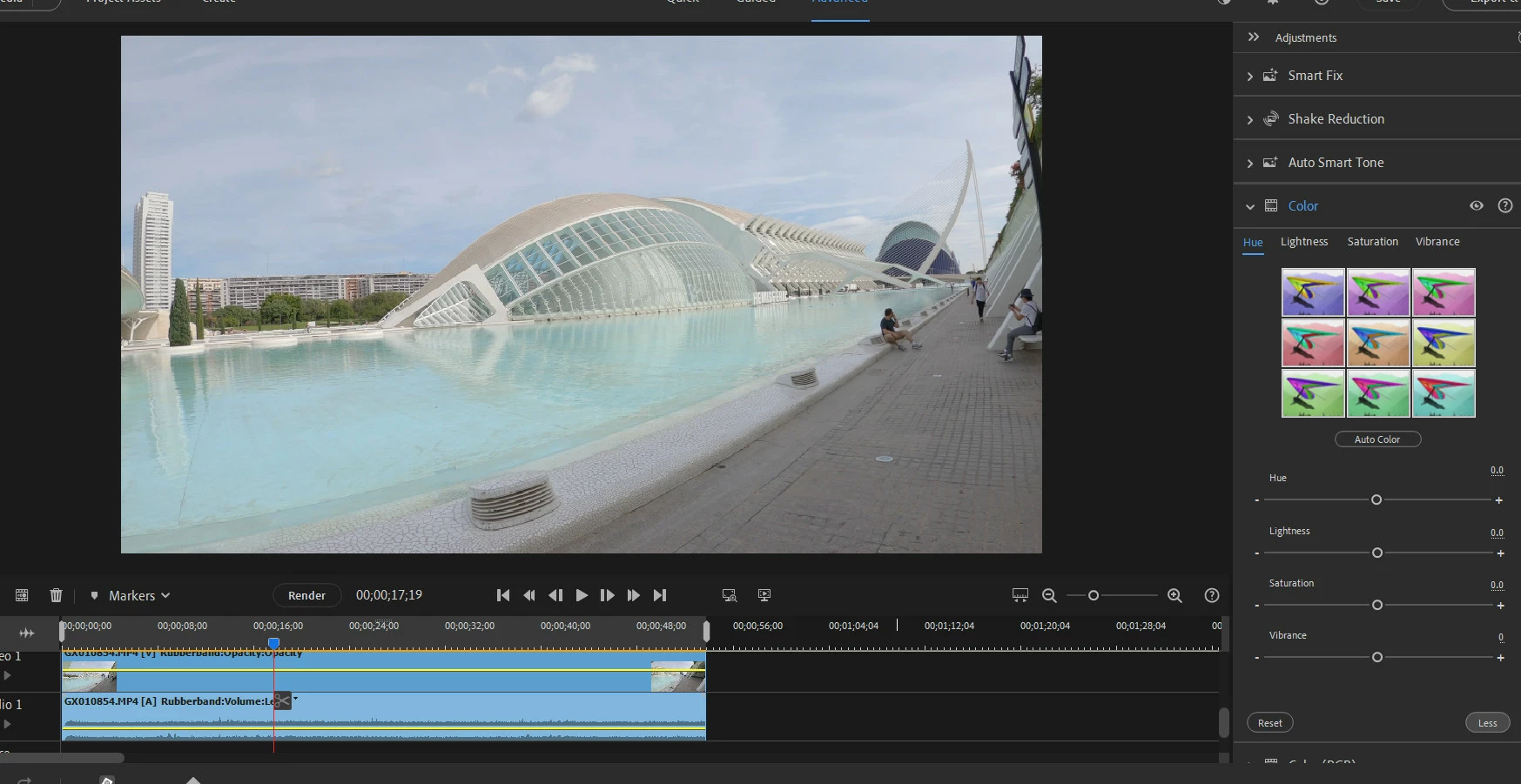
Here is original image:


What is interesting that Effects/Image Control/Saturation gives completely different results which are more to be expected.
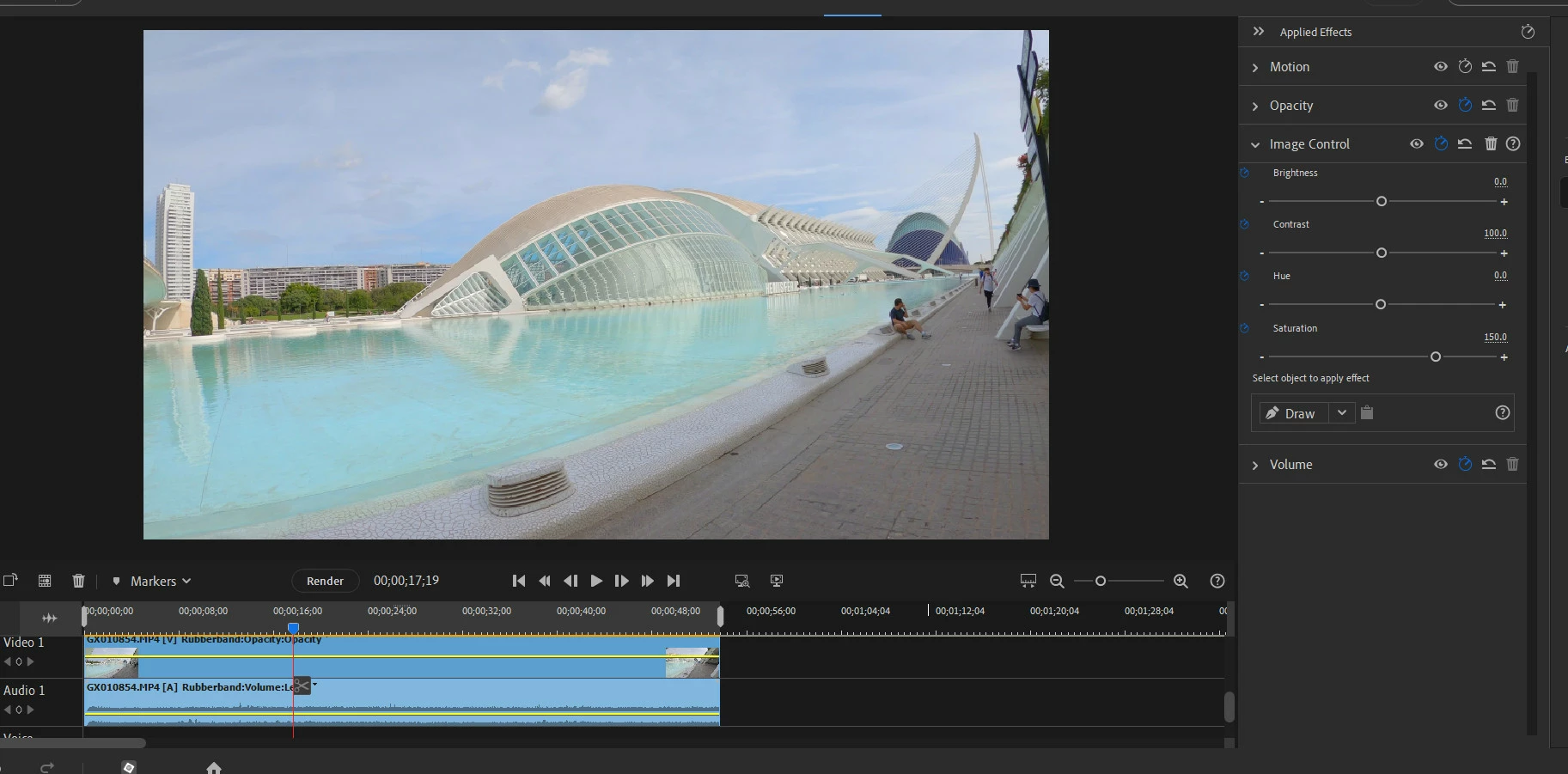


I don't understant why those two saturation settings give so much different results. 

このトピックへの返信は締め切られました。

返信数 1

John T Smith
Community Expert
Community Expert
October 24, 2023

Your problem MAY be an out of date device driver


IF Windows...

Do not count on Windows to be fully up to date when it comes to device drivers
Go to the vendor site to be sure you have an updated driver for your graphic adapter
.
nVidia Driver Downloads https://www.nvidia.com/Download/index.aspx?lang=en-us
-for all Adobe programs use the STUDIO driver, not the GAMING driver
-To achieve the highest level of reliability, Studio Drivers undergo extensive
-testing against multi-app creator workflows and multiple revisions of the top
-creative applications from Adobe to Autodesk and beyond
.
If you have a laptop you MAY also need to check for a laptop specific nVidia driver
-SOME laptops require an approved driver from the laptop company, not nVidia
.
AMD/ATI Driver https://www.amd.com/en/support
.
Intel https://downloadcenter.intel.com/product/211969/Intel-HD-Graphics-Family
https://www.askwoody.com/newsletter/free-edition-working-with-the-intel-driver-support-assistant/

tomek398作成者
Inspiring
October 24, 2023

Thank you for your reply. I have most recent NVIDIA Studio driver installed.