Participating Frequently
October 23, 2019
Answered

Bad Export Quality of Premier Elements 2020

  • October 23, 2019
  • 11 replies
  • 2522 views

I have been trying multiple things and I cannot for the life of me get the quality of my videos reasonable. 

I screen record while I am drawing with flashback and the quality is great when I export it from the flashback editor (I only have the free version so I cannot edit videos in flashback.) 
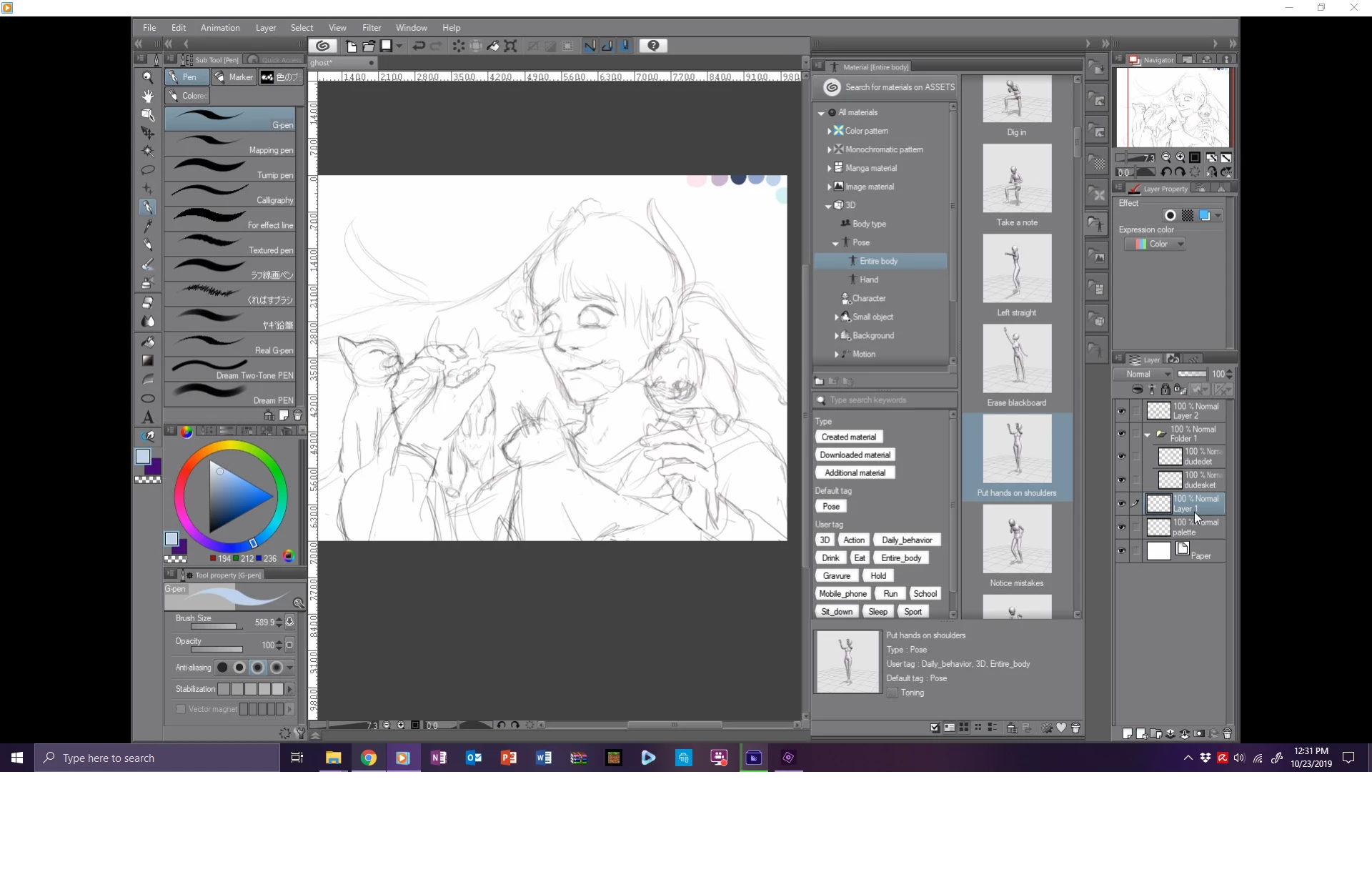
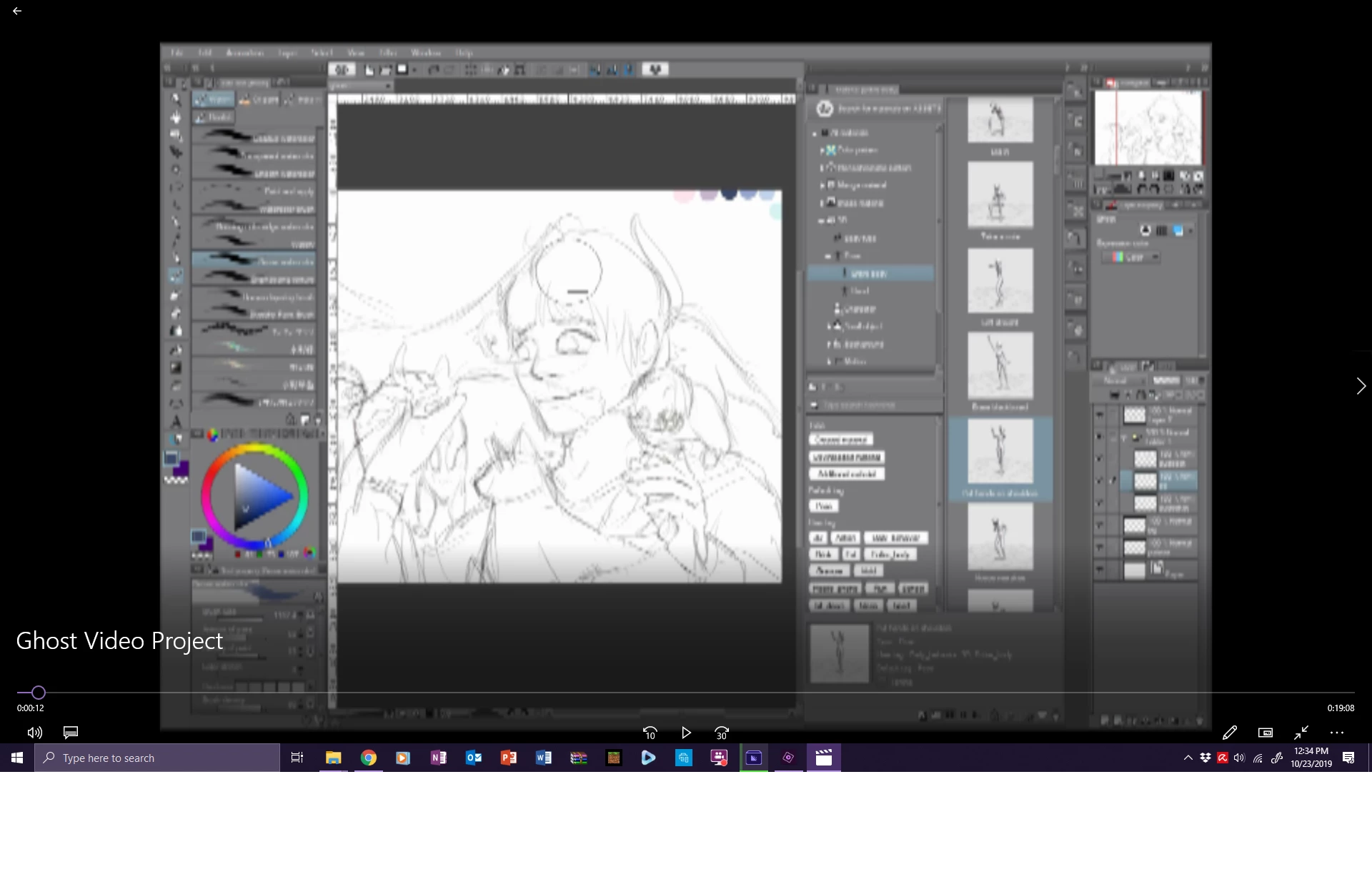
The top is great, you can read the text and video plays fine. The bottom is after I place it into premier, speed up the video, and then export it. It looks AWFUL and I am unsure of what to do because I have limited time. I have tried rendering the whole video before exporting at all the highest quality settings and nothing is changing. 
I just need help. It's frustrating and I am short on time. 

This topic has been closed for replies.
Correct answer Peru Bob

Your project is SD, but your export is HD, so it will be less clear when exported.

What are the pixel dimentions of the media you are putting on the timeline in Premiere Elements?

11 replies

Ann Bens
Community Expert
Community Expert
October 25, 2019

Good and free: https://camstudio.org/

Community Expert
October 24, 2019

"Now I have to find a good screen recording software."

Look at Snagit.  If that doesn't look good, try Camtasia.  Both are from Techsmith. 


 https://www.techsmith.com/screen-recorder.html

Participating Frequently
October 23, 2019

Alright, I uploaded to dropbox but the filetype is only viewable not downloadable if I were to share it so that doesn't help. 
The pixel width of the media I put on the timeline of Premier are 1552 wide by 1016 high.

I really appreciate the help.  

Participant
October 23, 2019

I think Peru Bob has the answer.  Your Flashback output is Brady Bunch resolution.  Elements doesn't have much to work with.

Participating Frequently
October 23, 2019

Alright, I had a hunch but wasn't sure. Now I have to find a good screen recording software. Thanks for the help. 

Peru Bob
Community Expert
Peru BobCommunity ExpertCorrect answer
Community Expert
October 23, 2019

Your project is SD, but your export is HD, so it will be less clear when exported.

What are the pixel dimentions of the media you are putting on the timeline in Premiere Elements?

Participating Frequently
October 23, 2019

OPE I forgot the project setting pictures too: Sorry I'm busy today 

Peru Bob
Community Expert
Community Expert
October 23, 2019

Please answer all of Ann's questions:

What resolution (pixels) did you do the screenrecording?

What are the project settings?

What are your export settings?

Participating Frequently
October 23, 2019

here are more specifics for premier if that helps. 

Participant
October 23, 2019


Do you have a way to upload the original file from Flashback (to online storage, like dropbox) and also the output file from Elements?  Someone can then place the original file into Elements, then see what happens when 4K is chosen for the final output.

Something is not adding up.

Participating Frequently
October 23, 2019

Sure, who should I send it to though?

Participating Frequently
October 23, 2019

I use export and share and I have tried at every quality and a couple different custom qualities and none make a difference. I have rendered the movie before export as well and it doesn't seem to make a difference. I am not a pro, by any means, and did not expect this to be such an issue. I feel very in over my head. 


Those are the general settings that I just leave them at because they work fine and I don't know a whole lot about how all this works. I'm unwilling to purchase the whole program because it records gameplay absolutly horrendously. 
If it is my screencapturing software I am unsure what to use that Premier won't compress into garbage. 

Shivangi_Gupta
Community Manager
Community Manager
October 23, 2019

Hi there,


Thanks for reaching out. The final quality of the media after export is dependent on various factors.

In addition to the questions asked by the experts above, I'd like to know if you checked the preview in more than one media player


Looking forward to your response.


Thanks,

Shivangi

Participating Frequently
October 23, 2019

yes, I have actually on multiple and all of them the quality is the same.

Ann Bens
Community Expert
Community Expert
October 23, 2019

What resolution (pixels) did you do the screenrecording

What are the project settings.

What are your export settings?