
Question
elements 15 video editing issue
hi, first post as support now won't help online.
I'm intermediately experienced now at editing. i shot some footage on my canon G7X mk2 for a review on a product. once importing the file from the camera to the hard drive, the unedited clip plays perfectly.
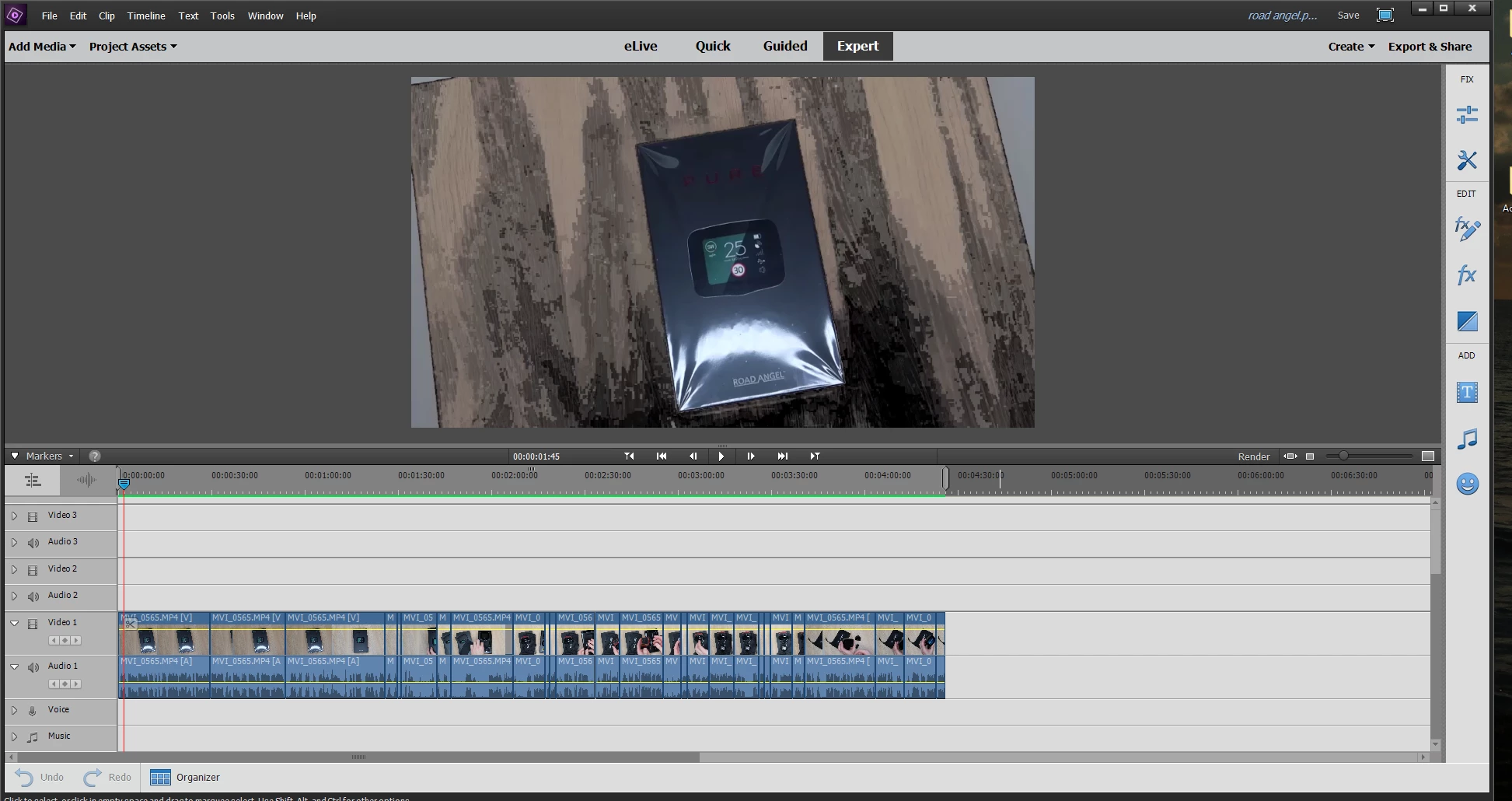
i open and import it to adobe elements 15 to edit and within certain areas the image shows a multi tone of black and grey like shadowing. i have attached a photo to explain the issue.
i can watch the raw footage from file MP4 on the hard drive perfectly fine but this happens when importing to edit. i also saved the unfinished project to see if rendering and playing in a complete MP4 format would resolve the issue but it doesn't.
any advice would be greatly appreciated. thank you
 AdChoices