

Extremely poor rendering quality with Premiere Elements 2019 compared to Premiere Elements 15
I'm about to change from Premiere Elements 15 to Premiere Elements 2019.
My system:
Windows 10 Pro
XEON X5675
18 GB RAM
Samsung SSD 840 EVO 500GB
...
Nvidia Geforce GTX 1060 6GB
When I compare the rendering result under absolut same conditions (same project, same export options) I get much worse picture quality in the output with Premiere Elements 2019. It's simply not usable for my requirements.
My projects contain 4k material and HD material mainly .mp4 format. I export in HD and 4k UltraHD.
I tested and compared the results with the following options
Standard Fast export option
Standard HD 1080
Standard 4k UltraHD
I also imported my export options from Premiere Elements 15 and tested with
HD 60fps 80Mbit/s
4k 60fps 80 Mbit/s (max. 120Mbit/s)
All of these options give me a great result with Premiere Elements 15 and extremely poor quality with Premiere Elements 2019.
You even can see clearly the difference whe exporting screenshots. Just look at the logo on the left...
Same project. Same export option jpeg 4k 100% quality. Same positin in the video
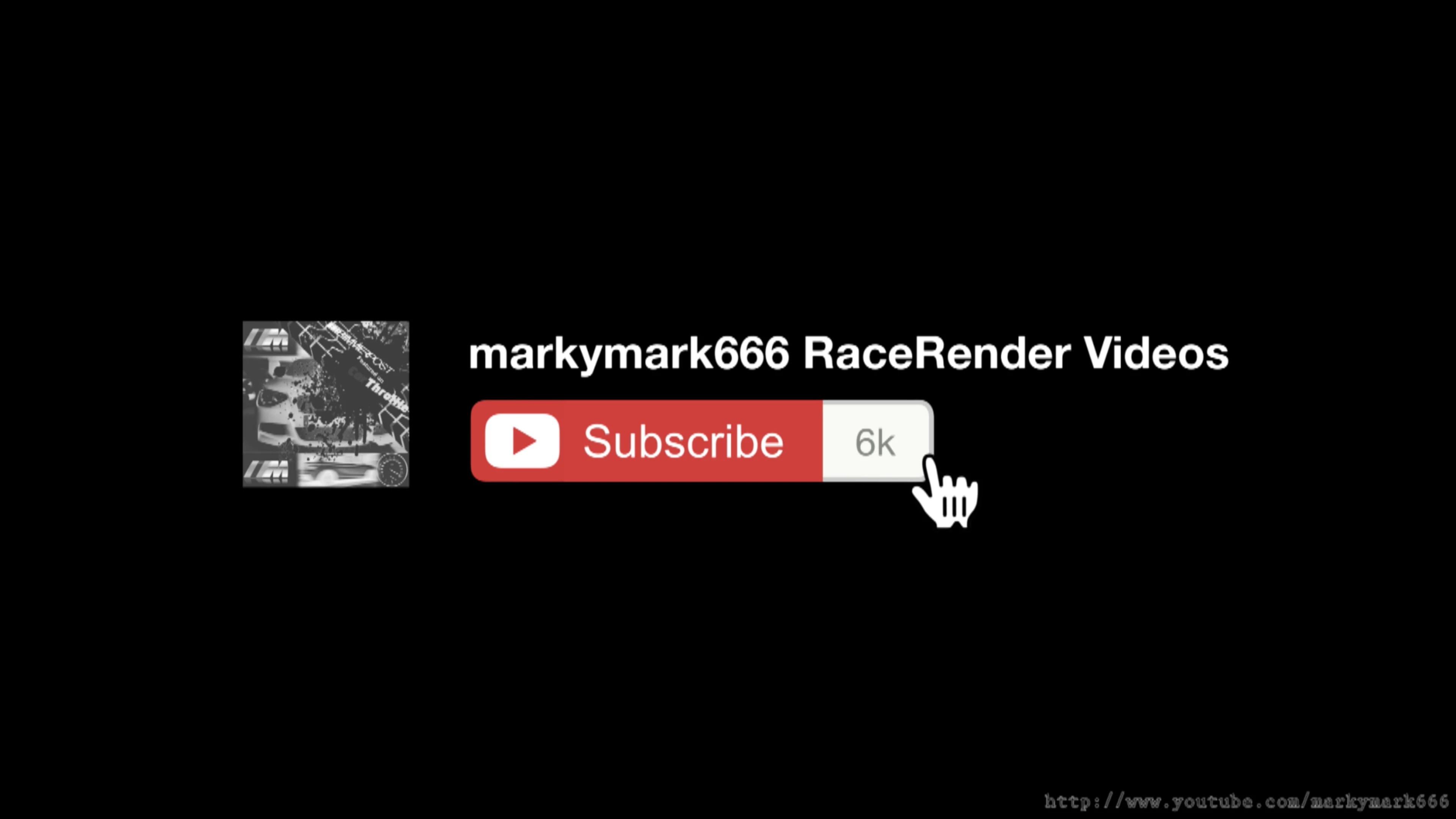
PE 2019
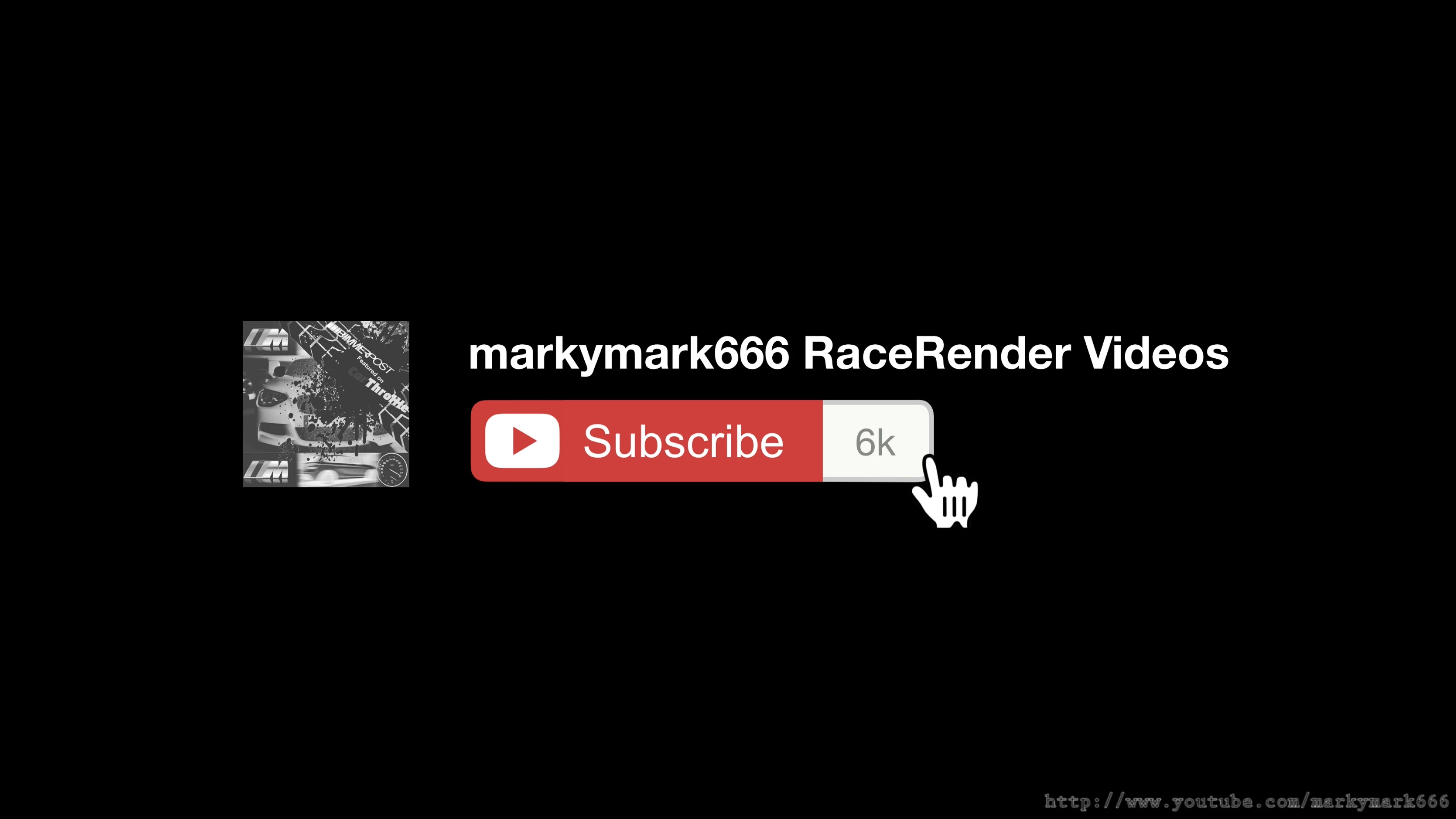
PE 15
Similar quality problem in video exports.
I could provide comparable sample video files if necessery.
Is there anything I miss? In case of a changed render engine. Is there a possibility to switch to the method Premiere Elements 15 used?
And there is a second problem: The Premiere Elements 2019 installation broke the ability to use .mov files which I had with Elements 15. Is there a chance to work with .mov files again?
 AdChoices