Participating Frequently
August 13, 2021
Answered

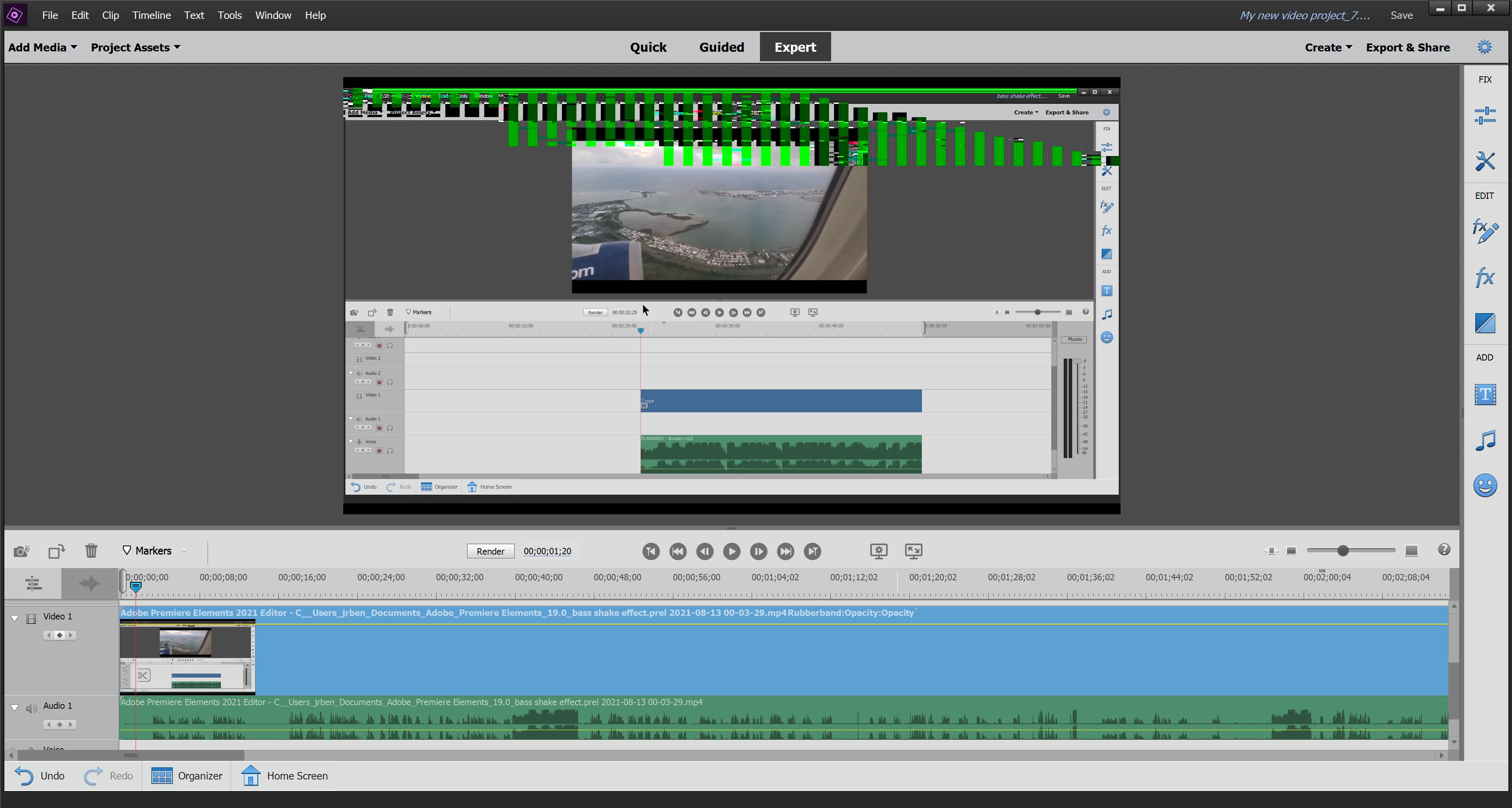
Green pixels on video clips.

  • August 13, 2021
  • 1 reply
  • 1742 views

I keep getting green pixels on video clips but i have noticed they come and go and sometimes stay. i have been restarting everything and hoping it works fine to export. is there anyway to fix this!?


screenshot of green pixels.


This topic has been closed for replies.
Correct answer Bill Sprague

the clip comes from xbox screen capture 

If its not one thing its another, i tried to send you screen shot of tree but when click on the file to upload says i dont have permission.

anyway we can do a screen share to get to the bottom of this?


Premiere Elements is aimed at people that edit footage from cameras.  It is not at all unusual for Premiere Elements to balk at footage from the many screen captures systems that will use unique structures.   If it were me, I would use the (free) Handbrake program to convert 'odd' footage to a dull and routine MP4 file that contains the standard H264 codec, fixed frame rates and all the other routine settings.  

1 reply

Ann Bens
Community Expert
Community Expert
August 13, 2021

Most likely it's the Intel gpu.

Update the driver.

Might want to give the clip a more regular name: as of now it's ridiculous long.

Participating Frequently
August 13, 2021

What do you mean give the clip a more regular name?


I will try to update the driver and get back to you. 

Community Expert
June 2, 2022

I have been having the exact issues and about to try Handbrake. Did you ever determine what the proper codec settings are that should be used? Looking to ultimately use on YouTube as well- Thanks!


Currently the universal, works everywhere, video codec is H.264.  For Handbrake, try Steve's tutorial:  https://www.youtube.com/watch?v=xlvxgVREX-Y