

How to properly get Premiere Elements 15 to use X264?
Hello!
First post here, but I've got a question that's been bugging me for some time now.
Screenshots at the end, if I don't properly explain what files I'm using.
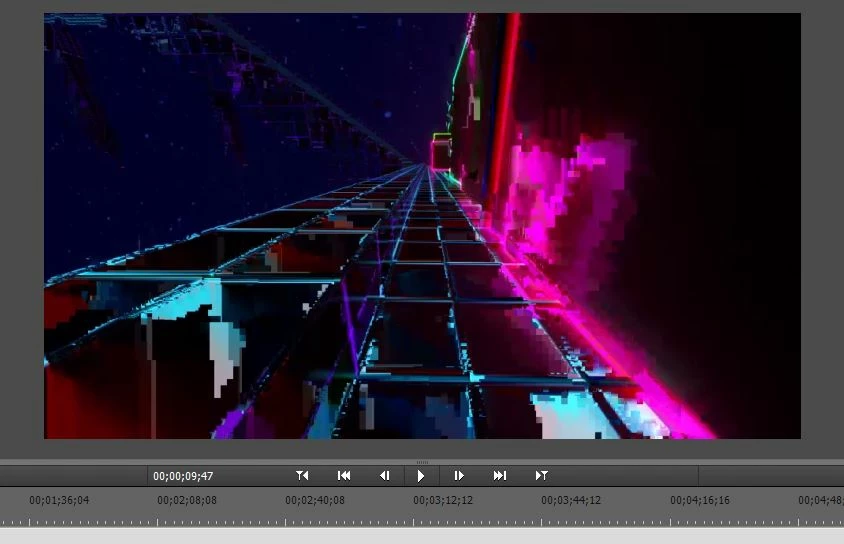
I've always had issues with Premiere Elements playing back and properly using videos I throw at it. Before I was using H264 and video playback was flawless, but audio was getting out of sync eventually. Switch to X264 (per recommendation of recording software, Bandicam) and the audio is spot on, but now the video messes up (screenshot below)
Okay, let's see if this helps sort out what I just said.
1. This is the video messing up, as if I was trying to watch a video on a really poor connection, maybe? Playback is flawless watching in Media Player.
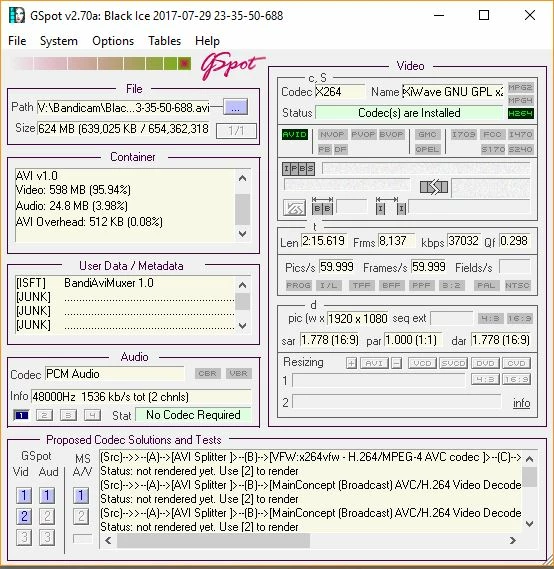
2. I didn't fully read how to use this software, but maybe there is some helpful info here on codecs and such?
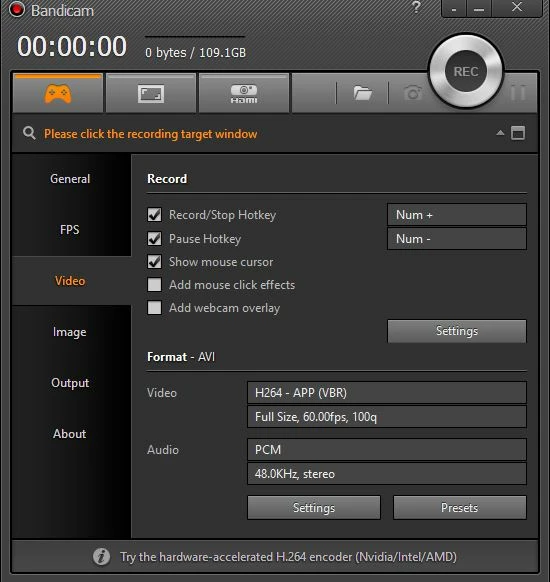
3. Some Bandicam settings.
4. More settings in Bandicam.
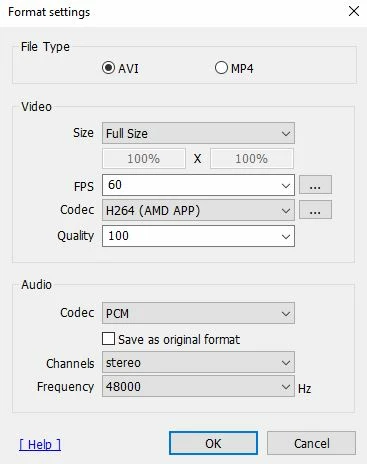
5. Even more settings, note that I flipped over to X264 here, even though the previous shot says H264....
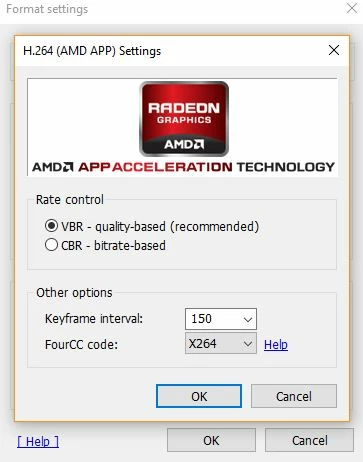
6. Some basic PC settings, in case people need to know that.
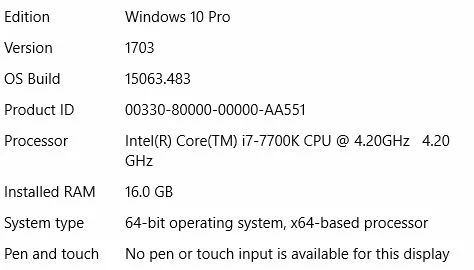
Now that we have that covered, is there a better arrangement here for Premiere Elements 15? Do I just simply flip to mp4? Quality is an issue here and I don't fully know what I should be setting up to blast quality through the roof. (Sort of a, "Well, this works for me, not going to mess with it" deal, but now it isn't working, haha)
Input is appreciated, and hopefully we can sort this issue out!
Many thanks in advance,
-Peter
 AdChoices