
OJ34380219
Participant
January 18, 2018
Question

Premier Elements 2018 - No Video Preview

  • January 18, 2018
  • 2 replies
  • 752 views

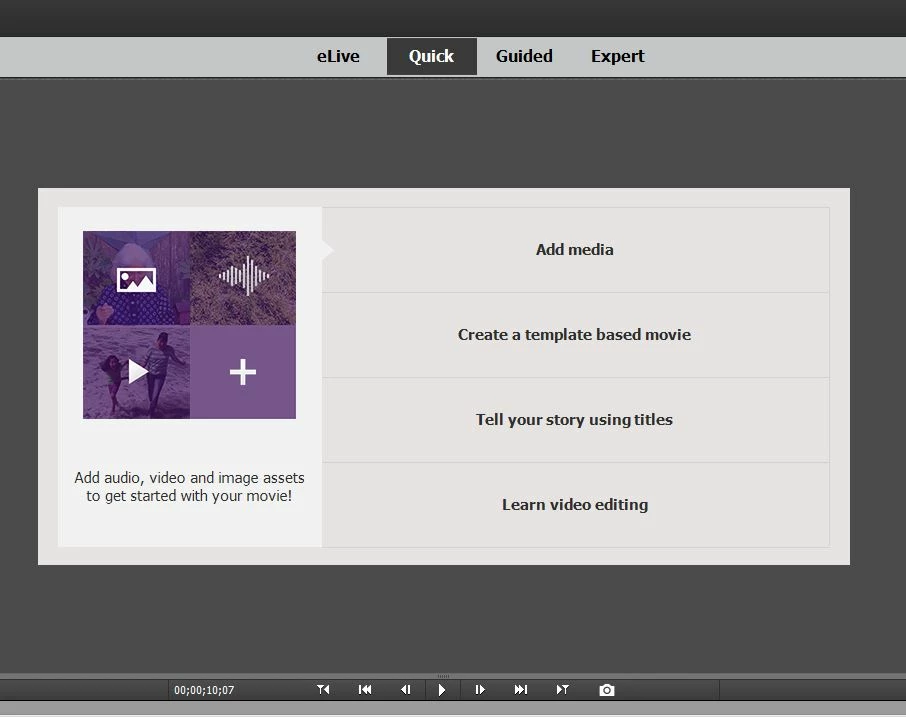
I just bought this software and I'm trying to edit a video. When I add a video to the timeline, I don't see a preview. When I click play, I hear the audio of the video but nothing is playing on the preview. All I see is still the welcome message (as shown on the screenshot below). Is there any settings that I need to enable or disable to be able to see the preview? Without the preview, there's no possible way to edit a video.
This topic has been closed for replies.

2 replies

Participant
January 23, 2018

if it helps I just had my question resolved my remote access from adobe.

I had two graphics cards running at the same time, they simply turned off the graphics card and the video worked and I could preview it.

computer management > device manager>display adapters>turn off weaker one (in my case turned off intel one and kept NVIDIA GEFORE 940MX

Community Expert
January 24, 2018

Thanks for posting the solution.  Glad you got it working.

Legend
January 18, 2018

What operating system do you have?

What model of camcorder is your video coming from and what is the format and resolution of this video?

What processor do you have with how much RAM?

If you switch to Expert view, is your video clip on your timeline and is the playhead positioned over it?

Participant
January 23, 2018

Hi,

I have the same problem,

operating system: windows

video coming from: Samsung s7 edge, mp4, 1920x1080

processor: intel core i7

ram: 8gb

expert view: yes on timeline and playhead over it

I have tried converting to mp4, used handbrake to change to constant framerate, converted to mpeg-2, tested a small file too and same results.

can you help?