

Question
Premiere Elements 2018 Incompatible Display Driver
I am an absolute beginner to Premiere and after installing Elements 2018, I am receiving the dreaded "Incompatible Display Driver" message. A lot of advice suggests removing the BadDriver.txt file but there doesn't seem to be such a file with the new version of Elements. Have tried reinstalling drivers for my graphics card but doesnt improve the situation.
DirectXDiagnostic shows the following settings;
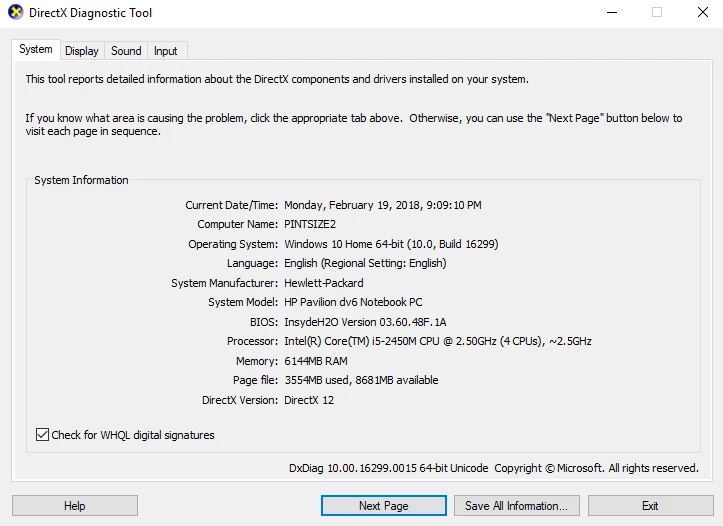
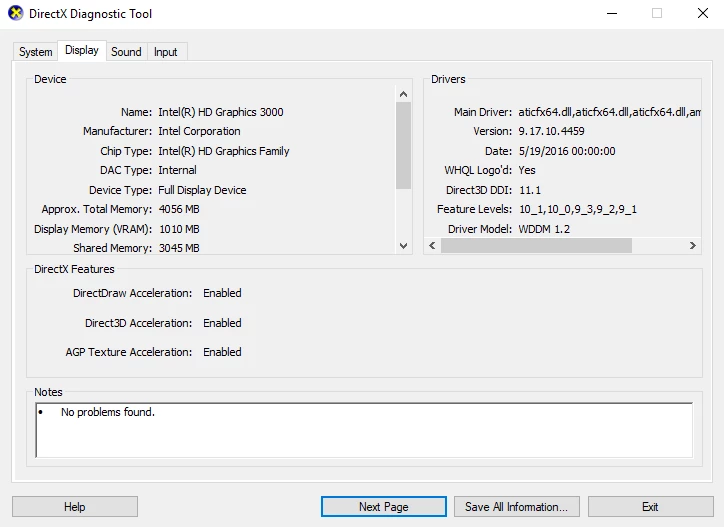
I must admit to having not used computers for much more than surfing the internet for the last decade so my knowledge is super limited and I have no idea what my next move is.
 AdChoices