Open your DJI footage in the free download MediaInfo. In MediaInfo, set View to Text and then copy the report it generates for the file and paste it to this forum. With this detailed report we'll be better able to help you.
Hoping to build on the suggestions from John and Steve, I did an AI search. All of the following might be relevant:
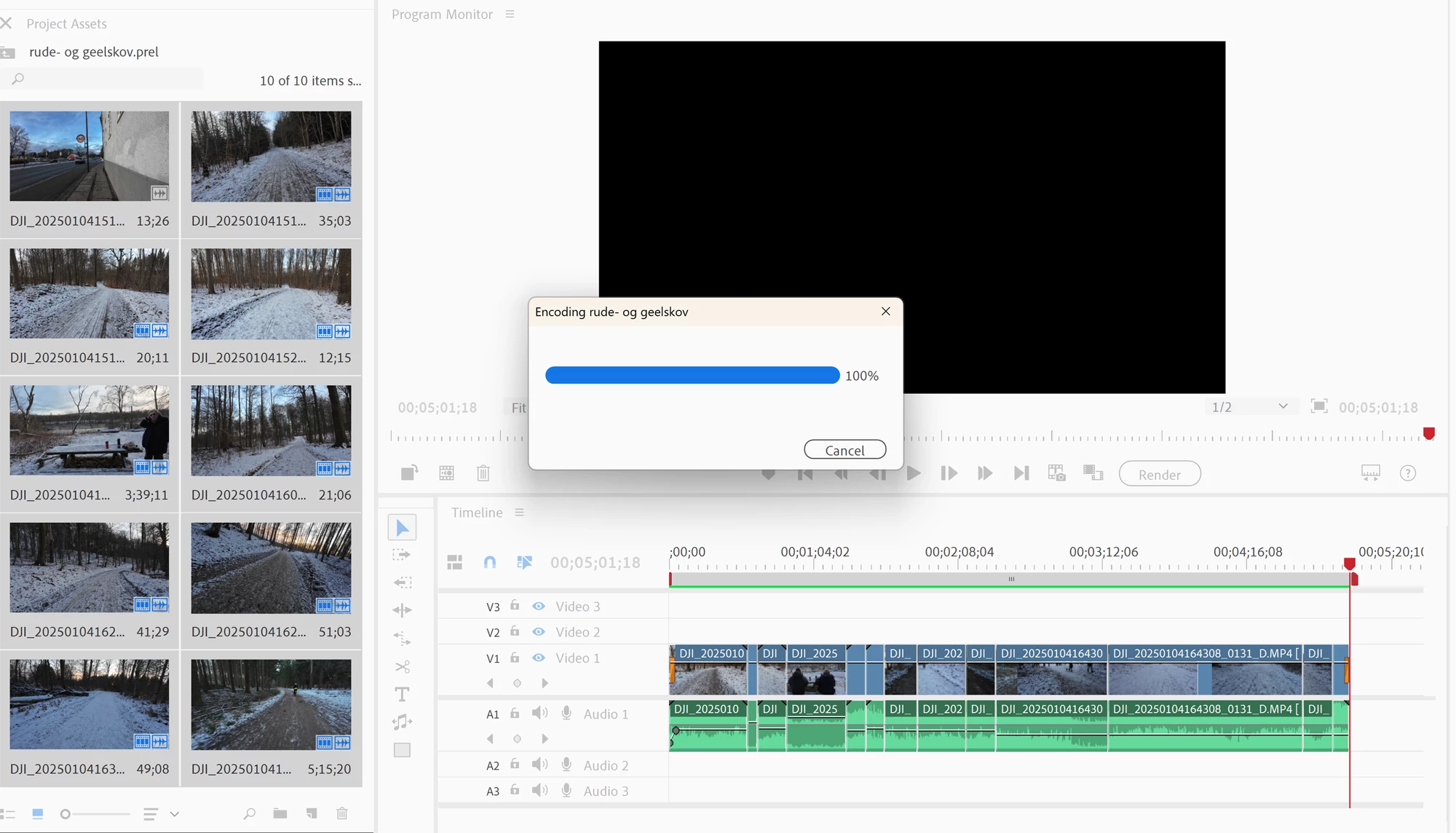
If Premiere Elements is freezing at 100%, it usually indicates a problem with the export process, often caused by a combination of factors like incompatible video formats, overloaded system resources, corrupted media cache files, or potentially problematic plugins; to fix this, you can try:
Check your source video format:
Ensure your video files are compatible with Premiere Elements and consider transcoding them if necessary.
Clear media cache files:
Go to the Premiere Elements preferences and clear the media cache, which can sometimes contain corrupted data causing export issues.
Export in smaller chunks:
Try exporting smaller segments of your project instead of the entire video at once.
System resource check:
Make sure your computer has enough RAM and processing power to handle the export process smoothly.
Disable unnecessary plugins:
Deactivate any third-party plugins that might be interfering with the export.
Update Premiere Elements:
Check for any available updates to ensure you have the latest bug fixes
Check your hard drive space:
Ensure you have sufficient free space on the drive where you are exporting your video
Adjust export settings:
Lower the bitrate:Try reducing the bitrate in your export settings to decrease processing load
Change the export format:Experiment with different export formats like H.264 or ProRes to see if it improves performance
Thanks for your suggestions. I just don't understand why this problem occurs now. The 'only' change since earlier video editings with footage from my DJI Action camera (not my DJI drone) is a new edition of Premiere Elements. I'm just a video amateur. Nevertheless I've made a lot of (good-enough-for-me-)videos for YouTube and from there to my Facebook-page. I'll just like to add that my 'freezing' project after a much too long time finally finished with a technically perfect video. My laptop is a DELL XPS 17 9710 and it is used to work with my video files and has done it quite okay. Up till now. Ergo: I think I may find a solution in the new Elements settings. I'll try to change themhere and there and see if it helps. Thanks again, guys.
When you ask a question you always need to provide some basic information -Forum quick start https://community.adobe.com/t5/Community-Help/ASK-Forum-Success-Guide-Efficiently-using-the-forums/td-p/4791542 -https://community.adobe.com/t5/Get-Started/Questions-you-need-to-answer-to-receive-better-help/td-p/6199470 -https://community.adobe.com/t5/get-started/how-to-post-and-get-your-issue-resolved-or-what-do-you-need-to-know-to-solve-my-issue/td-p/11178657?page=1



 AdChoices