
Participant
June 15, 2019
Answered

Premiere Elements, Iphone XS video import

  • June 15, 2019
  • 2 replies
  • 1028 views

Hello,

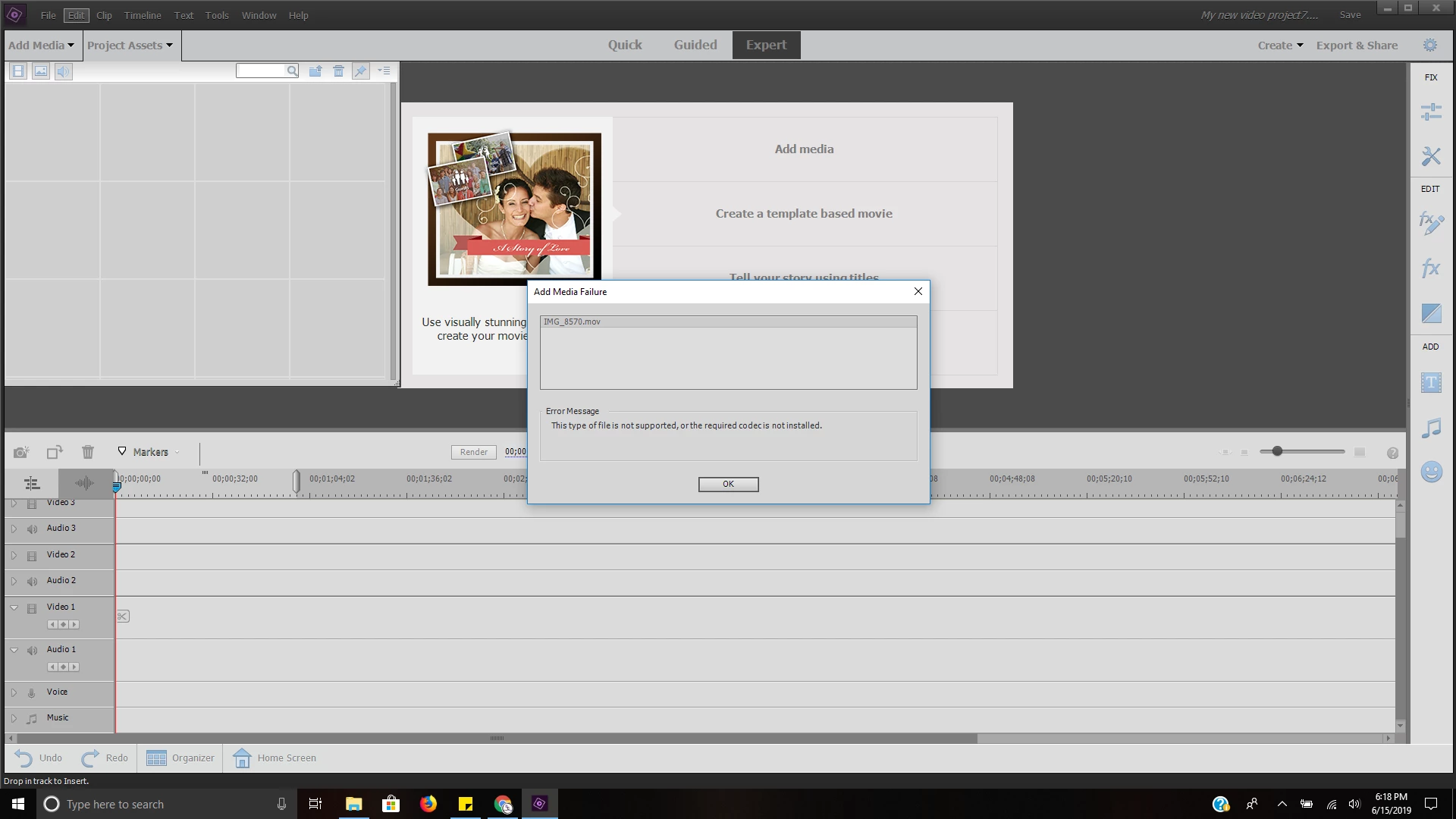
      I have about had it with the continuous amount of times i've tried and failed to import a video taken in, '4k 60fps' on my Iphone XS into Adobe Premiere Elements 2019. Can someone please help me with this error:
[Here is the list of all Adobe forums... https://forums.adobe.com/welcome]

[Moved from Premiere Pro to Premiere Elements... Mod]

This topic has been closed for replies.
Correct answer Bill Sprague

I don't have an iPhone, but I think 4Kp60 is an HEVC or H.265 codec.  It is common on only the newest iPhones and a few drones but not universal.  If you are on a Windows 10 computer, the codec is not there.  If you are on an iOS computer it is there.  Adobe does not support H.265.   Apple apparently does include it, so if editing with Premiere Elements on a Mac, it should work.

You may need to shoot at a lower frame rate and codec on your phone, maybe convert the video to H.264 with the (free) Handbrake program or get different editing software.

2 replies

Participant
June 16, 2019

Thank you so much for the insights. I just edited the video in my phone with imovie.

Community Expert
June 16, 2019

imovie on your phone is a perfect solution for HEVC video.  I'm going to remember that for future discussions!

When you make a video with imovie, are there output choices other than HEVC?

Bill SpragueCommunity ExpertCorrect answer
Community Expert
June 16, 2019

I don't have an iPhone, but I think 4Kp60 is an HEVC or H.265 codec.  It is common on only the newest iPhones and a few drones but not universal.  If you are on a Windows 10 computer, the codec is not there.  If you are on an iOS computer it is there.  Adobe does not support H.265.   Apple apparently does include it, so if editing with Premiere Elements on a Mac, it should work.

You may need to shoot at a lower frame rate and codec on your phone, maybe convert the video to H.264 with the (free) Handbrake program or get different editing software.