
Project Assets won't show + audio won't play
Hello Adobe,
I'm using Premiere Elements 14 and I'm having several issues. I'll display a couple of them with a screen shot.
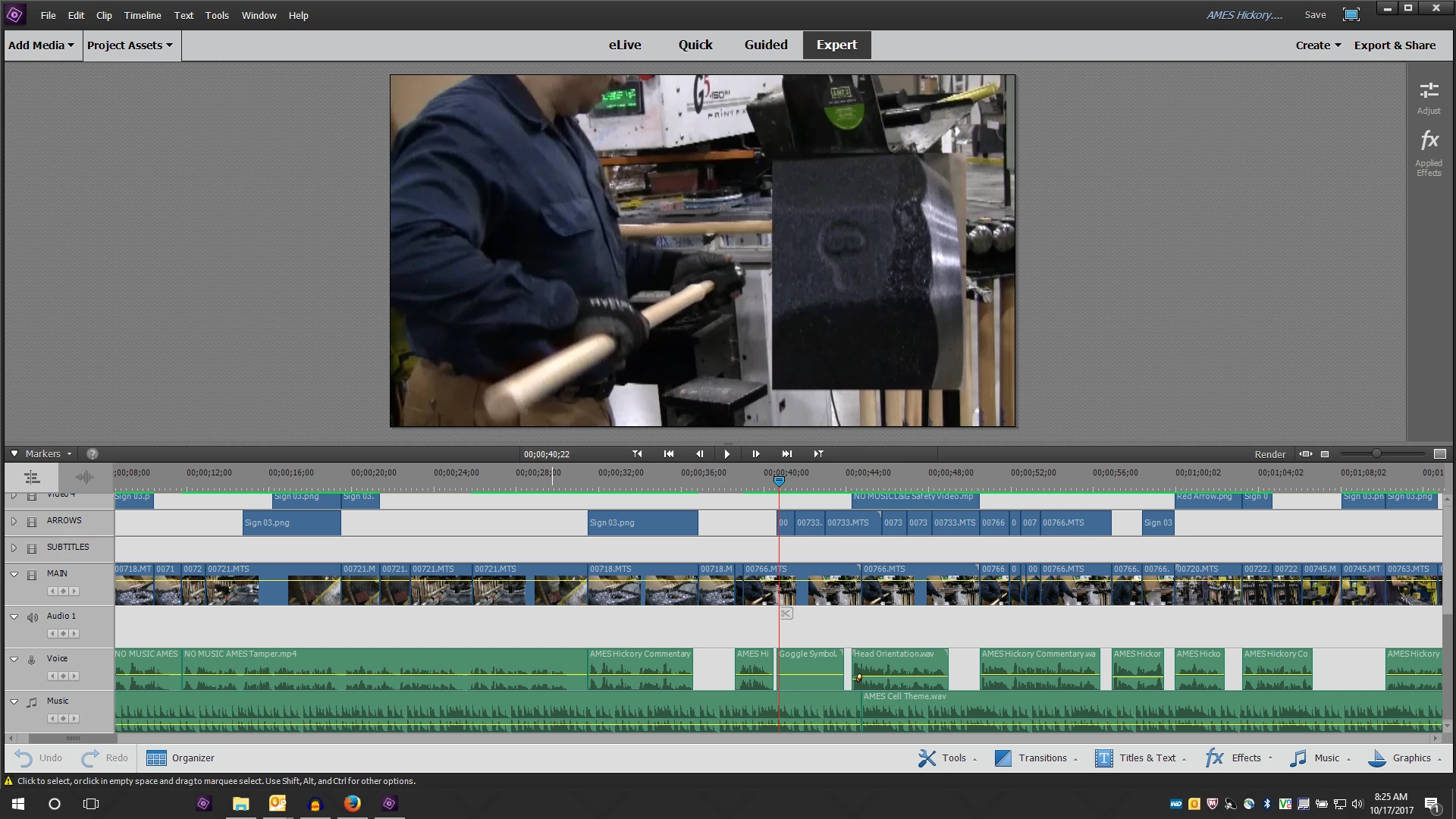
First, my Project Assets won't show. As you can see I have it clicked open to display content, but nothing is showing. I've tried this on a New project with no content whatsoever and I'm still encountering the same problem.
Second, some audio is not playing in my projects (see the where the Timeline Marker is). It plays just fine on my computer, but when I put it in the project it's not playing at all. Sometimes when all of the audio is working fine in my project then I'll go to render it but then the final product will have the audio cut off at a certain point for the rest of the project or not even play at all to begin with.
Not sure if these issues are hard drive related as I've used up almost all of my 476GB of space on my local disk drive, and had a new drive put on my computer last week that's used as a network drive. Not sure if it's related to that, but ever since then this has been happening.
What should I do? Should I just go back to using the original drive or what?
 AdChoices