
Participant
April 21, 2021
Question

Urgent - Premiere Elements does purple and green glitch over my videos

  • April 21, 2021
  • 1 reply
  • 910 views

Hi there,

I just purchased Premiere Elements. I started editing a video in the free trial version, and after getting most of the video edited I decided to purchase it to immediately get rid of the "free trial banner" across the video. However, when I received the full version, the video I was editing now has this purple and green glitch over it. 
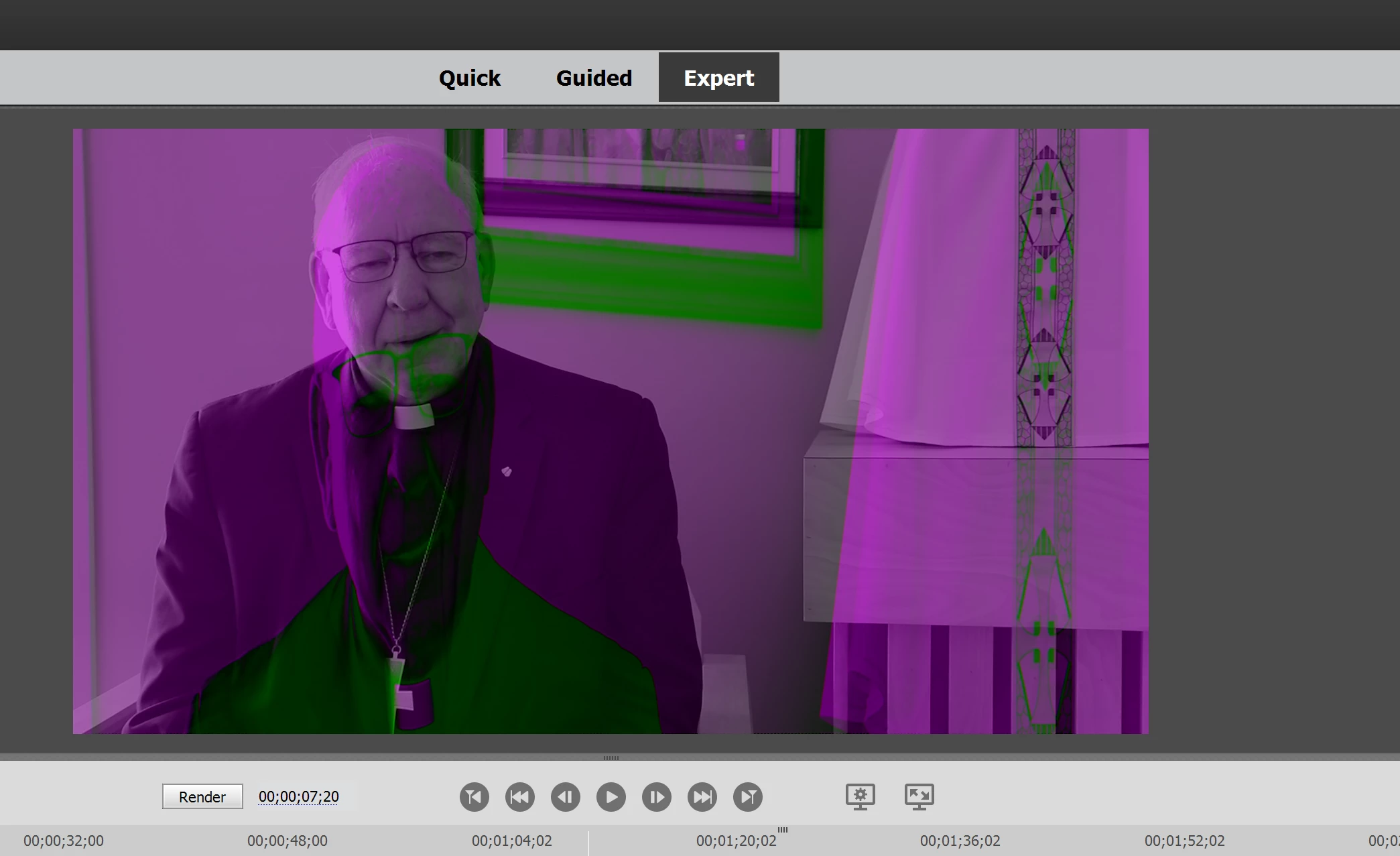

This was not present in the trial version. There are some fixes available for this in Premiere Pro, but I have found nothing to correct the problem in Elements. I checked my Windows Updates and everything appears up to date on my computer.

If I cannot get this problem fixed within the next 24 hours, I'm likely just going to demand a refund. I cannot use a program that brought this major of an issue within my first few minutes using it.

If you can help me that would be greatly appreciated. 

This topic has been closed for replies.

1 reply

Legend
April 21, 2021

This is a user to user forum, so we can't help you with a refund.


But this issue is usually resolved by updated your video card's driver from the AMD or nVidia web site rather than depending on the Windows supplied driver.

Participant
April 21, 2021

It seems strange that it would be the driver, considering the video played fine under the trial version. It would be nice to have a way to fix this problem in the actual program, as there is with Premiere Pro.

Ann Bens
Community Expert
Community Expert
November 17, 2021

I have the same issue, and Premiere Pro doesn't work in the same way. You can fix this on Premiere Pro by going into Project Settings, General, and then chaging the Renderer. Then the video looks normal.
In Premiere Elements, you don't get this option. 


If you have to change the render settings in PrPro it means there is a problem with the driver or card itself.

In Elements you can turn off Hardware acceleration in the Preferences.