


Participant
April 7, 2019
Answered

Adobe Premiere Elements 2019, Import from DV/HDV not posible

  • April 7, 2019
  • 1 reply
  • 3755 views

Since several day I use Adobe Premiere Elements 2019.

I found no way for import my DV / HDV Tapes to Elements 2019.

I use Windows-10, HDV Camaras are Sony HDR-HC7E and HDR-HC9E

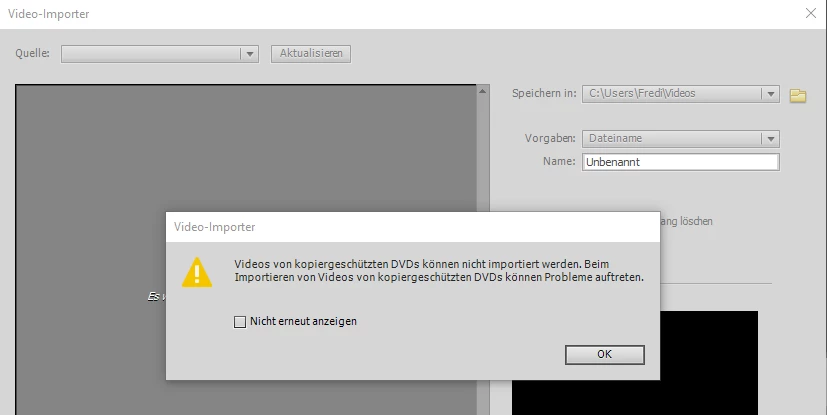
When I select add Media from DVD(Camcorder)

Then I get the following Info.

Im not able to select any Surce (Quelle)
Before I worked with Adobe Premiere Elements 9

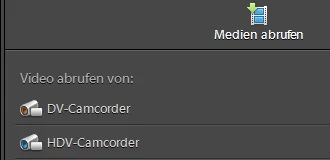
With this, I was able with the function "Medien abrufen" to select DV or HDV Camcorder.

Connection between Sony Camera and PC is FireWire Cable. This worked allways fine.
Any Idea what I can change ?

    This topic has been closed for replies.
    Correct answer Peru Bob

    You can use these programs for capture:

    WinDV   WinDV

    HDVSplit   HDVSplit 0.77 beta

    1 reply

    Community Expert
    April 7, 2019

    This may not be the answer your want!

    Somewhere around version 12 or 13, the firewire capture options were dropped.  Based on other posts in this forum, the free "WinDV" program gets good results.  A google search on "firewire capture" will yield other choices. 

    If you still have version 9, you should be able to capture with that and do your editing in the newer version. 

    Participant
    April 7, 2019

    This answer can help, thanks a lot. In Case adobe premiere Elements 2019 don't support any longer firewire, then I need to repair my old element 9 Version for Input. Afterwards editing with elements 2019 can be a way.

    Peru Bob
    Community Expert
    Peru BobCommunity ExpertCorrect answer
    Community Expert
    April 7, 2019

    You can use these programs for capture:

    WinDV   WinDV

    HDVSplit   HDVSplit 0.77 beta