

Confirmation of Export & Share Settings for HD Video (Blu-Ray)
I'm just looking for confirmation of Export & SHare settings before I burn a number of Blu-Ray Discs...
Using PE 14.1 on a WIN7 PC I have a 20-minute HD video ready "to burn".
The source is a Panasonic HD V727 Camcorder set up for PAL:
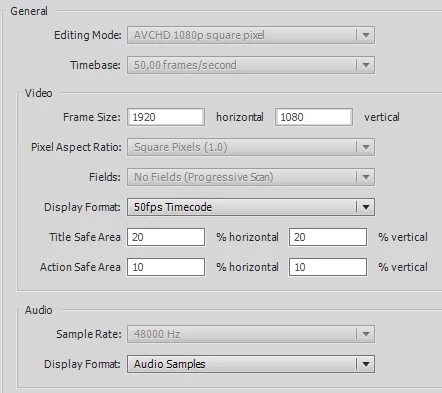
A short version of the video was exported to an MP4 file & then uploaded to YouTube successfully.
Now I have the "Extended Edition" for fellow-club members only.
As distribution methods I thought about:
1) MP4 file - no problem here.
2) Blu-Ray Disc
3) AVCHD Disc (on grounds that the DVD-R Rohlings cost half that of Blu-Ray)
Looking at (2) Blu-Ray, I went to Export & Share & selected Disc & Blu-Ray.
I saw that the Frame Rate was set to 23,976; recalling that PAL should be 25 I set this &
on the RHS it changed from Custom Settings to Recommended Settings viz.:
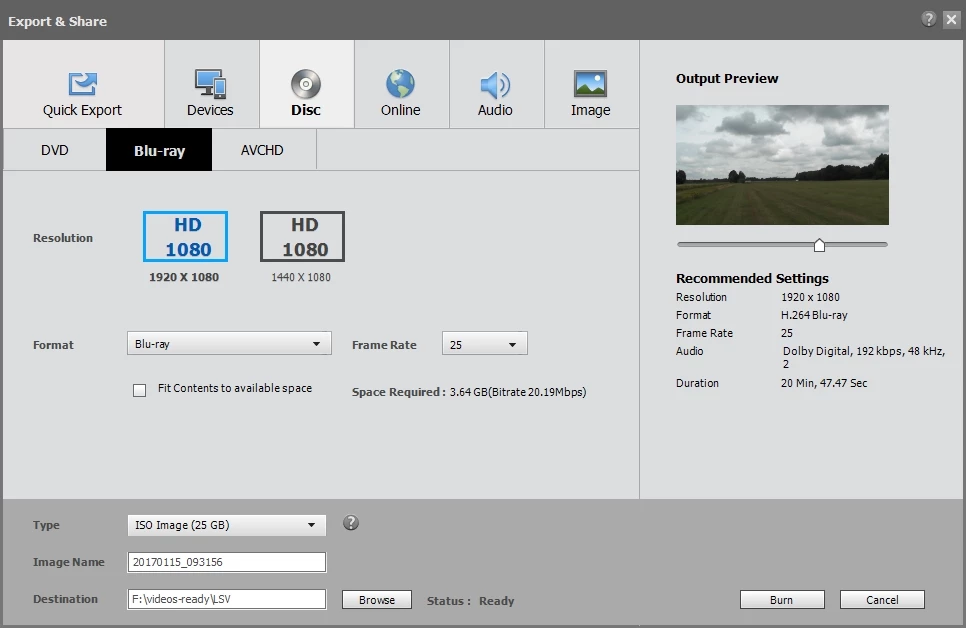
If I tick the Fit Contents to available space the resulting Space Required goes from 3.64 GB to 4.31 GB
and the Bit Rate from 20.19Mbps to 24.00Mbps:
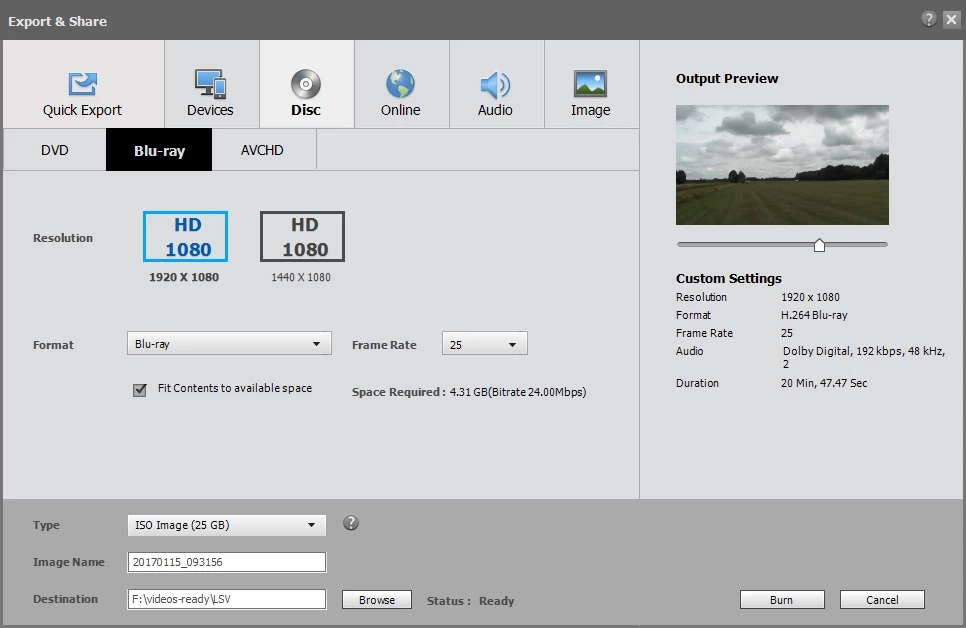
Q1: Is there any real advantage to tick the Fit Contents box - or even disadvantages (bearing in mind the
resulting Disc will be played back on a variety of players)?
Or should (as it generally the case in life) I stay with the Recommended Settings?
Looking at (3) AVCHD (I've never tried this so far), I went to Export & Share & selected Disc & AVCHD.
With Frame Rate at 25 I see Space Required is 2.77 GB with Bit Rate 15.59Mbps.
These are shown to be Recommended Settings.
Q2: A lower Bit Rate than for Blu-Ray above would indicate poorer quality or would this not be noticeable in practice?
Ticking the Fit Contents box has little effect here - Space Required goes to 2.79 GB with Bit Rate 15.74Mbps.
(I'm wonderin whether the AVCHD disc option is not worth the effort & just offer club colleages the MP4 file or Blu-Ray options).
All advice gratefully received.
 AdChoices