
Participating Frequently
April 14, 2019
Answered

Delete and close gap function does not work

  • April 14, 2019
  • 4 replies
  • 21728 views

Hi

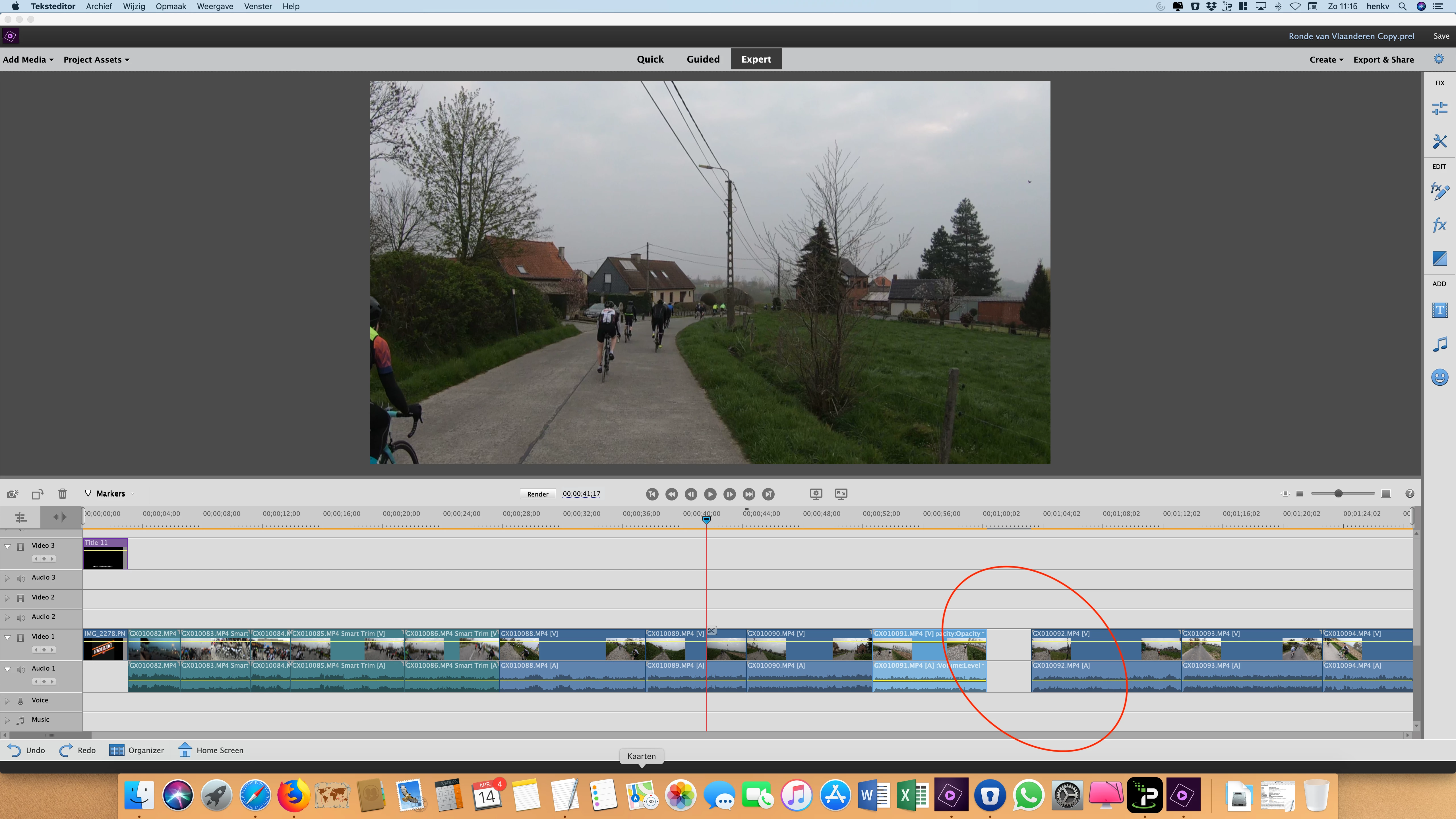
I have a question, the " Delete and close gap function"  does not work.

See below screenshot.

If I right click on the gap then the function is gray.
When I trim a movie, the gap that is created is not filled automatically.
Who knows the solution? (otherwise I have to move all the clips 1 by 1).

Like to hear from you!
    This topic has been closed for replies.
    Correct answer Peru Bob

    Is there another clip in that area on a track not visible in the screen capture?

    4 replies

    Legend
    April 15, 2019

    Great find, hv! Please mark this question as correctly answered.

    Legend
    April 15, 2019

    I've never seen the timeline behave like it does in his video. Double-clicking on the gap should select the entire gap, not just the audio or video track gap. So maybe it's a Mac thing.

    Peru Bob
    Community Expert
    Peru BobCommunity ExpertCorrect answer
    Community Expert
    April 14, 2019

    Is there another clip in that area on a track not visible in the screen capture?

    Community Expert
    April 14, 2019

    https://forums.adobe.com/people/Peru+Bob  wrote

    Is there another clip in that area on a track not visible in the screen capture?

    Why didn't I think of that!  That's far more logical than what I came up with!

    Legend
    April 14, 2019

    Have you tried double-clicking on the gap to select it and then tried right-clicking and selecting Delete and Close Gap?

    Participating Frequently
    April 14, 2019

    Yes, I Tried it.

    But It the when I tried right-clicking (after cubble-clicking) then "delete en close gap"  is grey. See below movie-link (screen cap).

    Community Expert
    April 14, 2019

    Delete and Close gap has always worked for me so this is puzzling!

    Can you select the gap and press the Delete key?

    I see the orange render line above you timeline.  What are your project settings and what is the video source?