


Mohit Goyal
Community Manager
Community Manager
October 8, 2020
Question

Premiere Elements 2021 is now available

  • October 8, 2020
  • 11 replies
  • 2075 views

We're excited to announce the release of Premiere Elements 2021!


This new version includes several amazing features like


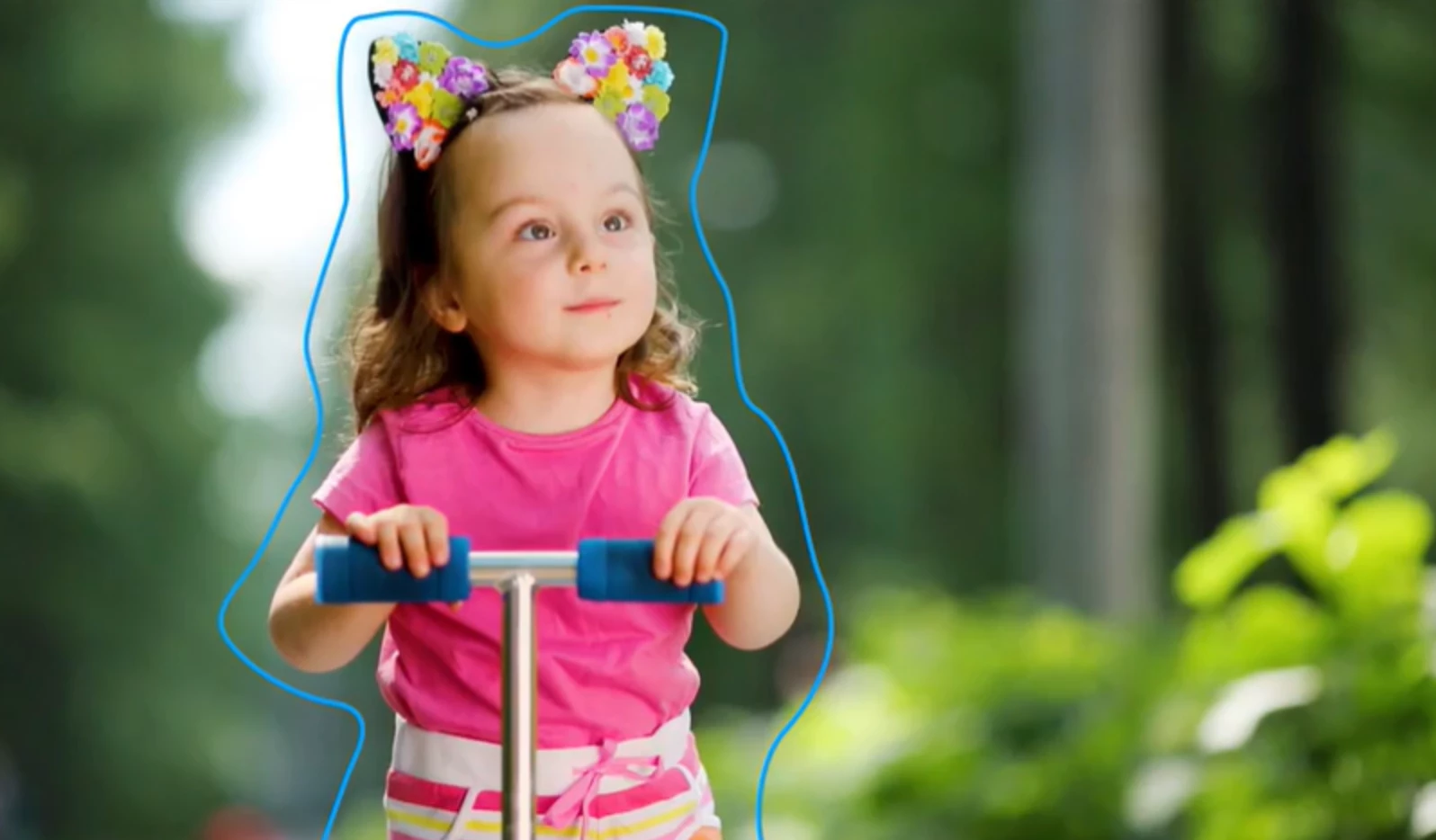
  • Select Object: Select a specific object or area of your video and easily apply an effect that tracks throughout the video, like brightening the subject or blurring the background
  • Introduction to GPU accelerated renderingSee high-quality playback of many awesome effects without rendering first and crop your videos faster with the new GPU accelerated performance


To know more, click here


To buy or upgrade Premiere Elements to 2021, click here


For getting started or any other help, refer to the Learn & Support page

This topic has been closed for replies.

11 replies

Participant
November 18, 2020

Does not detect NVIDIA GeForce GTX 1050 Ti as compatible GPU, which is listed as compatible, even with latest studio drivers.

Legend
November 19, 2020

If your GPU the MaxQ version of this card? 

Participant
November 19, 2020

Yes, it is, and per Gaurav's answer in the other thread, it is not supported, and Adobe lists "NVIDIA GeForce GTX 1050 Ti" as generically supported, without any exceptions.

Community Expert
October 25, 2020

"...when 2020 STILL won't playback videos without lag for me for a paid product version that isn't performing"

This is a user forum.  I empathize with your situation.  I've been here awhile and have seen your situation solved many times.  Finding the right combination of settings and preferences may take some work.  But, the results are usually good.    

The newly released version has some GPU support in it.  If you have the right graphics card, that may help.  Trials are free. 

Regarding the $79, the better price comes with holiday sales.  My guess is that a complete new version will be about $65 for a few days.  

Known Participant
October 23, 2020

You want to charge current customers $79 to upgrade...when 2020 STILL won't playback videos without lag for me for a paid product version that isn't performing and everything I've tried under the sun doesn't work , with a very fast , modern spec'd PC?

Community Expert
October 15, 2020

"Does it add back Bluray authoring?"  It does not.  I don't think it will ever come back.  The world is moving to streaming, 4K and more.  My guess is that Blu-Ray is going the way of cassette tapes.   When Blu-Ray came, TVs didn't have USB ports.  They do now.  Vimeo and YouTube were infants.  They aren't now.

Community Expert
October 15, 2020

"Is PS Elements 2021 compatible with Catalina or not?"

Should be.  To be sure it works on YOUR Catalina, download the trial for free.  The trial runs a month.  You can buy the serial number after you know it works. 

Inspiring
October 14, 2020

Does it add back Bluray authoring? I'm guessing not. I'll continue to stick with Elements 14 until they do...

Shivangi_Gupta
Community Manager
Community Manager
October 21, 2020

Hi there,

We appreciate every feedback and feature request coming in. Adding to what @Bill Sprague has mentioned, there is no plan of adding the Bluray authoring anytime soon. However, I would personally suggest you to add your voice here: https://feedback.photoshop.com/topics/adobe-premiere-elements/5f5f2094785c1f1e6cc40878

This page is monitored by our product team. We'll make sure it gets more eyes.

Thanks,

Shivangi

Participant
October 13, 2020

I just got Elements 2021. Does it support 360 video edit / triming? If yes, can I get some guidance? I would like to convert stitched 360 video from isnta360 editor and trim , multiple video to make one VR video.

Shivangi_Gupta
Community Manager
Community Manager
October 21, 2020

Hi there,

Premiere Elements 2021 has not introduced any new feature specific to 360 video editing. However, I came across this video which could be of help. Take a look: https://vimeo.com/189405805

You can also check out Adobe Premiere Pro for VR editing. https://www.adobe.com/creativecloud/video/virtual-reality.html

Let us know if you have any questions.

Thanks,

Shivangi


Community Expert
October 12, 2020

Try this:  

jamesl54981656
Participant
October 12, 2020
For some reason chat doesn't appear. I've tried Chrome and Edge. I've
cleared cookies. I'm signed in. Maybe I need to call the help number. Sorry
to tie up the forum thread with this.

--
jamesl54981656
Participant
October 15, 2020

Follow up. I determined that the chat wasn't appearing due to the Pihole DNS server I'm using.

Community Expert
October 10, 2020

This is primarily a user to user forum.   In your version, go to Help > Online Support.  That takes you to a website.  In the lower right corner is an icon to start a chat with Adobe techs.   They will have the answer to your question.  

jamesl54981656
Participant
October 12, 2020
A chat icon does not appear on the page you suggest. In fact there doesn't
seem to be any way to contact Adobe directly on any of the support pages
which is why I posted here.
--
jamesl54981656
Participant
October 10, 2020

I just upgraded to Premiere Elements 2020 less than a month ago. Do I need to pay the full upgrade price for 2021?

Shivangi_Gupta
Community Manager
Community Manager
October 21, 2020

Hey James,

I understand your query is totally valid. I'd recommend taking a look at this article: https://helpx.adobe.com/x-productkb/policy-pricing/upgrade-policy-product-announcement.html

This will help you determine if your account qualifies for free upgrade. I hope it helps.

We're here if you need us!

Thanks,

Shivangi