
Video jitters upon export
Hello,
I am using Adobe Premiere Elements 2021. Whenever I export my video, it has jitters and shaking that isn't visible during playback prior to exporting. Each time I export these issues appear in different places. I have tried deleting transitions and features (now just video clips), restarting the pc, reinstalling, clearing the media cache, and I've tried with several different export settings.
My computer is running Windows 10 64 bit with an AMD Ryzen 4700U and AMD Radeon Graphics. It has 16gb of ram and is a fairly new PC, so does not have any excess software or files taking up space.
I have mostly been trying to use the Quick Export in this menu here:
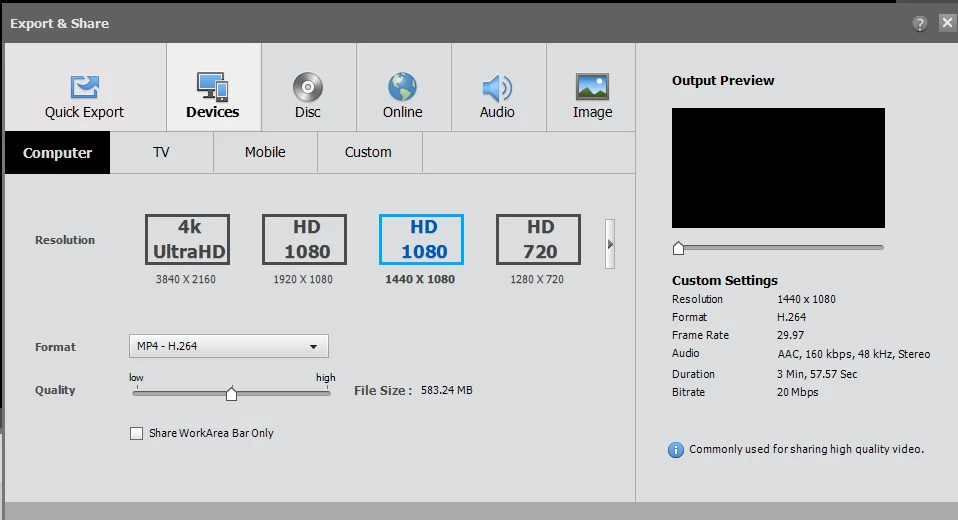
I have tried exporting in several different settings, such as the 1080p and 720p settings.
I have also tried playing with the advanced menu for exporting. When I go to the advanced menu I see this, I'm not sure if it helps:
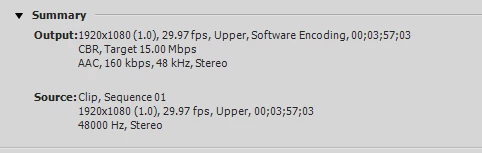
Please let me know if you require any additional information!
I am not trying to do anything fancy, just put a few video clips together, so I am confused as to why I am experiencing these issues.
Thanks so much for your help!
 AdChoices