
Participant
November 8, 2021
Answered

Missing specific text

  • November 8, 2021
  • 1 reply
  • 425 views

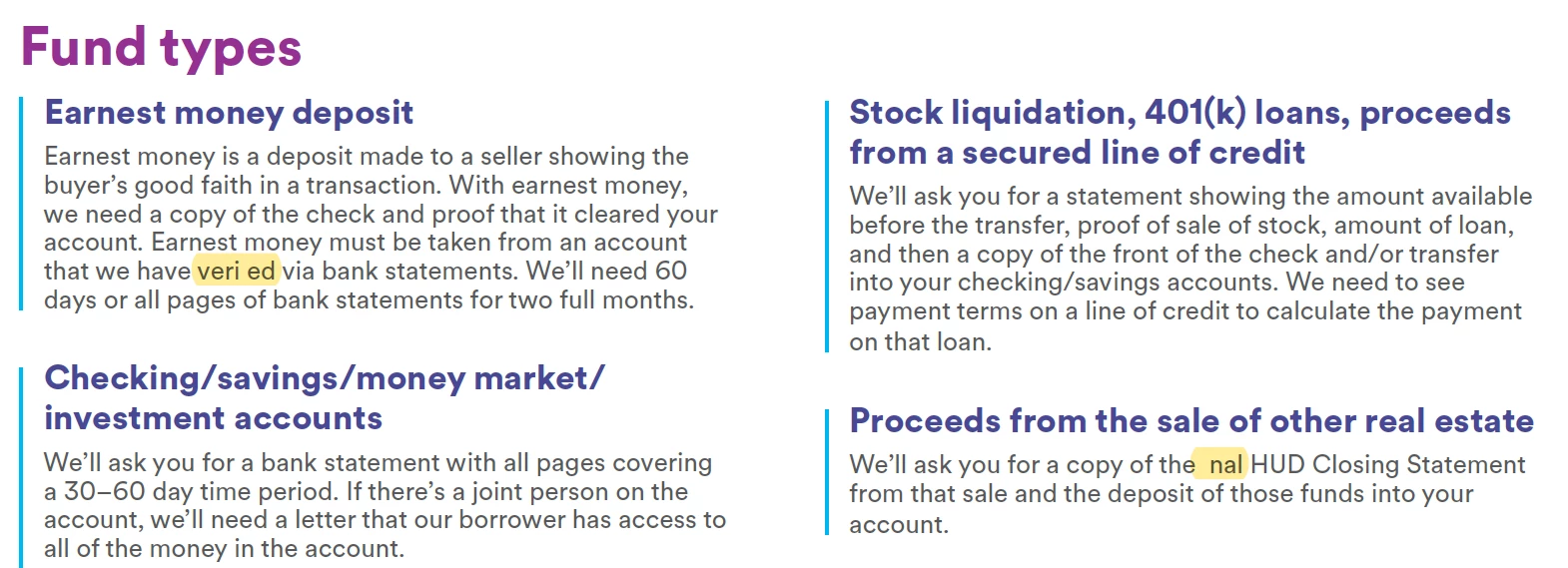
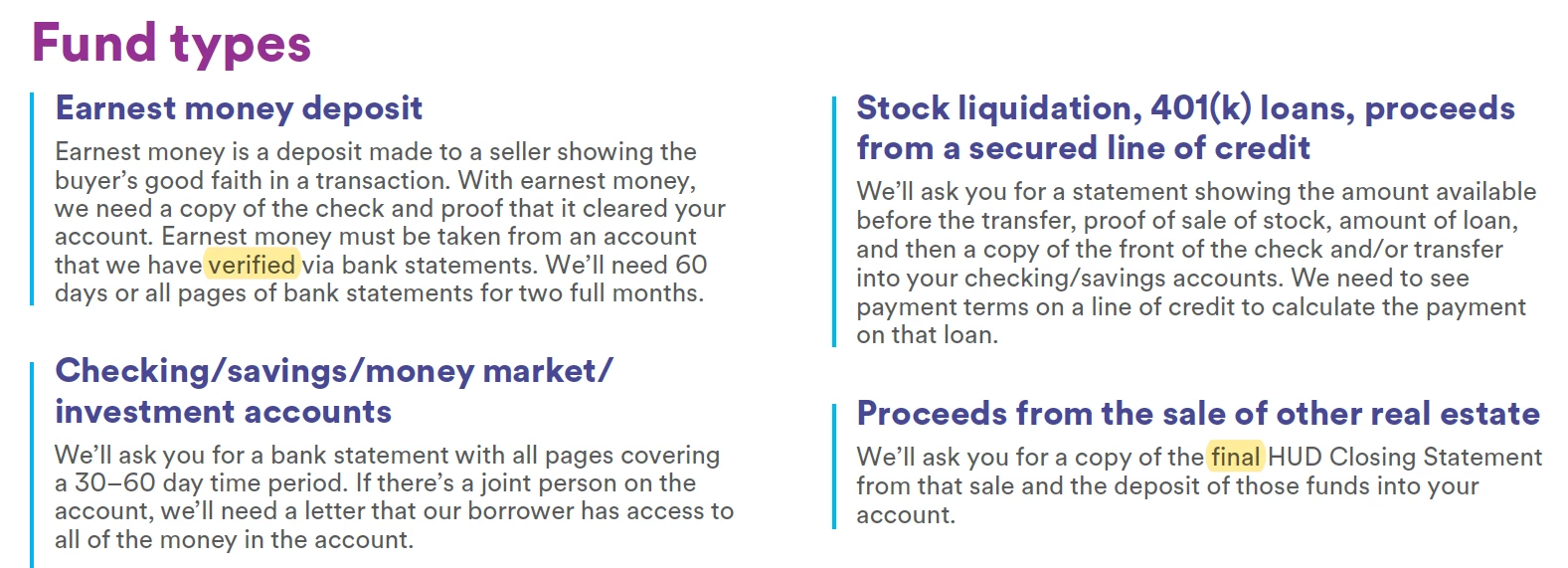
Designed in InDesign and exported to a PDF. I've downloaded all updates for both InDesign and Acrobat DC. I've tried to imbed the fonts using Preflight (this usually works but not this time) and have tried saving the file as an Optimized PDF. This instance is strange because it's only removing "fi" from the documuent (see the below screenshots).


PDF showing error:
 

What the PDF should look like without the error:
This topic has been closed for replies.
Correct answer Brad @ Roaring Mouse

My guess is that between the older file at the bottom and your current file somehow ligatures has been turned on . If this is the case, since your old file didn't use ligatures, turn them off and try again. Why the "fi" ligature would vanish is a mystery, as even old non-unicode fonts usually have them. What's the typeface?

1 reply

Brad @ Roaring Mouse
Community Expert
Brad @ Roaring MouseCommunity ExpertCorrect answer
Community Expert
November 8, 2021

My guess is that between the older file at the bottom and your current file somehow ligatures has been turned on . If this is the case, since your old file didn't use ligatures, turn them off and try again. Why the "fi" ligature would vanish is a mystery, as even old non-unicode fonts usually have them. What's the typeface?