
Participating Frequently
December 4, 2019
Answered

Cannot sign in to YouTube

  • December 4, 2019
  • 7 replies
  • 7061 views
 

Howdy,


I'm trying to sign in to YouTube in Premiere Rush but am getting the following: Looks like it's something that Google and Adobe have to work out, but is there any way to find out how long this will take to resolve?


I've attached a screenshot. 
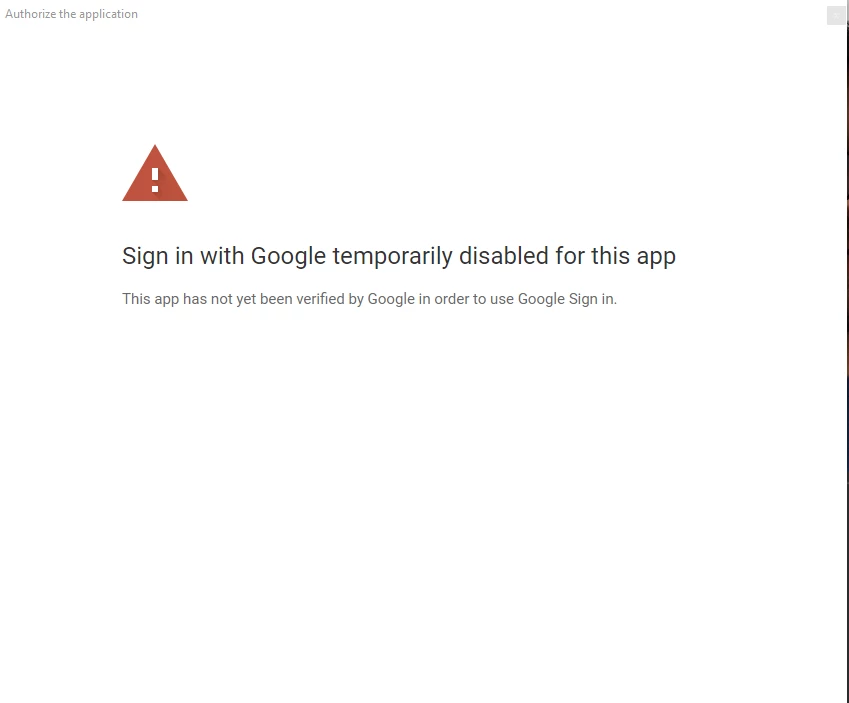
 

Sign in with Google temporarily disabled for this app

This app has not yet been verified by Google in order to use Google Sign in.

This topic has been closed for replies.
Correct answer petergaraway

Hello all, 


As you are aware we're experiencing issues when sharing to YouTube, so we're going to be temporarily disabling this feature on iOS and Android in our next release. We are actively working to resolve this issue as soon as possible. In the meantime, export and save your video to your device and upload it to YouTube directly.


Thanks for your patience. I'll update this thread as soon as we have this resolved. 


Peter 

7 replies

The Titan
Participant
March 31, 2020

Yesterday this problem begun. Any fixes?

petergaraway
Adobe Employee
petergarawayCorrect answer
Adobe Employee
April 3, 2020

Hello all, 


As you are aware we're experiencing issues when sharing to YouTube, so we're going to be temporarily disabling this feature on iOS and Android in our next release. We are actively working to resolve this issue as soon as possible. In the meantime, export and save your video to your device and upload it to YouTube directly.


Thanks for your patience. I'll update this thread as soon as we have this resolved. 


Peter 

Participant
February 4, 2021

Here's my fix:

(* #madewithrush + used my own solution to upload this video to YouTube 👍) Hope this helps!


Thank you very much for taking the effort to do this but it doesn't appear to work for me.  I tried all the different presets.  Super weird.

Participant
February 29, 2020

I am getting the same problem. the biggest issue is why I can't just airdrop to my computer?? I would love to share it manually.

petergaraway
Adobe Employee
Adobe Employee
March 3, 2020

Hi yassiness, 


You can airdrop the file from your Camera Roll to your desktop. Once your export is complete, the file is saved to your Camera Roll. 


Let us know if you run into any issues with this workflow. 


Thanks!


Peter

wayne1017
Participant
March 8, 2020

Hi,

I'm trying to export from Rush to YouTube while I'm on my iphone.  The workflow is easier if I don't have to airdrop to my desktop.  I like to edit on the fly (which Rush was built for) but I don't understand why I still can't log in to YouTube via Google to export my videos.  Has this been resolved yet?

Thanks!

petergaraway
Adobe Employee
Adobe Employee
December 12, 2019

Hi all! 


Signing into Youtube should be working as expected now. Sorry for the inconvenience. Please let us know if you continue to have any trouble sharing to Youtube. 


Cheers! 


Peter


Participant
December 12, 2019

Hello


Have just tried uploading and have the same message, so it seems the 'bug' is still nibbling after all!


KP

caroline_edits
Community Manager
Community Manager
December 10, 2019

Hey team – 

We're still working on this bug. So sorry for all the frustration! Until we fix it, you'll need to render the video to your device and upload to your platform of choice (like Youtube) using the platform's publishing tool. 


-Caroline

petergaraway
Adobe Employee
Adobe Employee
December 5, 2019

Hi all, 


We’re working as fast as we can to resolve this. We understand the frustration of having your workflow well, not work. 


I’ll update as soon as we get more info. 


Thanks, 


Peter

FlairRL
Participant
December 8, 2019

Hello,


I'm still having the issue on my Adobe Apps on PC. Any updates?

Participating Frequently
December 8, 2019
Same here, I know we can export and upload but I have workflows based on
the direct exporters.
petergaraway
Adobe Employee
Adobe Employee
December 4, 2019

Hi all, 


We're investigating this error now. We are working to get this resolved as soon as possible. Sorry for the inconvenience. 


Peter

Participating Frequently
December 5, 2019
Hi Peter,

Thanks for the reply, any updates/ETA at all?

Thanks,
Angus
sblocker
Participant
December 4, 2019

I am having the same problem...