 Adobe Community

- Home
- Premiere Rush
- Discussions
- Hi there! We're sorry for the exporting issue. Cou...
- Hi there! We're sorry for the exporting issue. Cou...

Copy link to clipboard
Copied
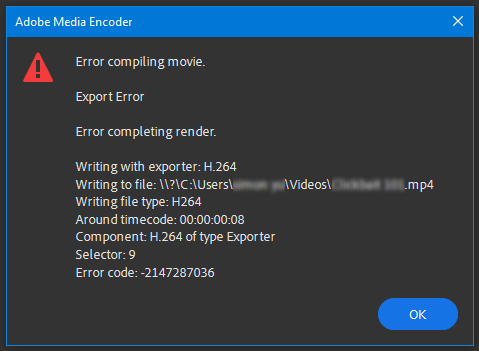
When ever I try to export my project, this error message always pops up.
I'm on my last export on my trial but this error doesn't affect the number of exports I have left, luckily. I'm using the newest version of Premiere Rush on my Windows 10. I've never gotten this error before.


 1 Correct answer


Hi there!
We're sorry for the exporting issue. Could you switch the graphics card to Standard VGA and then test the issue? You may follow this path: Open Device Manager > Select Display adapters > Right-click the GPU > Select Update Driver > Browse my computer for driver software > Let me pick from a list of available drivers on my computer > Select Microsoft Display Adapter > Next > OK
If this doesn't work. I'd recommend you roll back to the previous version. Also, you can import our project in

 12
Replies
12
12
Replies
12

Copy link to clipboard
Copied
Hi there!
We're sorry for the exporting issue. Could you switch the graphics card to Standard VGA and then test the issue? You may follow this path: Open Device Manager > Select Display adapters > Right-click the GPU > Select Update Driver > Browse my computer for driver software > Let me pick from a list of available drivers on my computer > Select Microsoft Display Adapter > Next > OK
If this doesn't work. I'd recommend you roll back to the previous version. Also, you can import our project in Premiere Pro and try to export it from there.
Let us know if it brings any change.
Thank you,
Kartika

Copy link to clipboard
Copied
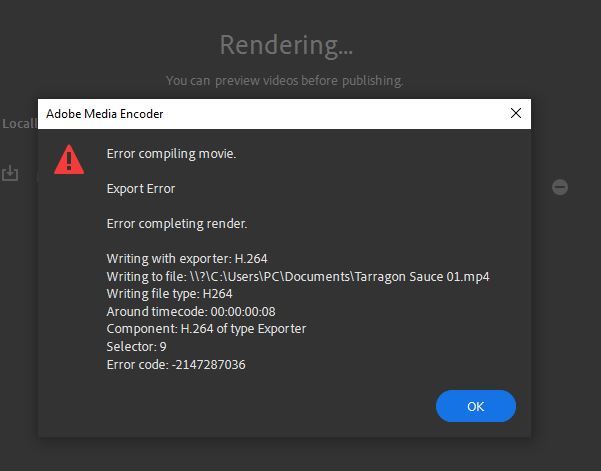
I'm having exactly the same issue. Is there going to be a fix? Also no thumbnail preview when opening Rush. Thanks.

Copy link to clipboard
Copied
Thank you! I was having the same problem and the final thing I tried was installing the previous version of Premiere Rush. That fixed the issue. The newest download seems buggy.
Copy link to clipboard
Copied
I switched the graphics driver like you said and it worked! It lets me export now.Thank you!
Copy link to clipboard
Copied

Copy link to clipboard
Copied
Bende grafik kartını değiştirdim ama olmadı sitem bu mümkünse yardımcı olumusunuz?

Copy link to clipboard
Copied
This FIXED MY PROBLEM! thank you!

Copy link to clipboard
Copied
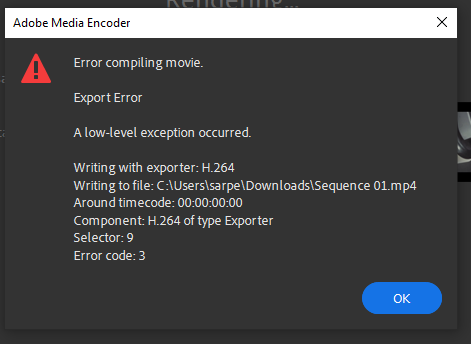
I have same error too but My error code different

Copy link to clipboard
Copied
I see this has been a problem since May, I originally purchased Rush as an individual, but needed other programs so, being a teacher, I switched to the much appreciated educational package. Now I can't render my video. I tried changing the graphics card with no success. I'm not sure I can download a previous version within the Educators package. I'm wondering if Adobe has addressed this problem in a software update? If not, is there another option or could you help me with the previous version?

Copy link to clipboard
Copied
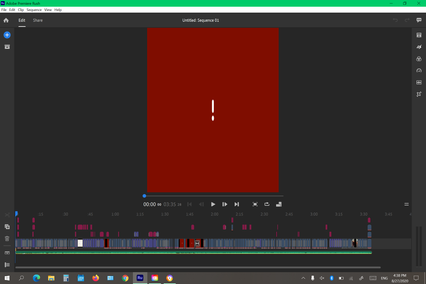
the videos is dosen't show

Copy link to clipboard
Copied
Ok so your files corrupt when you delete some specific files in your project. You have to keep all of them until you're done.

Copy link to clipboard
Copied
it do fix the rendering issue, but it crash everything else on my computer... when you will fix this problem?


 AdChoices