



Pregunta
FAQ: How to fade audio in Premiere Rush?
When you add music or a voiceover to your project, you might not want it to end abruptly. Transitions are useful for fading or merging between clips of audio or video.
1. Select the clip that you want to apply the transition to. Rush will display an orange border around the clip once it's selected!
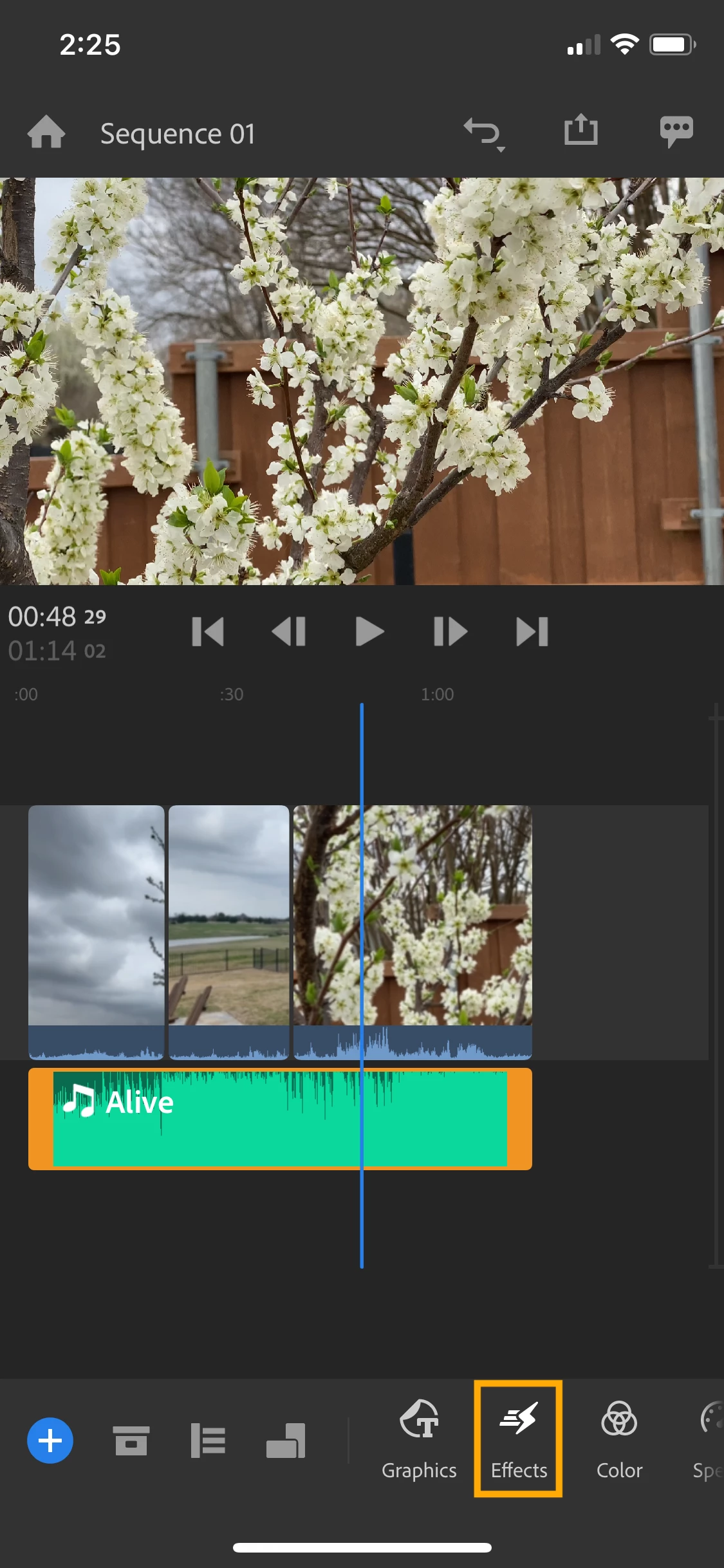
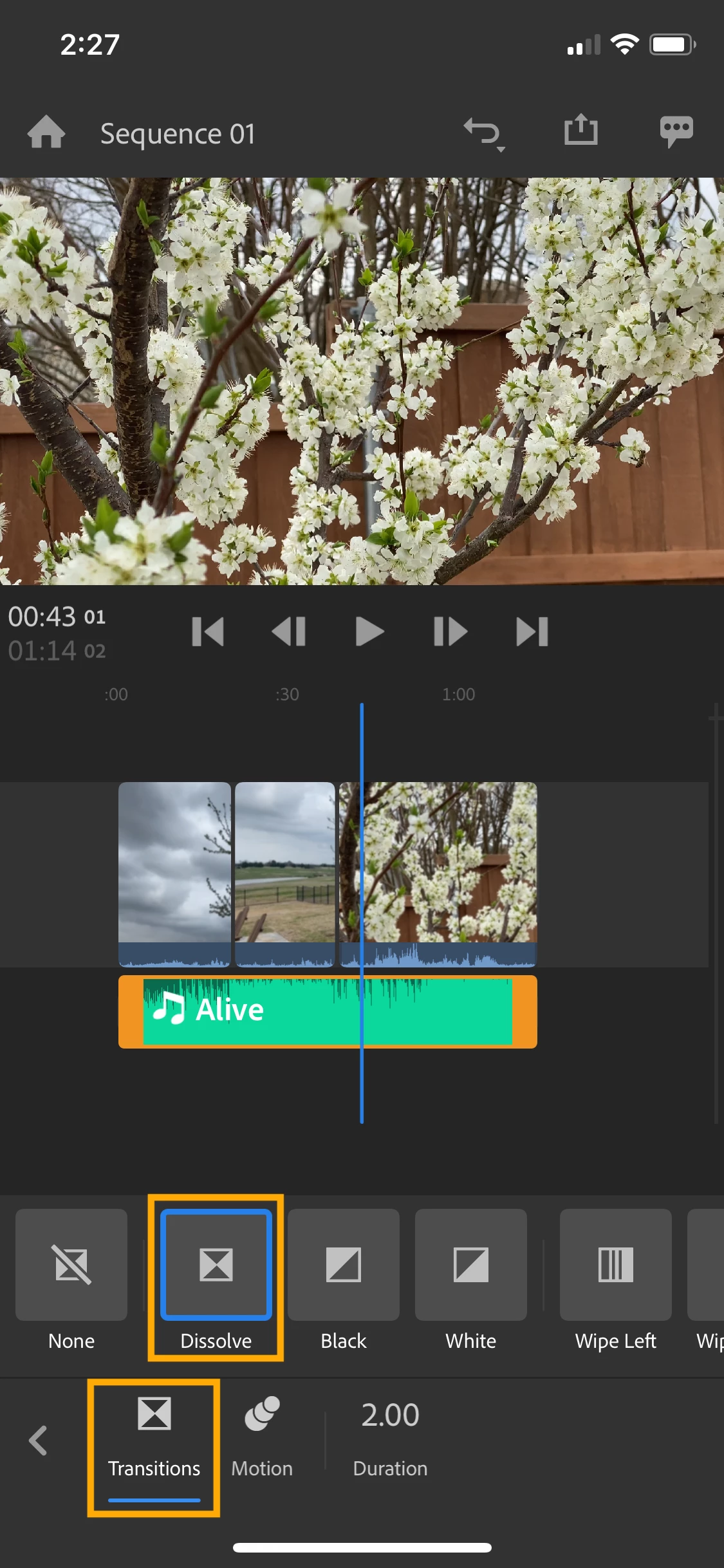
2. Select Effects from your toolbar to bring up your options. Select Transitions from the bottom row to see your transition options.
- To fade audio, use dissolve
- To fade video, choose between dissolve, fade to black, or fade to white. You can also create a bolder transition using wipe, slide, or push in any direction.
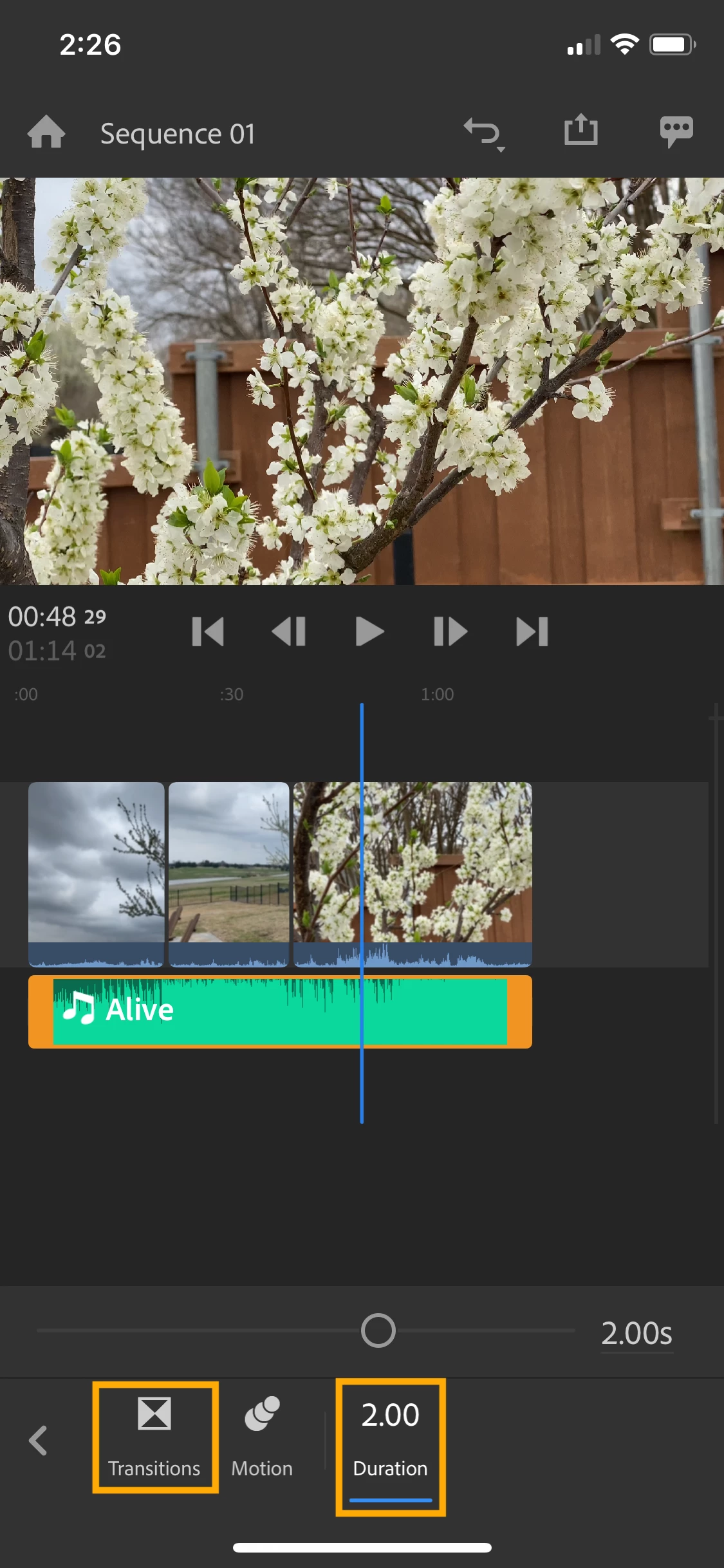
3. To adjust the length of your transition, select Transitions from your toolbar then select Duration.
- If you move the slider to the right, the clip will fade in or out slowly.
- Keep the slider to the left for quicker transitions.
- On desktop, you can also select the transition in your timeline and drag the edge to lengthen it.
4. Rush will add the transition to the beginning and the end of your clip.
- If you only want the transition on one end of your clip, tap the transition in your timeline and delete it using the trashcan icon in your toolbar.
Hope these examples help! If you have any questions, the fastest way to reach me is on Twitter @jaswest.
Talk soon!
Caroline
 AdChoices