Answered
Graphics on Premiere Rush CC
When I add a video to Premiere Rush CC app it is small at first. I increase the width to 200% but then the graphics is not hd. How do I fix this on the apple app?

When I add a video to Premiere Rush CC app it is small at first. I increase the width to 200% but then the graphics is not hd. How do I fix this on the apple app?
I do not know the resolution of the video on the iphone/laptop.
"if resolution is less than the sequence, then Rush maintains its native size (because scaling up generally yields poor results)"
I am pretty sure this is what's happening when I add a video from Youtube and try to modify it especially if I try and make it full screen. As I said before when I first add a video it is small so I have to increase the width and height to 200%. This results in a poor quality full screen mode.
So how do I fix the sequence property of the video so when I increase the height/width it doesn't show poor quality?
The only direct control that Rush provides over the sequence is orientation, where you have a choice between landscape, portrait, and square. You can indirectly control sequence resolution (and orientation) by importing a video clip of the desired dimension when you create the project, but as noted above, you're limited to 720, 1080, and 4K dimensions.
If your source video is smaller than 1280x720, then scaling the video up to that minimum sequence size is not recommended. There's no way to do that without compromising the visual quality. The best option is to get a higher resolution copy of the content, if that exists. Otherwise, I recommend keeping the video at its native size and doing something creative to fill the rest of the frame--like putting the copies on V1 and V3, then scaling the copy on v1 up to full frame, reducing its opacity to about 20-30%, and making it black and white. Then add a photo of a solid color on V2 and scale it to be a little large than the clip on V3--that will look like a matte.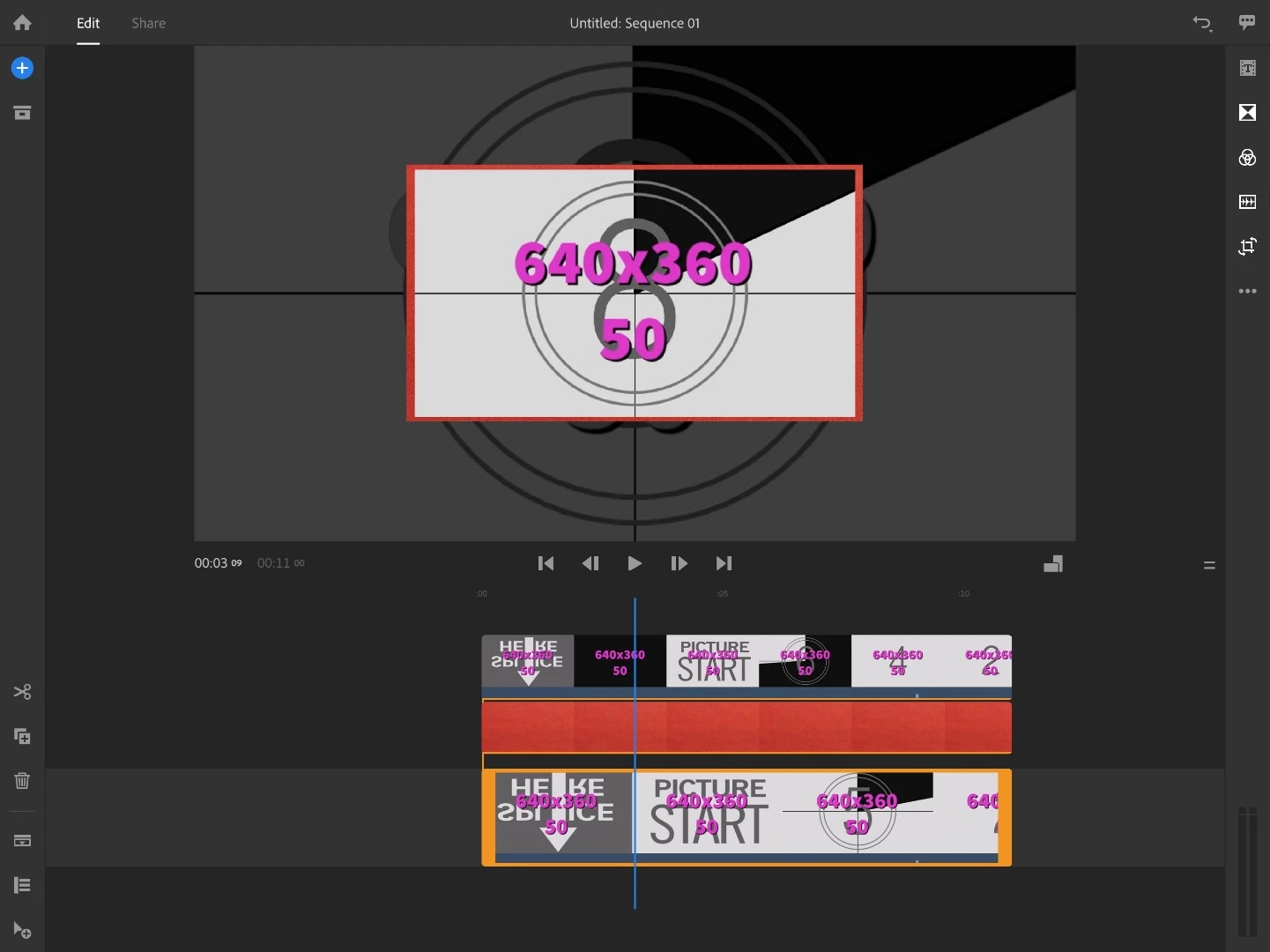
Already have an account? Login
Enter your E-mail address. We'll send you an e-mail with instructions to reset your password.
 AdChoices