Participant
October 16, 2018
Answered

Green and Pink Video in Adobe rush !
  • October 16, 2018
  • 5 replies
  • 16758 views


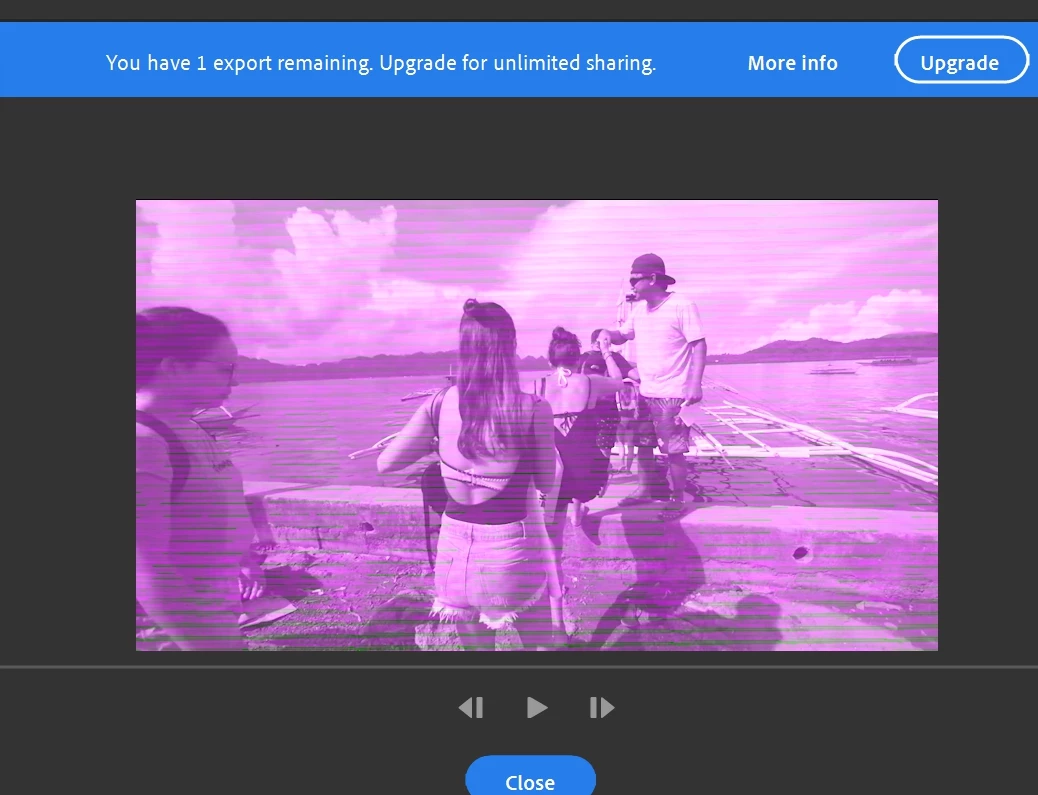
when I export my video in adobe rush
file video will change Green and Pink (In pic)
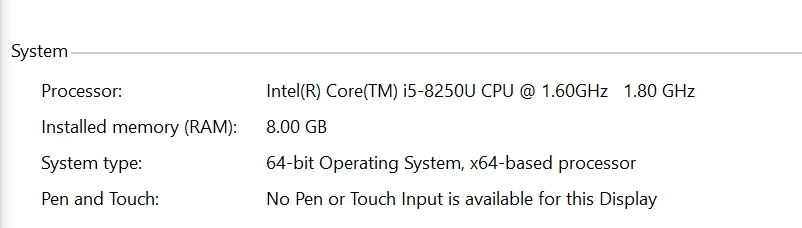
my spec

Thank you

This topic has been closed for replies.
Correct answer Vinay Dwivedi

23.20.16.4974


Go to below link and update to the latest one. Restart the machine once done.

  • Date: 09-Oct-2018
  • Version: 25.20.100.6326

Support for Intel® HD Graphics 615

//Vinay

5 replies

Participant
August 19, 2019

Hi Vinny,

I downloaded the Intel Driver and Support Assistance which said my system was fine, however, when I went to make another video in Adobe Rush it still came out purple and green. Could you please explain this for me?

Participant
October 17, 2018

Same issue here.

Vinay Dwivedi
Adobe Employee
Adobe Employee
October 17, 2018

Hi Gregory,

Update to the drivers listed below and check if it helps. Restart the machine once done.

Support for Intel® HD Graphics 630

//Vinay

Rameez_Khan
Legend
October 16, 2018

FWIW, try the driver version mentioned in this article:

Resolution for an issue where green, purple, or pink haze appears in the Source and Program monitors in Premiere Pro.

This driver issue was seen with Premiere Pro and After Effects too.

Thanks,

Rameez

Participant
July 7, 2020

This worked for my "Intel® HD Graphics 530". After I downgraded from the current driver to this older version 24.20.100.6286, the green stripes went away.

petergaraway
Adobe Employee
Adobe Employee
October 16, 2018

Hi kanyac60066108 Tcnole sonny_gizmo

We believe this issue was fixed with a recent driver update from Intel. Can you please go to Intel's website and install the latest driver

https://www.intel.com/content/www/us/en/support/products/80939/graphics-drivers.html

If you still see the issue after updating your driver, please let us know.

Thanks,

PG

Participant
May 31, 2019

I have an intel 620 in my laptop with the latest drivers and it still isn't working

Vinay Dwivedi
Adobe Employee
Adobe Employee
May 31, 2019
Mark Mapes
Participating Frequently
October 16, 2018

What graphics card do you have? And which graphics driver version is it on? It couldn't hurt to know the OS version as well.

Do you have a color filter applied to the clip? If so, is this problem resolved by either disabling the switch at the top of the Color Inspector or switching to the preset "None"?

Participant
October 16, 2018

I am having the same issue with the pink and green rendering as well.

Tcnole
Participant
October 16, 2018

I'm having same issue on my laptop. When I use rush on Ipad, it works fine.