
Participant
August 20, 2021
Answered

How to make image overlay stay for longer?

  • August 20, 2021
  • 1 reply
  • 450 views

I insert an image above my main track, but it only shows for a few seconds, and I need it to stay for longer, say a minute.

I can't see any setting for duration, and also can't drag the edge... how do I do it?


many thanks
This topic has been closed for replies.
Correct answer petergaraway

Hi @Kat5FB9 


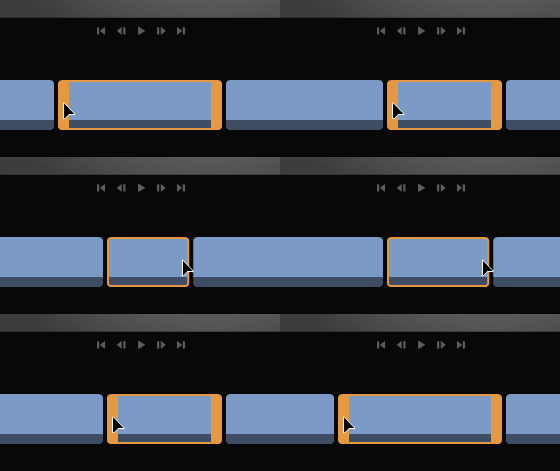
You should be able to select the clip and then tap and drag the yellow handle on the end of the clip to extend the length. See example below


If that's not working for you, can you please provide a screen recording so we can understand what's going on? 


Thanks!


Peter 

1 reply

petergaraway
Adobe Employee
petergarawayCorrect answer
Adobe Employee
August 23, 2021

Hi @Kat5FB9 


You should be able to select the clip and then tap and drag the yellow handle on the end of the clip to extend the length. See example below


If that's not working for you, can you please provide a screen recording so we can understand what's going on? 


Thanks!


Peter