
Inspiring
December 3, 2020
Answered

Lost connection to soundtracks

  • December 3, 2020
  • 1 reply
  • 413 views

Hi. In a couple of projects, I've lost connections to Rush-included soundtracks. In one project, a soundtrack that previously had a lost connection started working--yet I hadn't changed anything in the project. Any ideas? Thanks! Running 1.5.38 (build 84) on Windows 10.
This topic has been closed for replies.
Correct answer T5CDD

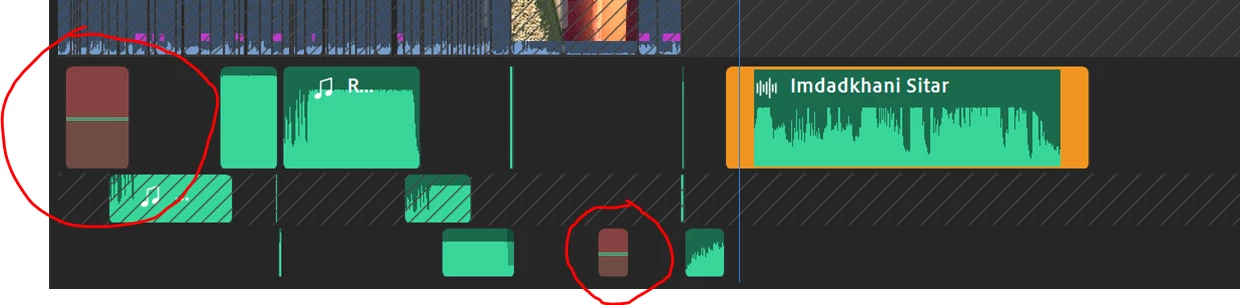
Thank you. I signed out and back into Creative Cloud. It did not correct the issue---at least not immediately. The "audio bars" for the "problem audio clips" in the project continued to display in red (see screenshot below) and the corresponding audio files in the project continued to be grayed-out.  But then I added the same audio files from the catalog to the end of the timeline and now the originals are working again... So it's now OK! 🙂


1 reply

Kartika Rawat
Community Manager
Community Manager
December 8, 2020

Hi there!

We're sorry about the issue. Would you mind sharing more information with us?

  • Are you seeing error codes or messages?
  • Can you try signing out and back into your Creative Cloud and see if that helps?

Looking forward to your response.

Thanks,

Kartika


T5CDDAuthorCorrect answer
Inspiring
December 8, 2020

Thank you. I signed out and back into Creative Cloud. It did not correct the issue---at least not immediately. The "audio bars" for the "problem audio clips" in the project continued to display in red (see screenshot below) and the corresponding audio files in the project continued to be grayed-out.  But then I added the same audio files from the catalog to the end of the timeline and now the originals are working again... So it's now OK! 🙂