
Participant
July 29, 2020
Answered
Rush 1.5.20 can't access "Public" folder
- July 29, 2020
- 4 replies
- 2355 views

We found another potential solution in our investigation! We can also try this.
1. Open System Preferences on your Mac and select "Sharing"
2. On the "Sharing" page, check the box next to "File Sharing"
3. Set the permissions for your user account to "Read & Write"
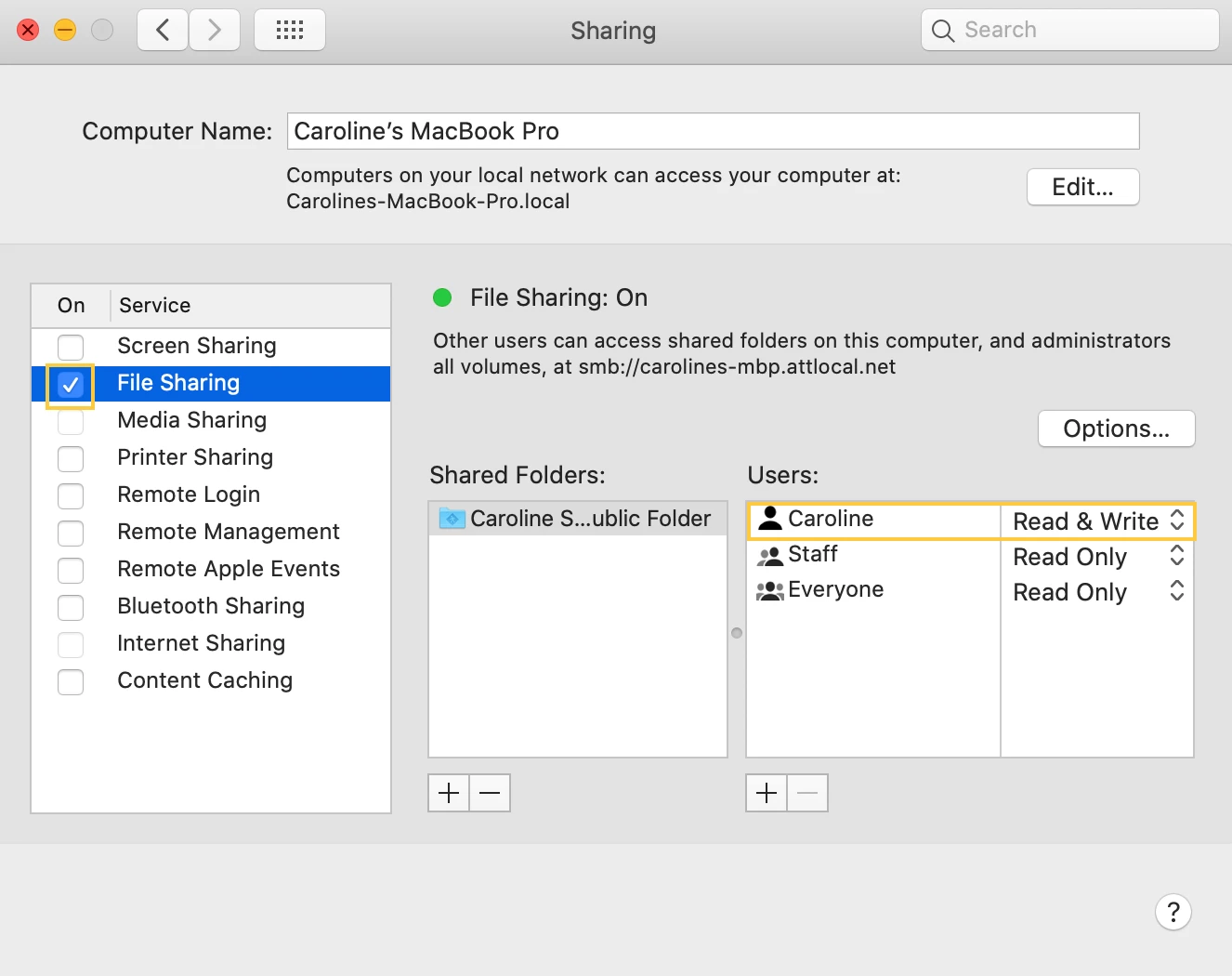
4. Uncheck "File Sharing"
5. Restart Rush
Let us know if this works!
Caroline
Already have an account? Login
Enter your E-mail address. We'll send you an e-mail with instructions to reset your password.
 AdChoices