Participant
September 18, 2019
Question

Split Preview Screen Problem

  • September 18, 2019
  • 4 replies
  • 3535 views

Hello all!

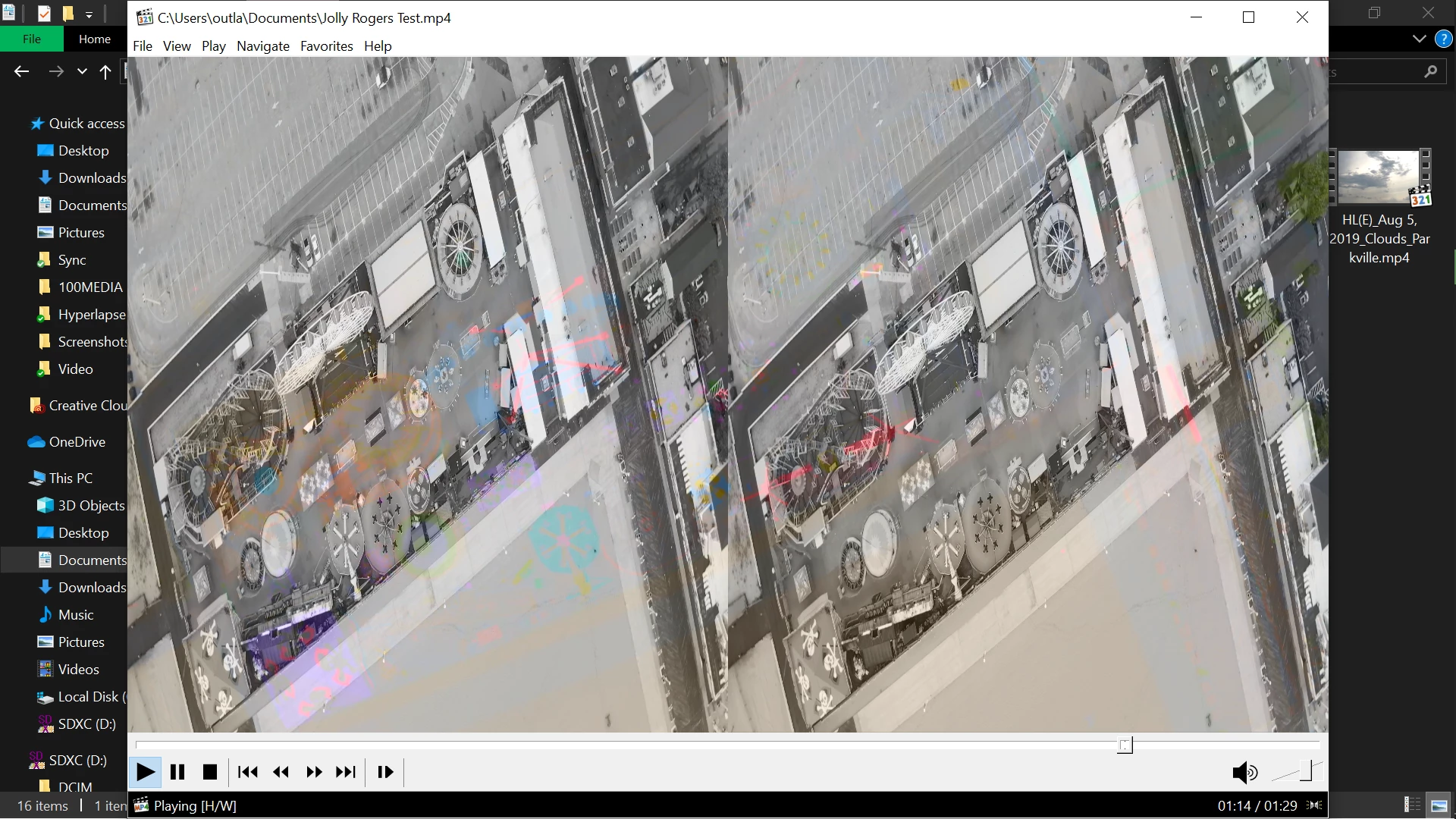
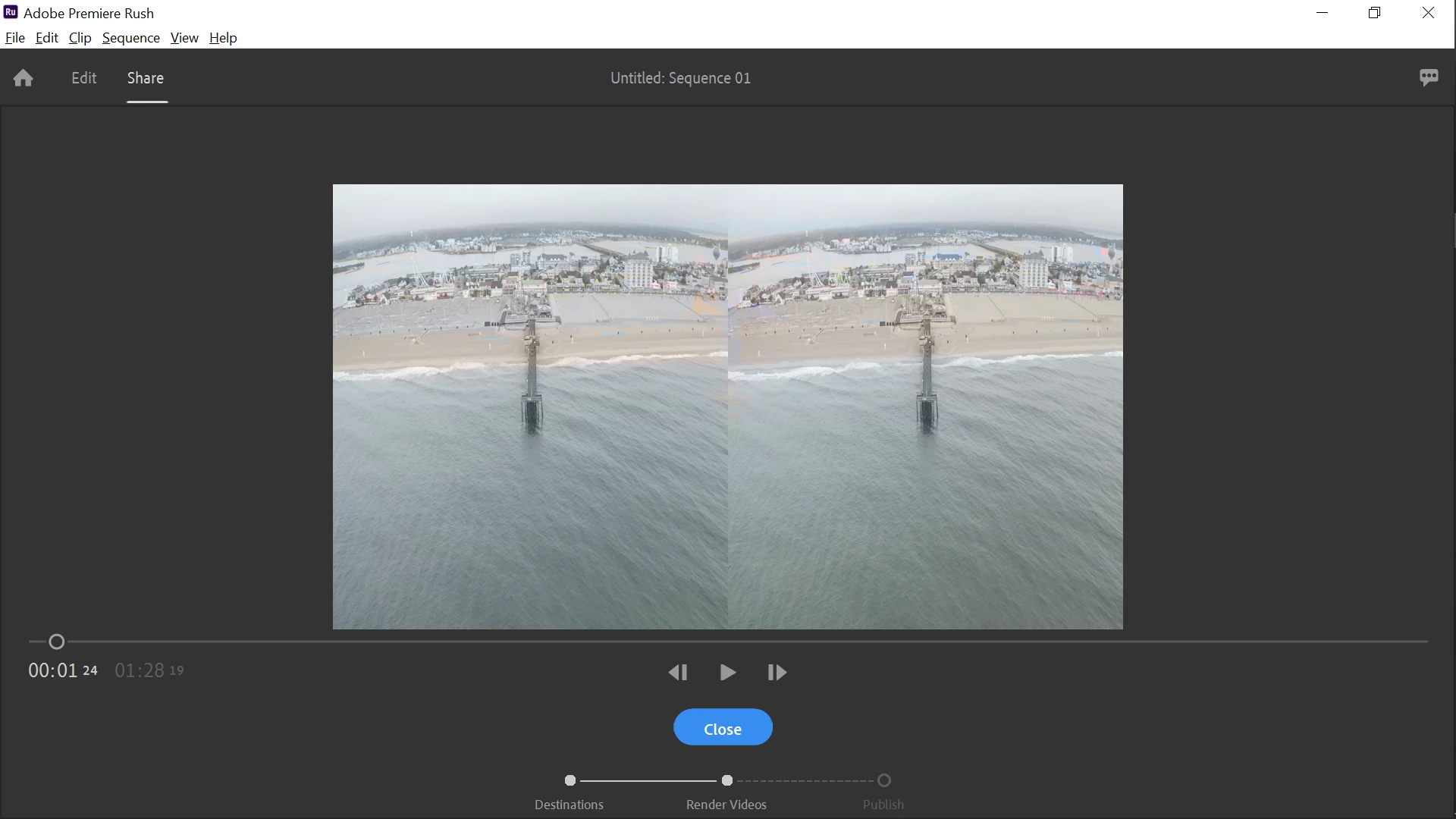
I've recently started using Adobe Rush to do small edits to my drone videos and hyperlapses, but for some reason my program, when I attempt to edit a video shows two previews of the same video within the preview screen. Also, each video is more of a monochrome with colored ghosts of the video overlayed the original.


I have uploaded example images of my issue.


Has anyone experienced this before? Any ideas?
 

This topic has been closed for replies.

4 replies

Participant
February 20, 2022

I suffered from it and it was not resolved until I redefined the graphics card from the manufacturer's website

Participant
August 13, 2020

Same thing happened to me. Also using Mavic 2 pro footage. I emptied the Disk Cache and the Media cache "Clean Database & Cache" and solved!

caroline_edits
Community Manager
Community Manager
September 19, 2019

Now THAT'S interesting. Thanks for the screenshots, that's super helpful!

What kind of footage is this? What did you capture it with? That will help point us in the right direction. Anissa's suggestion is a good idea too, if you need a fast workaround.


Happy to help!

-Caroline

MuddleddeAuthor
Participant
September 20, 2019

I'm glad I can provide you with something new. 😄

h.265 codex filmed with a Hasselblad L1D-20c camera via a DJI Mavic 2 Pro.


https://www.hasselblad.com/collaborations/dji-mavic-2-pro/


Also, I would like to note that I currently have Adobe Rush installed on a Microsoft Surface Pro 2 with Windows 10 64-bit, and Rush worked fine, although slow, so I decided to clean the harddrive and reinstall windows to improve the performance, and this issue arose after the wipe and reinstall, not before.

Another note: Adobe Rush has no problem running and editing the hyperlapse films created by the Mavic 2 Pro, only the videos recorded on it (the hyperlapse images are just RAW images compressed into JPG and then played at 25 fps to appear as a timelapse).

MuddleddeAuthor
Participant
September 21, 2019
Cool, thanks for the details! The split screen display is making me think that Rush is trying to process it as VR footage. That would make sense why the colors are different on each side too, it's trying to create an image for each eye. I wonder if you transcoded the clip before importing it, if that would make it behave correctly. You can use Adobe Media Encoder to do this, or you can use a third-party transcoder like Handbrake! https://handbrake.fr.

I had a similar thought, regarding the VR, and I will give your (and @anissa_thompson's) suggestion a try and let you know of the results!

anissa_thompson
Community Expert
Community Expert
September 19, 2019

In the Premiere Pro forum, someone suggested running clips through Handbrake (an open source video transcoder) to resolve the issue...                                                                                                                                                                                                                                    

Hope this helps! Make sure to press "✔ Correct Answer" on this post if this answers your question. Happy Creating!Anissa • @anissat