


Stacked Clips in Adobe Rush
- 19 replies
- 12727 views
- Translate
Hey everyone,
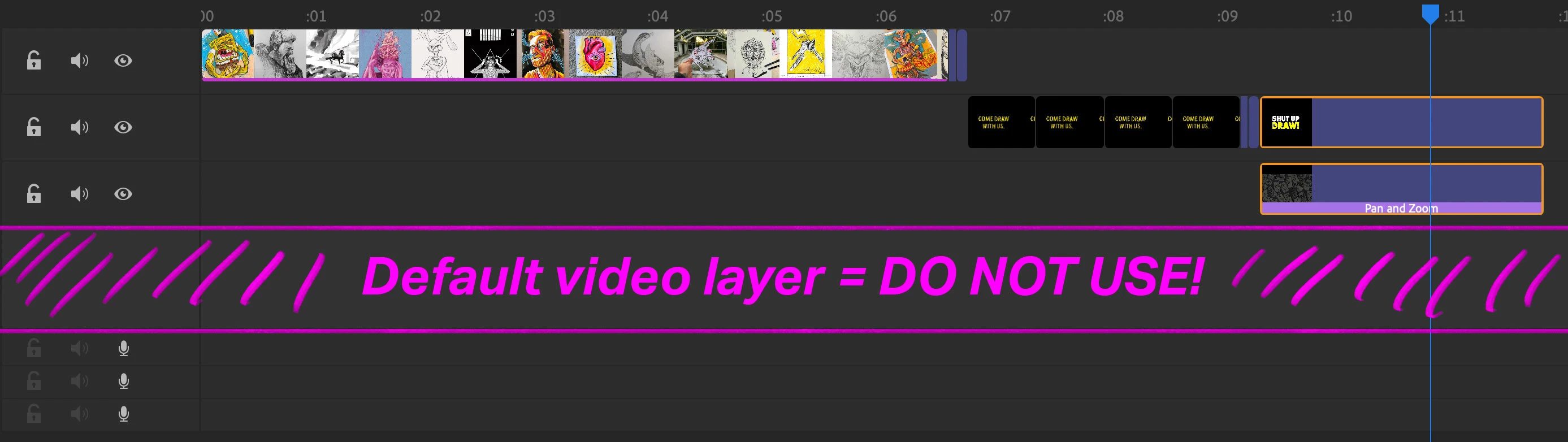
I'm new to video editing, and I don't understand how the stacked clips work in Adobe Rush. Is there a way to remove the connection? When I try and move a clip that seems to be attached (stacked) to other clips (see the little orange lines), it won't move or it will move a bunch of other clips as well.
1) How are clips bunched together ie stacked?
2) Is there a way to remove these stacks, so that certain clips can be moved/removed etc independently?
and lastly
3) When I move a clip in between two existing clips, instead of moving all the clips further out in the timeline, it seems to just delete footage from the clip I'm dropping the new clip over. Is there a way to avoid this?
Thank you for the help! Overall Rush is a pretty rad way to create quick edited videos.
Troy
 AdChoices