
Participant
July 18, 2024
Answered

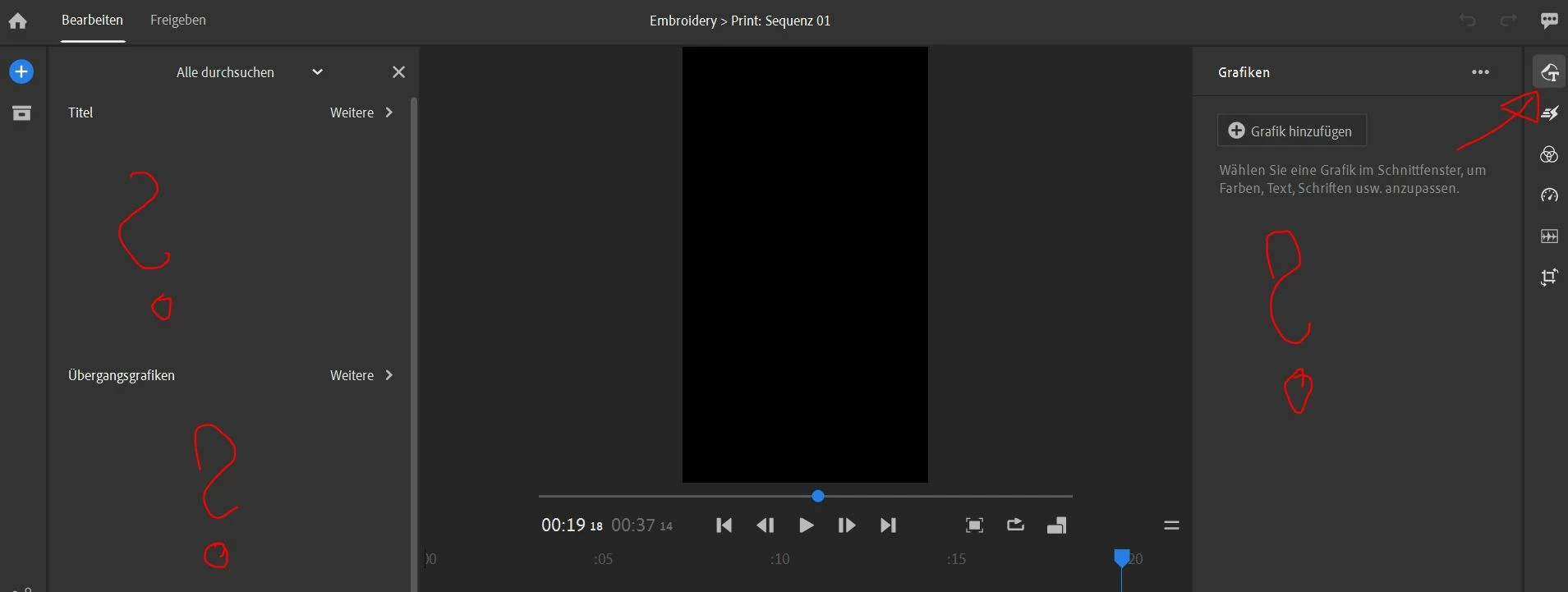
There are no more text or overlay options in the graphic tab?

  • July 18, 2024
  • 1 reply
  • 434 views

Was using Adobe Rush (Windows 10, Desktop) and wanted to add some text overlay and simple graphics but everything is wiped clean when opening the respective tab? It all worked well last time I used the program. Shouldn't the templates automatically load? 
 

This topic has been closed for replies.
Correct answer Kevin-Monahan

Hi Matthias,

You are correct that rudimentary text tools were available in past versions. However, now, it is all template-based. Click the Add Graphic button. You can click the "More" button to perform a search for what you might need. I hope the advice helps.


Thanks,
Kevin

1 reply

Kevin-Monahan
Community Manager
Kevin-MonahanCommunity ManagerCorrect answer
Community Manager
July 18, 2024

Hi Matthias,

You are correct that rudimentary text tools were available in past versions. However, now, it is all template-based. Click the Add Graphic button. You can click the "More" button to perform a search for what you might need. I hope the advice helps.


Thanks,
Kevin

Kevin Monahan - Sr. Community and Engagement Strategist – Adobe Pro Video and Audio
Participant
September 4, 2024

Hello Kevin, 
Now I'm looking for the way to add texts but I couldn't find any templates even though I tried the steps you mentioned above. I'm clicking the Add graphic button (sorry in Japanese) but it doen't go any further. Do you know how to handle this?


Thanks,

Kaoru


Kevin-Monahan
Community Manager
Community Manager
September 5, 2024

こんにちは @薫30030320wly4 (Kaoru-san),

Thanks for the message. After clicking the button, a panel should open to the left of your screen. It looks like this.


If that is not happening, I suggest you reinstall the application. Afterward, let me know if you need assistance or have more comments. I would be glad to hear from you.


 I wish you luck with all your projects!


どうもありがとうございます,
Kevin

Kevin Monahan - Sr. Community and Engagement Strategist – Adobe Pro Video and Audio