
Participating Frequently
December 31, 2019
Answered

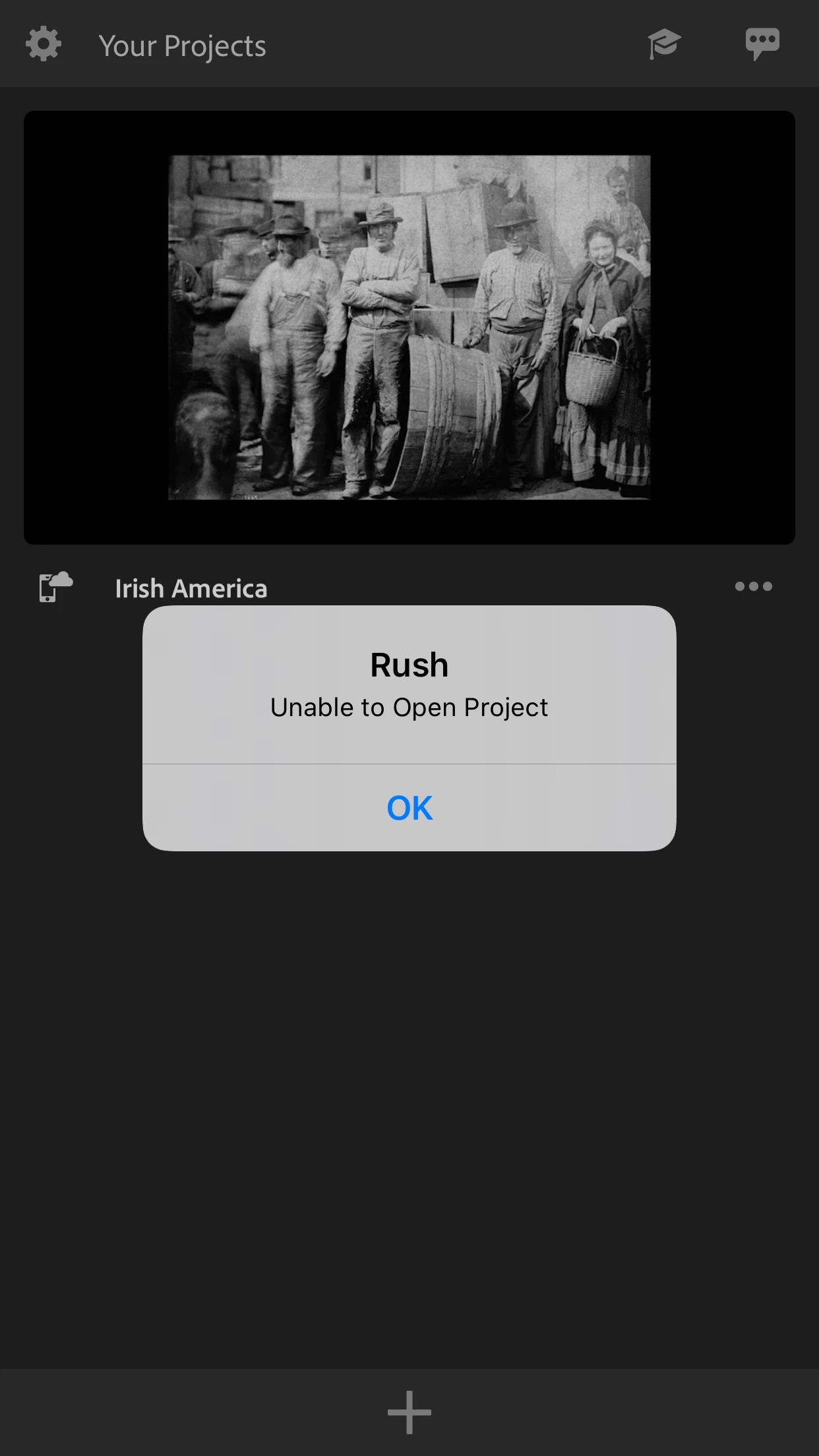
Unable to open Rush project on iPhone

  • December 31, 2019
  • 10 replies
  • 12561 views

For the past three days I have been able to open my Rush project on my iPhone. At first, the app was just glitchy and crashed constantly when I tried to edit some audio. Then the project itself just wouldn't open. Despite trying multiple times, deleting and redownloading the app, signing in and out of my account, syncing and unsyncing, closing the app, and both storage and iPhone systems are fine. Even after updating the app as a last attempt the project still won't open. I do not know why, and tech support on twitter hasn't helped.


This topic has been closed for replies.
Correct answer Inclusive_Excursions

I figured it out! I was having the same problem. When prompted to log n or continue with Facebook, MAKE SURE TO LOG IN WITH YOUR ADOBE LOGIN. I logged in with Facebook and had the same issue. I then logged out and back in with adobe login and bam! It worked!

10 replies

Participant
November 12, 2024

This has just started happening to me today! This is 5 years after this original post! Has anybody got an answer? I can't access 3 hours worth of editing!!!

Participant
November 13, 2023

Leaving this issue of "Unable to Open Project" nonsense [is something] you've never cared to solve. DONT WASTE YOUR TIME AND MONEY, FOLKS


Mod note: edited for content.

Kevin-Monahan
Community Manager
Community Manager
November 13, 2023

Hi @Silver Moon Photography,

Try logging out, then logging back in to Creative Cloud. If that isn't working, please contact us here: https://helpx.adobe.com/contact.html


The chat pod is in the lower-right. Ask for the "video queue."


Thanks,
Kevin

Kevin Monahan - Sr. Community and Engagement Strategist – Adobe Pro Video and Audio
Participant
March 19, 2023

Adobe Premier Rush isn't working on my IPhone. It was working. I've not done anything differently. And now it's losing days of editing work. I'm on my third attempt to edit a project and everytime I come to render it it says it can't do it. Then I try logging off and back in and the files are missing. Sync with CC is on. I log in with Adobe. I have excellent internet. One more try then I'm cancelling my subscription and trying out new software. 

Participant
March 17, 2023

Same thing happening right now , I updated iPhone , deleted and redownloaded rush, logged in through adobe and still says "rush unable to open project" I don't know why !? I've been using rush for past 5 days and been fine but trying to make a video today and won't let me reopen project ! Please help this is so annoying ! I even upgraded subscription from 4.99 plan to 9.99 plan and I got charged 14.98 as well ! Really upset with this whole experience 

Sebastian55555
Participating Frequently
June 14, 2021

I have the same issue

Participant
July 8, 2021

Same here. I've creating a project on a brand new iPad Pro m1 12,9 with videos from my iCloud library that are downloaded on the memory of the iPad. I can create the project, work on it but as soon as I close it I can't open it again as I have the same message. Since it looks like the problem is an old unsolved one I'll go with an other app ? 

Participant
September 1, 2021

I am having the same issue. I don't understand how Adobe can ignore so many users having the same exact problem. Weeks of work is currently unable to load - either on my computer or iPhone. I have logged out of the account, restarted the app, researched for an update... and now realizing that Adobe has know about the error for years. Very disappointing....I have paid for a editing solution - and must now admit it would have been better and more safe to use a free software like iMovie  😞 

Participant
September 12, 2020

Anyone figured it out yet? The answer given by Inclusive_Excursions didn't work for me. The project is not opening on my iPhone, Rush desktop nor Premiere Pro. Help! Need the project so bad!

Participant
October 19, 2020

This is now happening to me too? On both iPad and iPhone... Just spent hours creating and editing, I came out then couldn't get back in on either device. 

Participant
January 9, 2021

I am having the same issue.  My other projects open fine but the one I just did will not open.  I am using an iPad Pro 12.9" on iPad OS 14.2 and all of the media was from my iPhone 12 Pro.

Participant
August 2, 2020

Doesnt work

Inclusive_ExcursionsCorrect answer
Participant
May 22, 2020

I figured it out! I was having the same problem. When prompted to log n or continue with Facebook, MAKE SURE TO LOG IN WITH YOUR ADOBE LOGIN. I logged in with Facebook and had the same issue. I then logged out and back in with adobe login and bam! It worked!

petergaraway
Adobe Employee
Adobe Employee
May 26, 2020

Thanks for sharing your experience

petergaraway
Adobe Employee
Adobe Employee
March 24, 2020
Hi A_1CS, 
 
I'm sorry you've encountered this issue. We put a few things in place in the latest version to help us try to better understand why this issue is happening to some customers. 
 

If you're willing to do some additional troubleshooting with me, I'm hoping we can retrieve your project although we may not be successful. However, if you're willing to give it a try, here's what would be most helpful. 


  1. Update to Rush 1.5.5
  2. Launch Rush, attempt to open the problematic project 
  3. From the Project Browser, open the App Settings (gear icon) > Preferences > Share Logs  

Next steps 

  1. Plug your device into your computer 
  2. Open Finder > Select your device from the left panel under "Locations."
  3. With your device selected, click on the "Files" tab and select Premiere Rush from the list of apps 
  4. Copy the "Team Projects Local Hub" folder to your desktop 
  5. Upload the logs and Team projects local hub files to somewhere I can download.


Hopefully, we can do some work to make that project available again. Thanks for your patience here. 


Thank you very much for your help!


Peter 

Participant
March 27, 2020

Hi, Is anyone available to help asap? I frankly don't have time for the delays as above in responses.


I'm having the exact same issues with version 1.5.5 (868) it can open another project but not my most recent, I'm due to upgrade to the full version but I have one more export left and have started editing (social media content) via here hence the timley urgency.


I am using an iPhone8+ to film (in 4k) and edit on. 

Please advise urgently!


Will I have to just completely delete the app and find something else to use? if so what do you suggest?

petergaraway
Adobe Employee
Adobe Employee
March 27, 2020

Hello FitAnsah, 


Really sorry you're running into this problem. I would love to try to help you if you're willing. Providing the logs from Rush will be very helpful. I'll also suggest one other possible workaround.


Possible workaround:

1. If your project is synced ( do not enable sync if not already)

2. Attempt to open your project on another device mobile or desktop 


Sharing logs

  1. Launch Rush, attempt to open the problematic project 
  2. From the Project Browser, open the App Settings (gear icon) > Preferences > Share Logs > Share logs and project files
  3. Upload the zipped files to somewhere I can access/download 


Getting this information is essential for us to be able to understand and fix the issue. 


Thanks,  

Peter 

Kartika Rawat
Community Manager
Community Manager
January 1, 2020

Hi there!

Welcome to the community. I understand that you're unable to open the project in Premiere Rush. Am I correct?

We would need more info to understand the issue.

Looking forward to your response.

Thanks,

Kartika

A_1CSAuthor
Participating Frequently
January 2, 2020
It had the same issues even before I updated. Currently, it is the recent 1.2.19 (710) version, though it kept crashing even before that. My phone's software (IPhone 7+) is currently iOS 13.3