davida46288228
Participant
May 19, 2022
Question

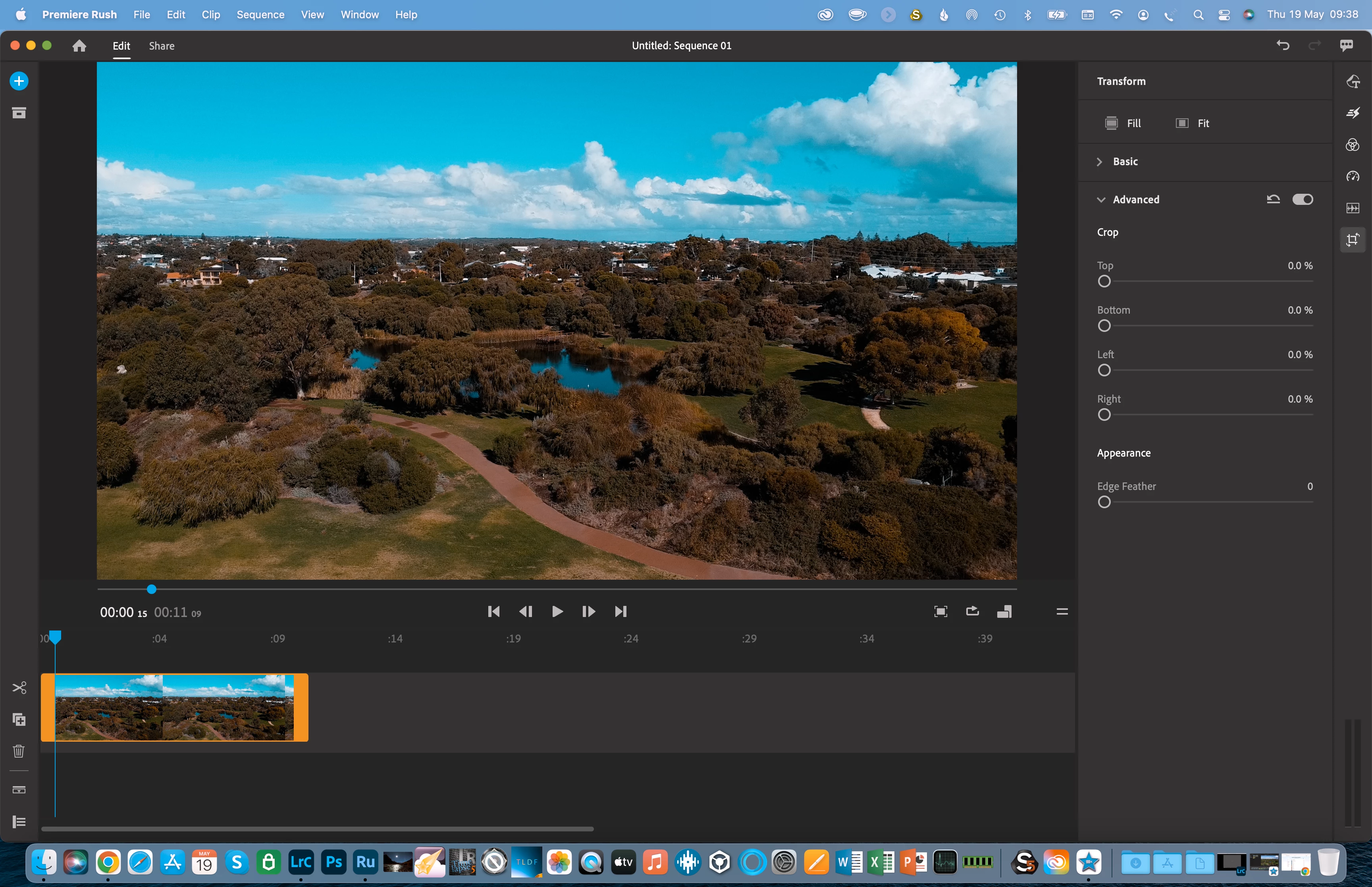
Video Preview has strange colours

  • May 19, 2022
  • 1 reply
  • 479 views

I was looking for some assistance ofr the following issue -

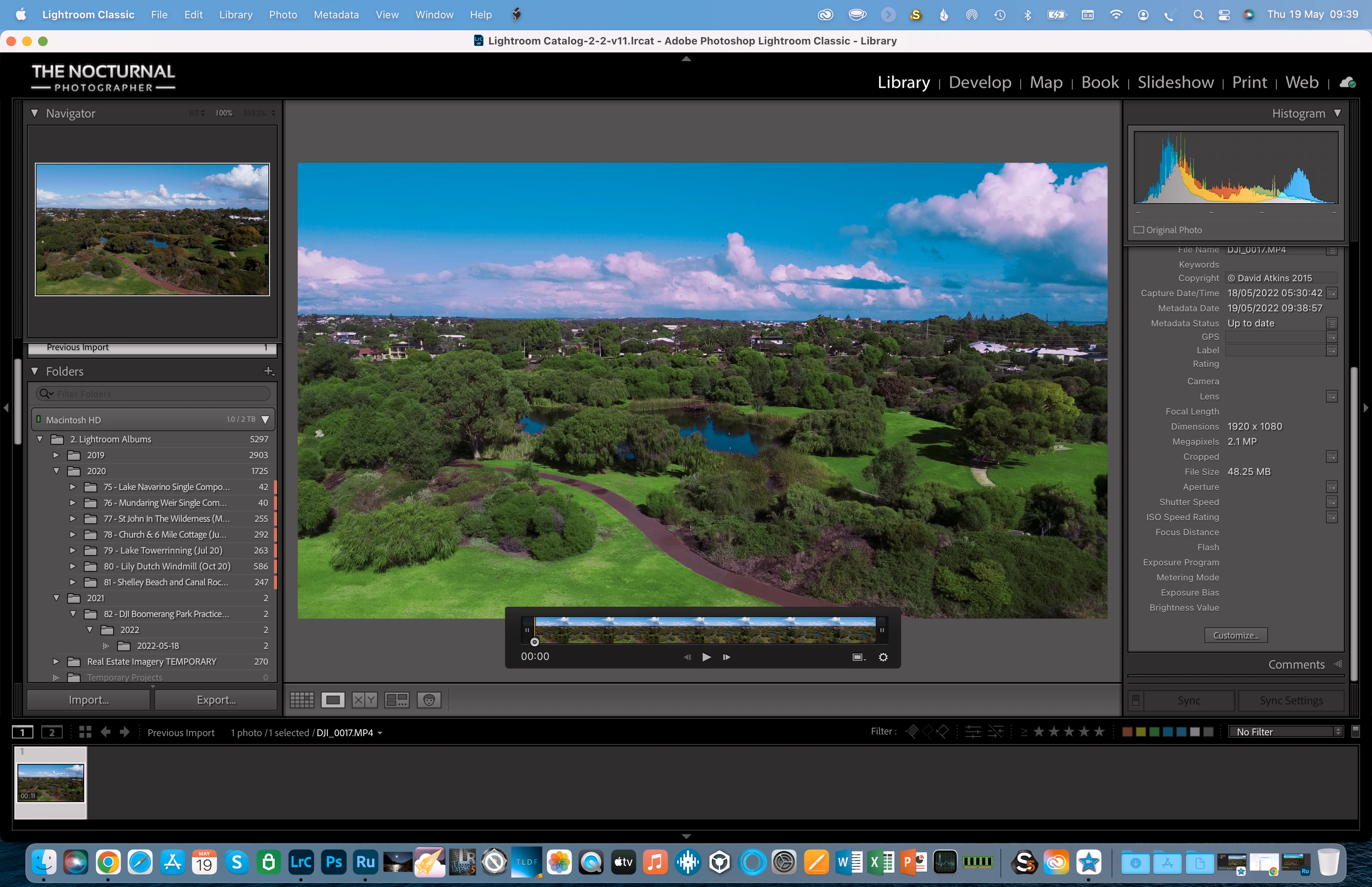
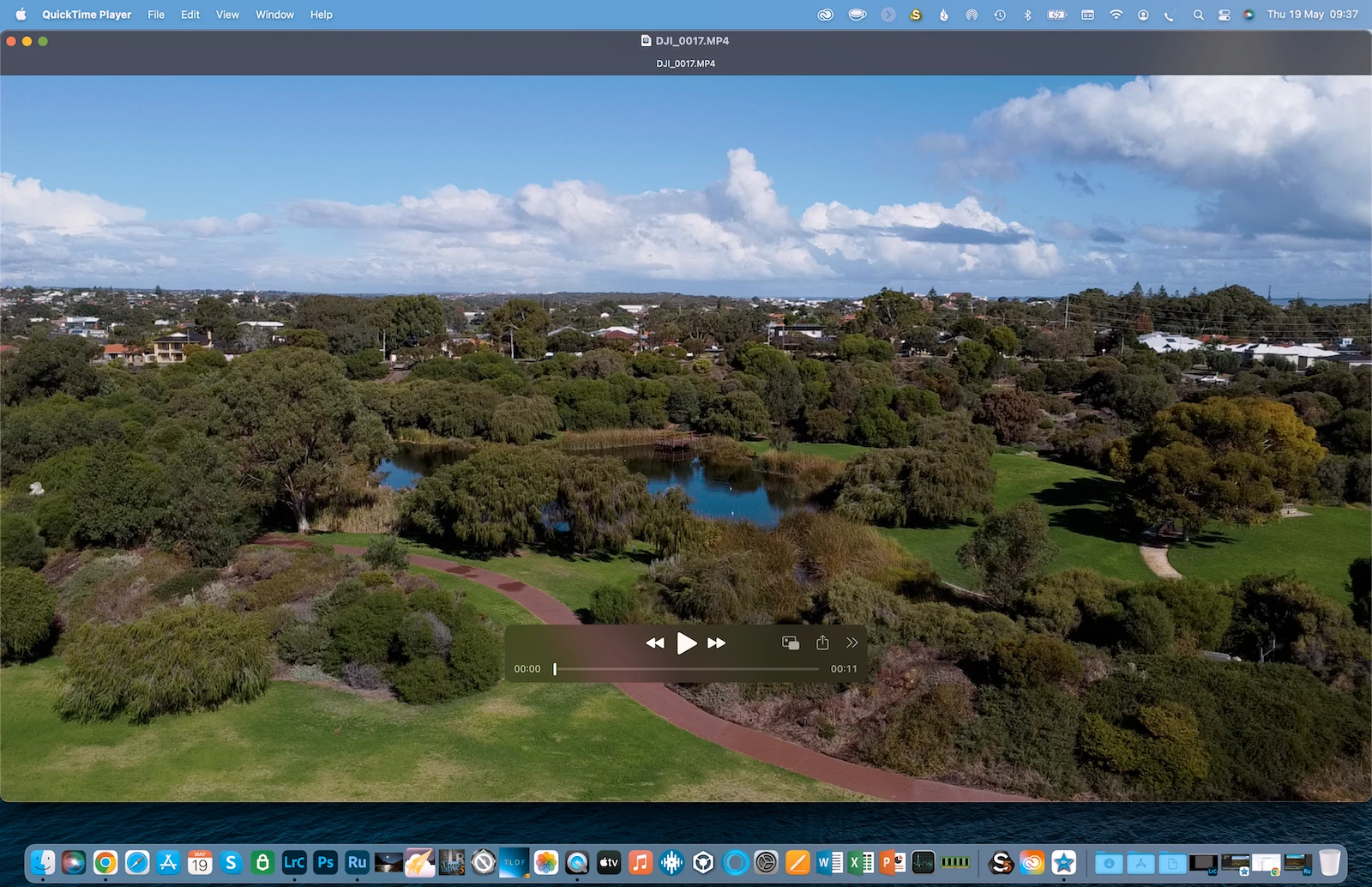
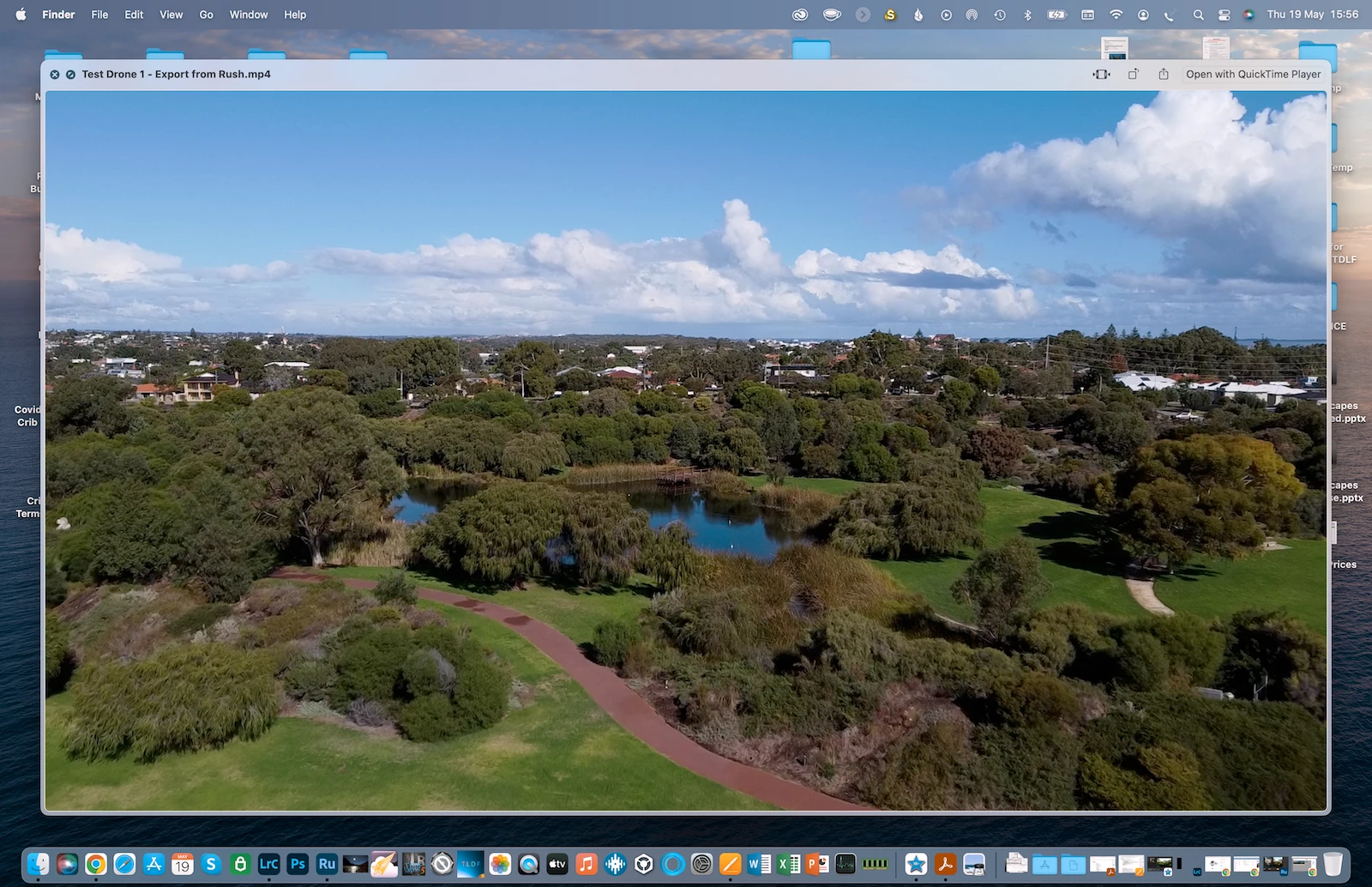
When using video files (mp4 captured on a DJI mini 2 drone), the video previews strange colours that are different from the original. No presets or other adjustments have been added. Once I've exported the video its playback colours are fine, so it only happens in the preview within Rush. Incidentally it also happens in Lr when I'm viewing the unedited video file in there although the colours are different (more purple in the clouds). It does not happen in iMovie which I ran for a test.

Please see the following images.


(Macbook Pro 16" 2021 M1 Max, OS 12.4)

(Adobe Apps all up to date)
This topic has been closed for replies.

1 reply

caroline_edits
Community Manager
Community Manager
May 20, 2022

Hi David! Is this video HDR? Only our pro video apps have HDR support at the moment and because of that, I've seen the colors act pretty wild in other apps where HDR is not yet supported. Let us know

davida46288228
Participant
May 21, 2022

Hi Caroline,

Thanks for the reply I appreciate it.

I don't think so - I don't believe the DJI mini 2 can capture HDR video but I may be wrong.

I just did tests for selecting 1920x1080 HD and another one for 4K and both show these wild colours!

David

caroline_edits
Community Manager
Community Manager
May 23, 2022

After a quick google search it looks like the Mini 2 does have HDR, but it's called "AEB" in the settings. That might help fix this issue from showing up again. Either way, to fix the footage you've already shot, you might try transcoding it using Handbrake.fr 

I've seen this fix some weird display issues in the past. Let us know how it goes!