
Inspiring
May 16, 2024
Question

Why break my video graphics when exporting from Premiere Rush?

  • May 16, 2024
  • 3 replies
  • 1285 views

Hello,


I am using Adobe Premie Rush Desktop Version (Free Edition) on Mac OS Sonoma.

I have exported videos before which worked fine. The latest video produces undesired results which affect only some parts of the graphics. The audio is ok.
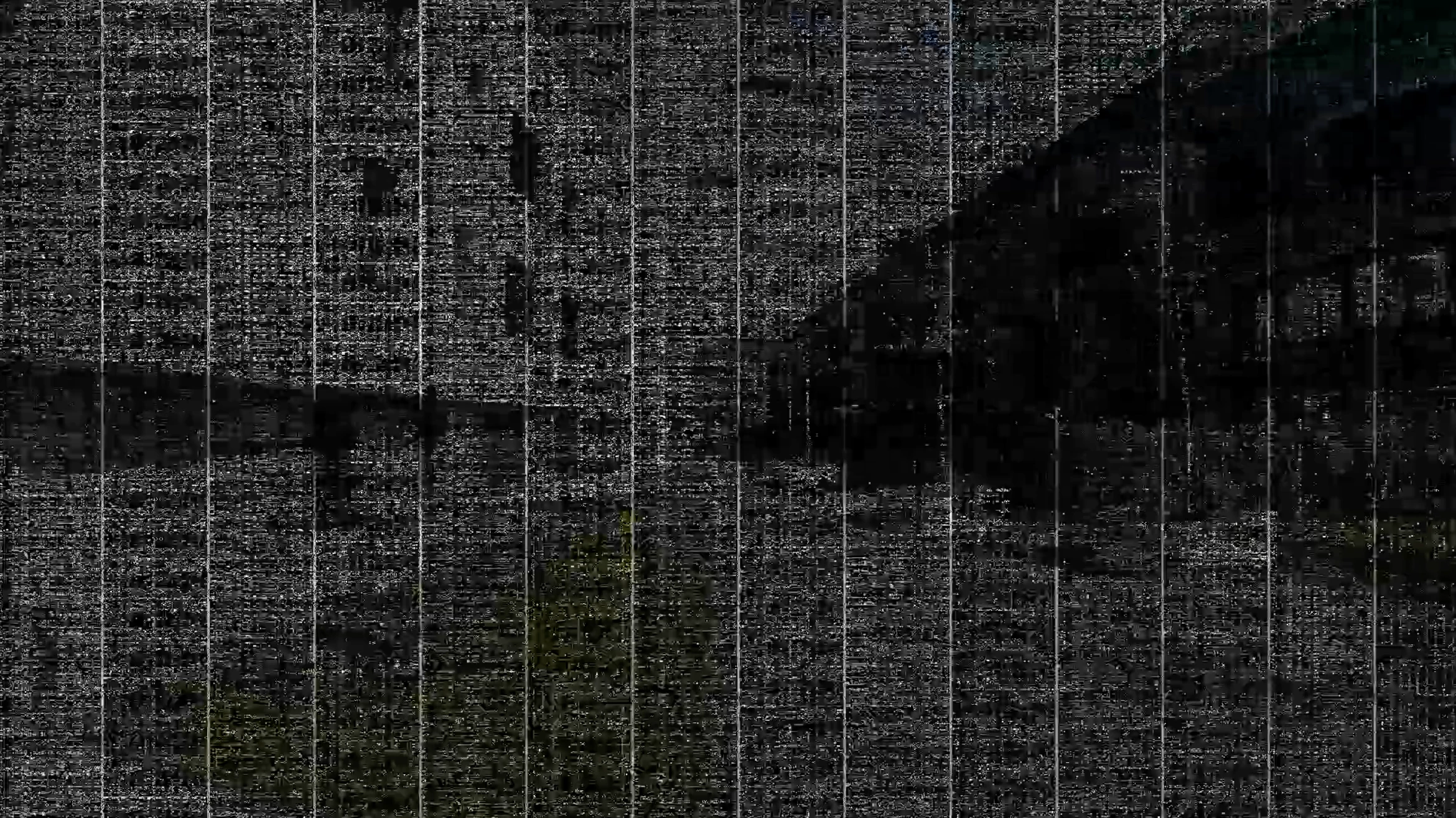
 

I already tried some solutions which didn't work so far:

  • Disable hardware acceleration encoding and decoding in Settings
  • Emptying cache of Adobe Premiere Rush
  • Exporting in medium quality


Here are my export settings:
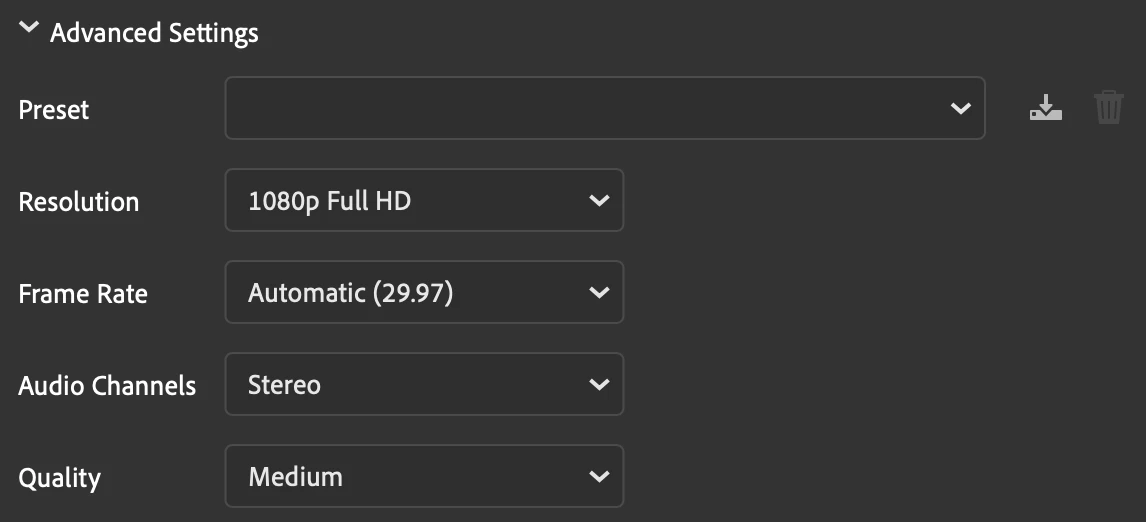
 

Does anyone has an idea what causes the issue and how it can be solved?

Thank you,

Philip

This topic has been closed for replies.

3 replies

Participating Frequently
June 5, 2024

Did you resolve?

Participating Frequently
June 5, 2024

I have the same problem started like 3 months ago but in Premiere Pro. I have the Macbook Pro 2019  IntelCore I9 32GB di Ram. I have tried to reset the system of my MacBook, I have tried to reset also Premiere and also to take Premiere 1 previous version but nothing change. Still have the problem. Right now I'm using my old laptop 6 years old and works as fast as my macbook.


Kevin-Monahan
Community Manager
Community Manager
May 16, 2024

Hi @flip838,

Which OS are you using? Any computer details you can share? What kind of media are you using? I hope I can help!

Thanks,
Kevin

Kevin Monahan - Sr. Community and Engagement Strategist – Adobe Pro Video and Audio
flip838Author
Inspiring
May 16, 2024

Hi @Kevin-Monahan,


Thanks for your reply.


I mentioned the OS: Mac OS Sonoma. To be specific it is version 14.4.1. The computer is a MacBook Pro with Intel processor and AMD Radeon Pro 5500M 8 GB graphic chip.

The footage is a combination from different devices; the glitches do not happen in a section specific of one device but can happen across all sections (In the last export the video footage only from GoPro Hero11 Black was affected during a few seconds but not the other footage):

  • Apple iPhone 12 Pro
  • GoPro Hero11 Black
  • DJI Mini 3 Pro


Kind regards,

Philip

flip838Author
Inspiring
May 21, 2024

Hi @flip838,

Thanks for adding your comments. I linked this discussion to the internal bug report about this issue. You're the first person on Rush complaining about this problem. My hope is that the team can address the bug ASAP.


I have a feeling the bug is being caused by your footage wanting to use the underpowered iGPU and being overwhelmed. Disconnecting a monitor shows that it is a graphics display issue. I will keep you informed as the bug is being worked on. I wonder if ProRes LT footage would work better for you since it won't necessarily use that iGPU for playback. You can try a test. In the past, I have transcoded to editing codecs like ProRes to avoid hardware based decoding/encoding of H.264/HEVC codecs and to get better native performance.


If you're using a Mac from 2019, it may be time to upgrade. Most editors upgrade hardware every five years or so, so you're due for a new computer.


Sorry for the frustration on this one.


Cheers,
Kevin


Hi @Kevin-Monahan,


Yes, I am using a MacBook ro from 2019 but with 64GB RAM, 8GB AMD Radeon Pro and 2TB SSD but only 1536MB Intel GPU. I wasn't aware that this is critical for graphics processing. I plan to switch to a new notebook in 1-2 years.

Now I had the issue on another video even when disconnecting the external display. I converted my footage to a 2K video with HandBrake app and afterwards I could process the video. Obviously, this manual extra work is a pain. I hope Adobe can find a bug fix soon. I plan to upgrade to Adobe Premiere at some point but I assume that the issue will happen, too, if the software is based on the same core.

In my opinion, the hardware shouldn't cause such issues but the software should distribute the workload better. Then the video rendering will take more time with less Intel GPU usage but without glitches.


I will have a look into ProRes LT. I am not familiar with it.

Kind regards,

Philip