

Premiere Rush Guided Workflow — Footage Test
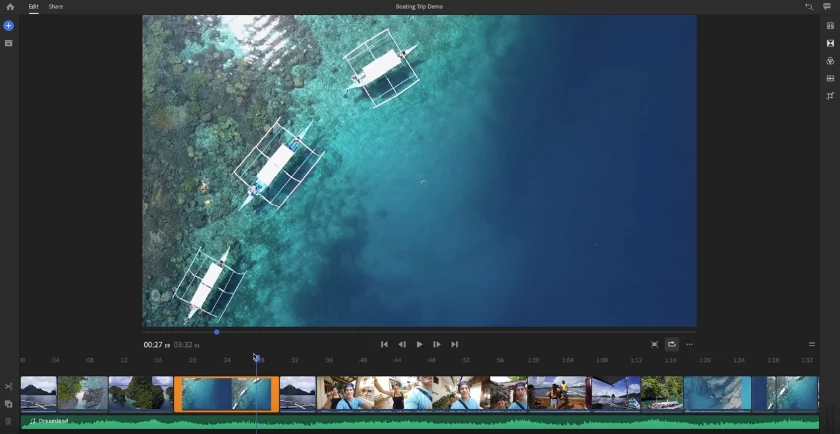 Take some of the test clips you shot in the previous step and import them into Premiere Rush to make sure they work. This process will give you confidence that your editing process will go smoothly once you return from the shoot.
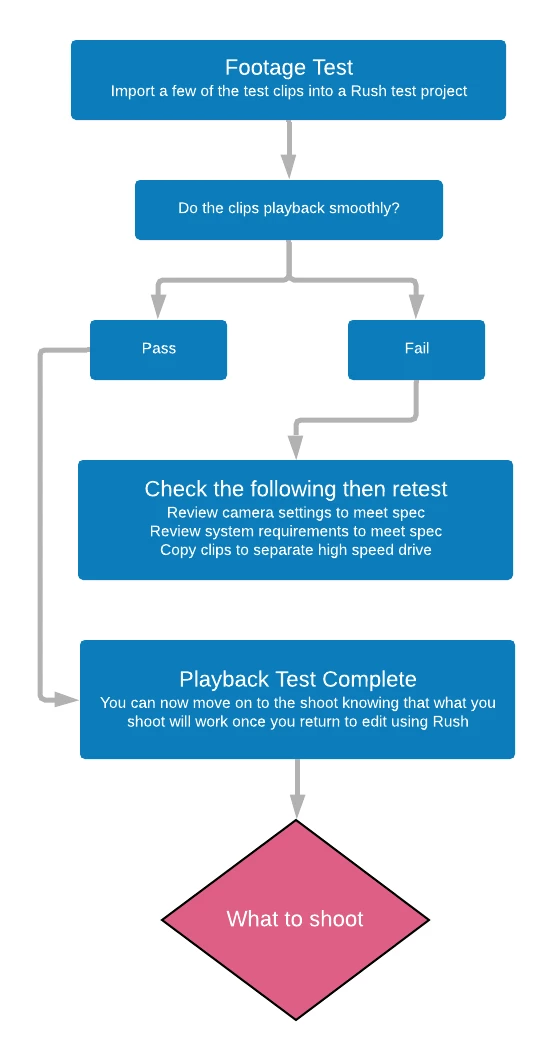
Summary:
You've tested your gear in the last step. This step was to ensure that the clips you go out to shoot will not have any technical issues. If the clips do not playback very well, do make sure that your settings are correct in the camera and that your computer or mobile device is powerful enough.
Any questions? Create a post below.
You are now ready to go out and shoot a video, congratulations. If you are not sure what you want to shoot just yet, or just need ideas for your shoot, see the following section of the guided workflow: What to Shoot? Preproduction
This series of articles will help you plan your shoot so that there is no wasted effort once you arrive on location or once you start recording in your home studio.
< Test Gear — What to Shoot? Preproduction >


 AdChoices