
Participating Frequently
May 2, 2022

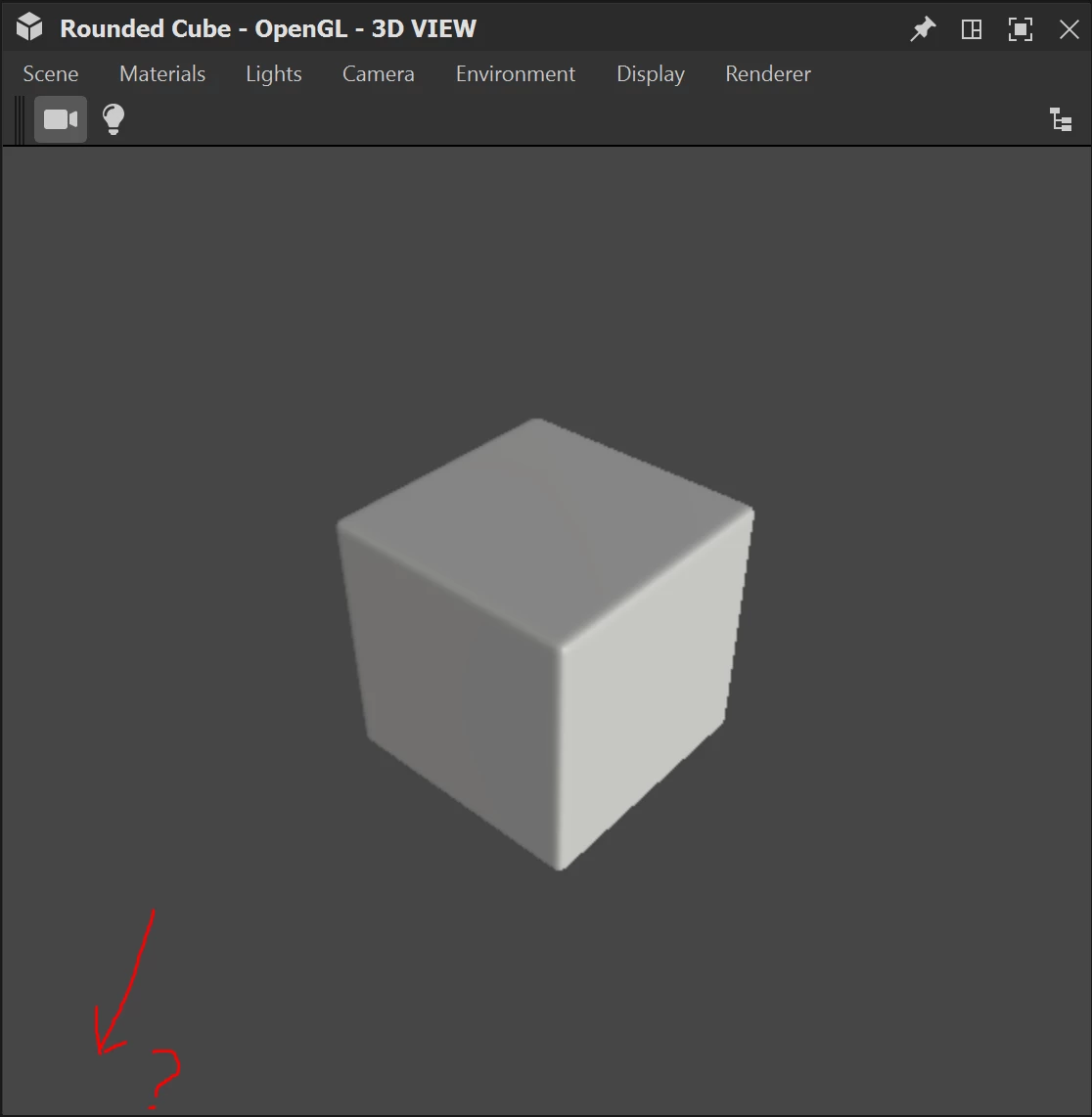
Color management toolbar in the 3D view disappeared

  • May 2, 2022
  • 3 replies
  • 248 views

Hello! 

I can't switch from srgb to ACES anymore in the 3D  view wich is very useful when working with Unreal. I tried to reset the 3D view and the layout, but it's still not there. I tried to reinstall, but I don't want to reset all my preferences so it didn't solve the problem. 
Is there an easy way to reactivate it?

Thank you!
Pierre-Alexandre
 

    3 replies

    Luca Giarrizzo
    Community Manager
    Community Manager
    May 5, 2022

    Hello @Pierre-Alexandre5C98,


    You may have undocked the 3D View toolbars and they are now off screen or below an application's window.

    These toolbars are currently not impacted by the Windows > Reset layout command. This is a bug which is now reported.


    To restore the entire user interface, including toolbars, you can delete the file in the Windows Registry which holds settings for Designer. Open a terminal and input this command:


    (Creative Cloud Desktop) reg delete "HKEY_CURRENT_USER\Software\Adobe\Adobe Substance 3D Designer" /f
    (Substance/Steam edition) reg delete "HKEY_CURRENT_USER\Software\Allegorithmic\Substance Designer" /f


    I hope this is helpful!

    Best regards.


    Luca Giarrizzo | Quality Engineer - Substance 3D Designer | Adobe
    Participating Frequently
    May 2, 2022

    Yes I did, but it didn't solve the problem 😕😕 

    davescm
    Community Expert
    Community Expert
    May 2, 2022

    Did you try Windows > Reset Layout?

    Dave