
Participant
October 12, 2021
Answered

3d view behaves strangely

  • October 12, 2021
  • 2 replies
  • 721 views

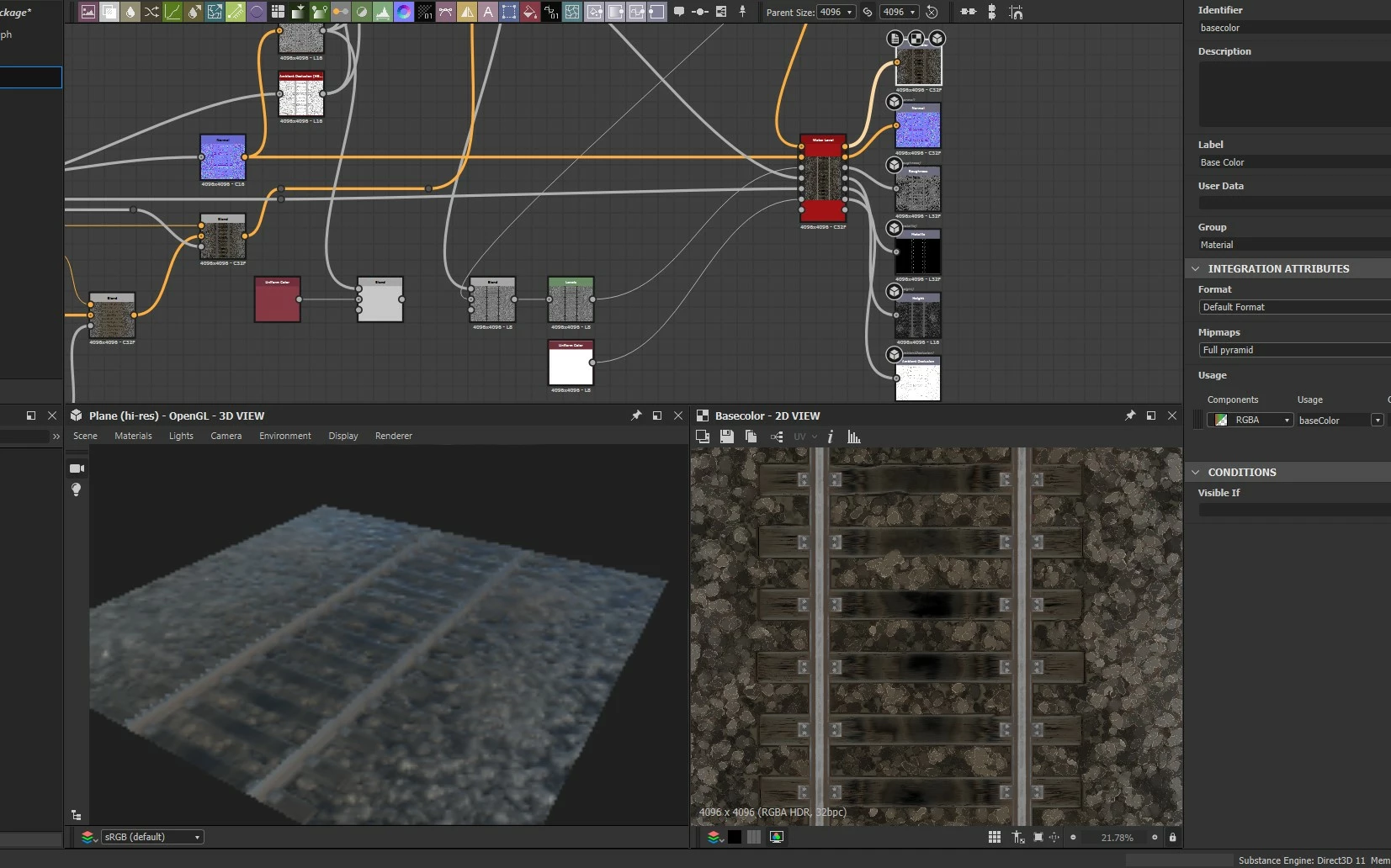
Good day, tell me please, I ran into such a problem. I installed the latest version of Substance Designer, launched a new project, and in 3D any mesh looks like this. The same thing happens with ready-made graphs, only the texture is blurred.
This topic has been closed for replies.
Correct answer Luca Giarrizzo

Hello @defaultfry26i1f9pcf,


If you want to still use display scaling while rendering the 3D View at full resolution, you can do the following:

  • Open the Edit menu and select the Preferences option
  • In the Preferences window, select the 3D View section
  • Under the Misc category, set the Viewport scaling parameter to None
  • Click OK
  • Close the 3D View panel
  • Right-click on empty space in your graph and select the View Outputs in 3D View option in the contextual menu


I hope this is helpful!


Best regards.


2 replies

Luca Giarrizzo
Community Manager
Luca GiarrizzoCommunity ManagerCorrect answer
Community Manager
October 15, 2021

Hello @defaultfry26i1f9pcf,


If you want to still use display scaling while rendering the 3D View at full resolution, you can do the following:

  • Open the Edit menu and select the Preferences option
  • In the Preferences window, select the 3D View section
  • Under the Misc category, set the Viewport scaling parameter to None
  • Click OK
  • Close the 3D View panel
  • Right-click on empty space in your graph and select the View Outputs in 3D View option in the contextual menu


I hope this is helpful!


Best regards.


Luca Giarrizzo | Quality Engineer - Substance 3D Designer | Adobe
Participant
October 12, 2021

The problem is solved, it turned out that the problem itself seems to be in my operating system and scaling algorithms. Due to the fact that a 2k monitor + 4k TV was connected to my computer. When the TV is turned off, the 3D view in the designer starts working as needed.

davescm
Community Expert
Community Expert
October 14, 2021

Glad you got it sorted - thanks for posting back, it may help others

Dave