Inspiring
July 4, 2022
Answered

3d warp with position map

  • July 4, 2022
  • 1 reply
  • 1629 views

Hi All,

Just wondering if I've either missed something simple or if anyone has accomplished this in SD.

All of the native SD warp tools look to work only in 2d texture space.

What I need to do is take for example a 3d noise then warp that but using the position map as the basis for the warp, if you just use the standard tools you will get issues as it warps outside of the UV boundaries.
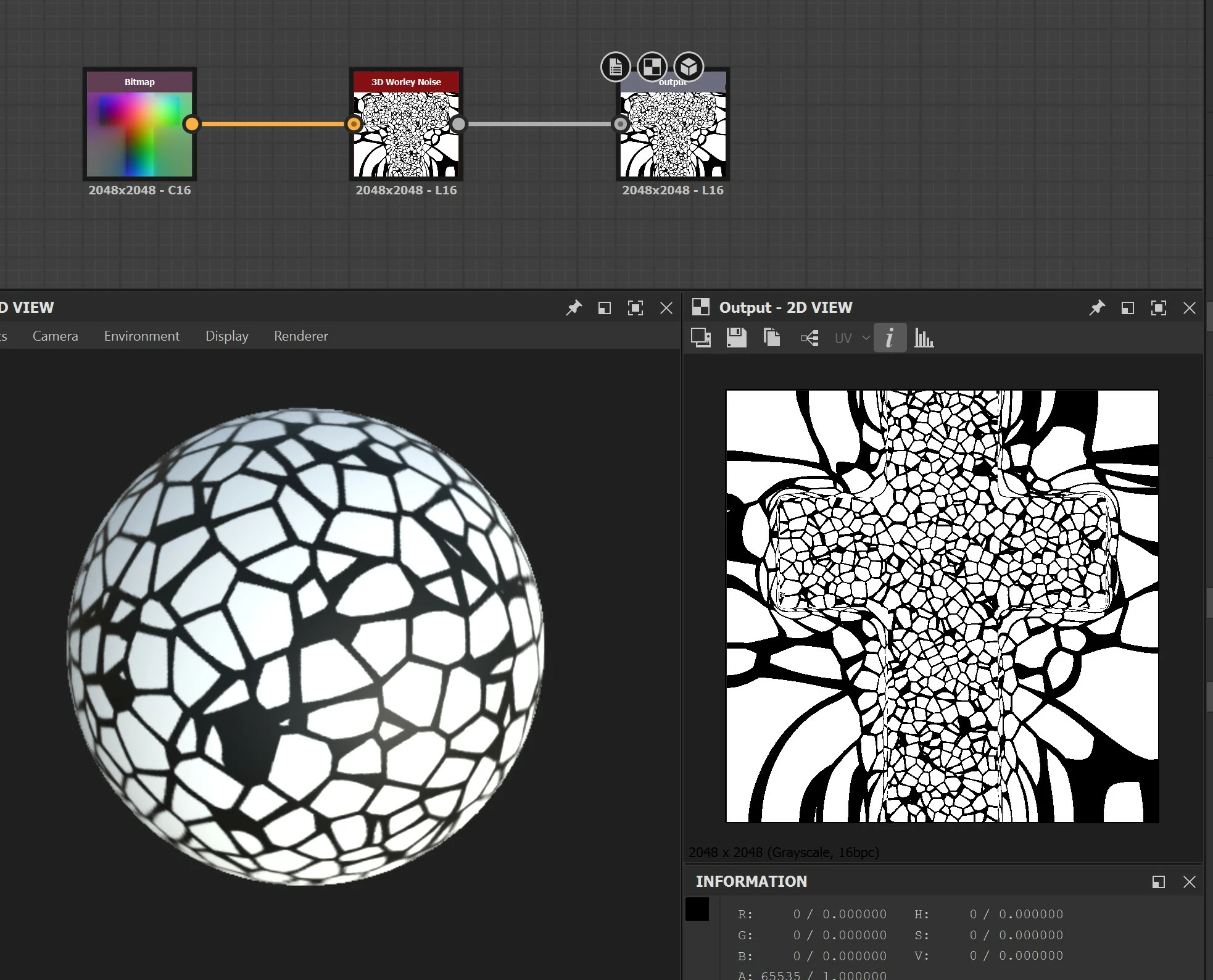
 

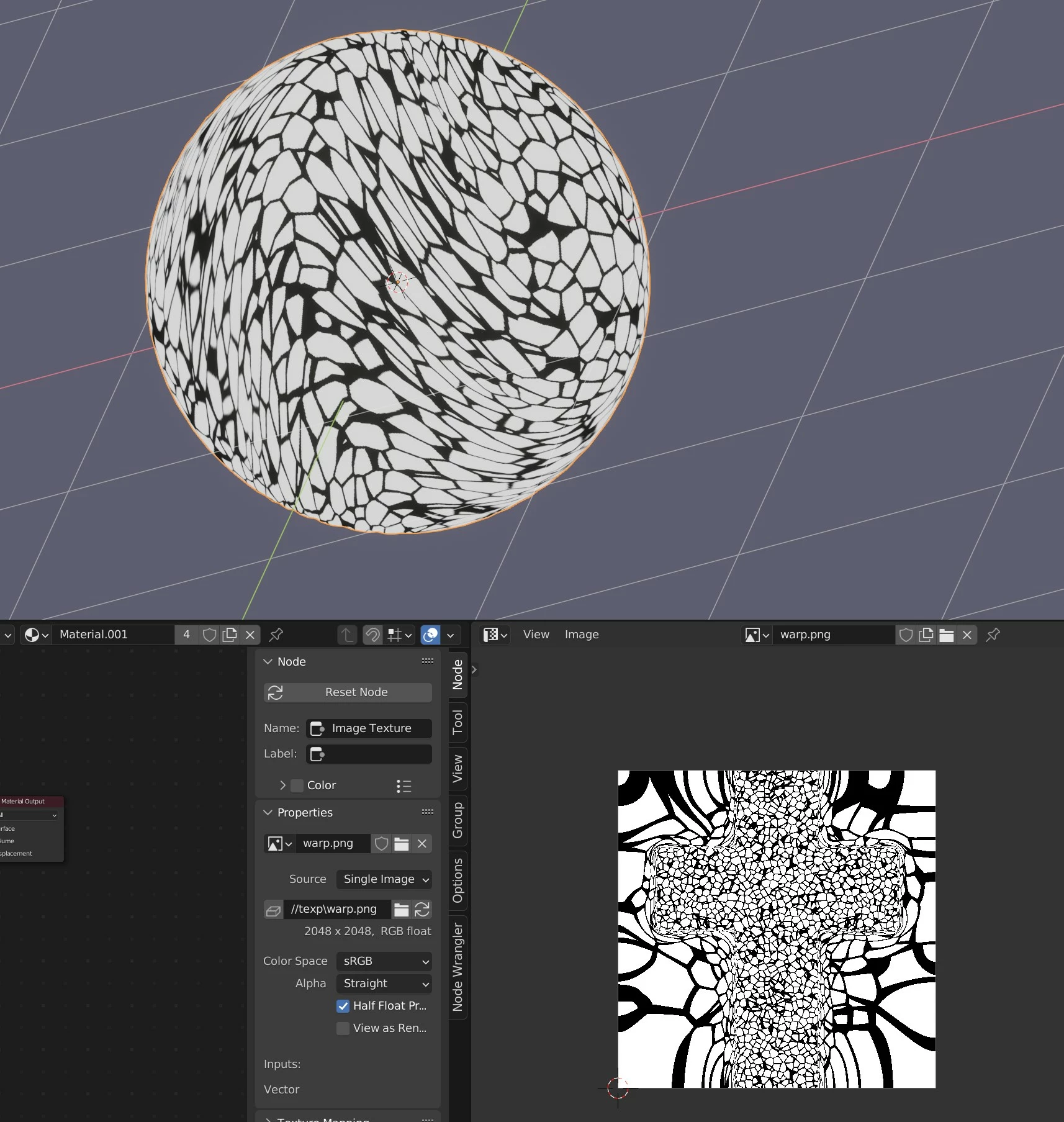
As a workaround to get the effect (and demonstrate what I'm trying to achieve) I'm currently taking the output into a 3rd party program blender in this case and warping the vertex position in 3d space but one the surface whilst leaving the UV cords in the same place which works and I can build a workflow around it but it feels like I should be able to do this all in SD.  Anyone got any bright ideas ?
 

This topic has been closed for replies.
Correct answer davescm

Hi you could use a pixel processor to sample and adjust the output. I did that recently to produce a 3D wood material that sampled and warped the end grain throughout the surface of the object in order to create realistic long grain that matched the ends.

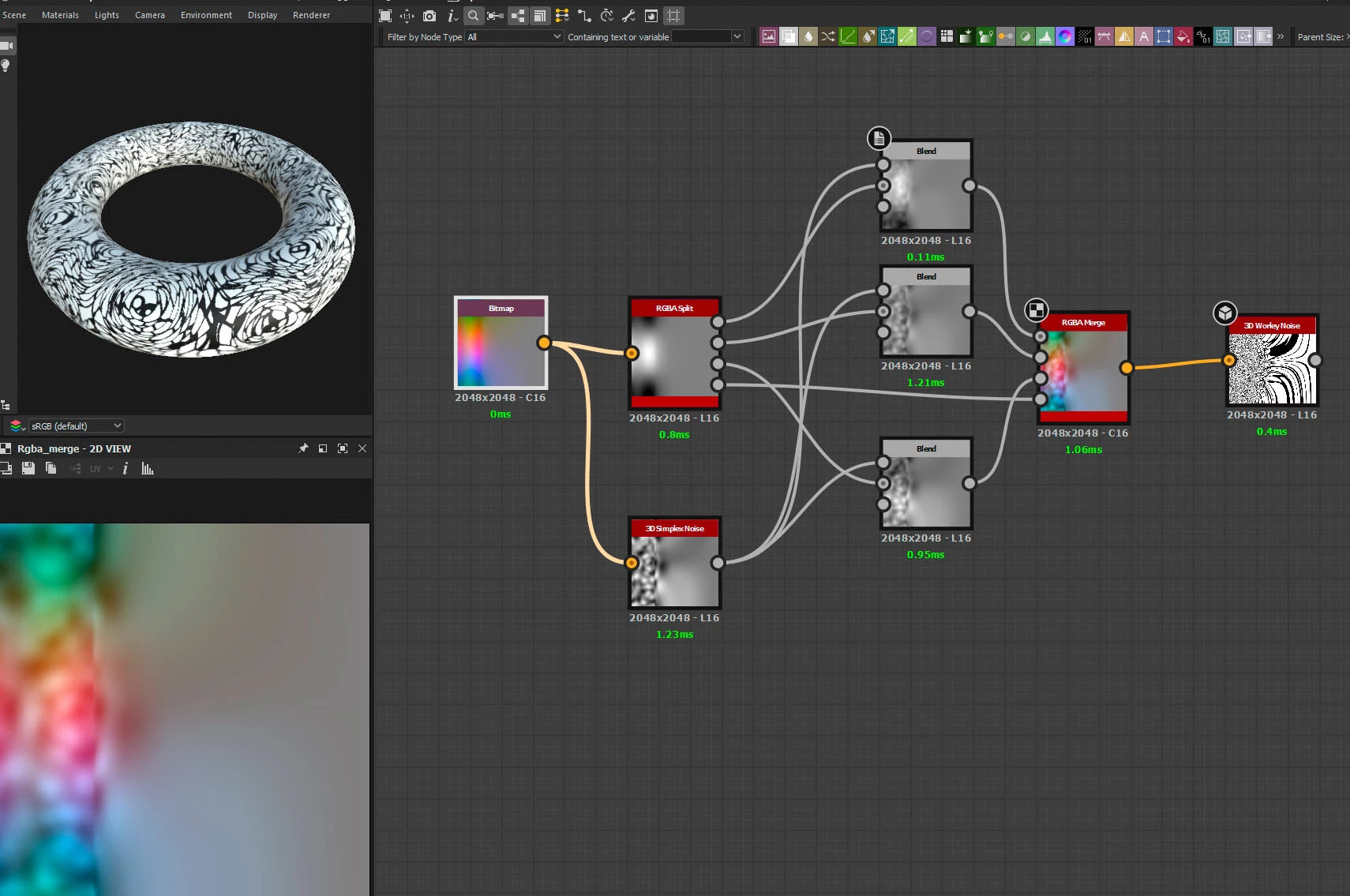
Alternatively you could split the position map channels and use blend nodes to adjust each, before recombining them and driving the 3D noise node (as below):


Dave

1 reply

davescm
Community Expert
davescmCommunity ExpertCorrect answer
Community Expert
July 5, 2022

Hi you could use a pixel processor to sample and adjust the output. I did that recently to produce a 3D wood material that sampled and warped the end grain throughout the surface of the object in order to create realistic long grain that matched the ends.

Alternatively you could split the position map channels and use blend nodes to adjust each, before recombining them and driving the 3D noise node (as below):


Dave

Inspiring
July 7, 2022

Thanks Dave,


I haden't thought of distorting the position map with one noise to drive another, can get some really cool organic effects with that, really clever idea.


Think I'm going to use both approaches, I can get more control over the shapes I want distorting the pattern in 3d space then project it back in substance so I'll use the position trick for the base layer and the 3d projection for the detail I think, I can just batch render out a load of alphas with variations in them and pull them in as I render out the textures.

I now have too many options 🙂


Inspiring
July 7, 2022

will have to stop now but can get all sort of nice effects really easily, will def be using this trick going forward!