
Axf import, metallic map seems off
Hi there,
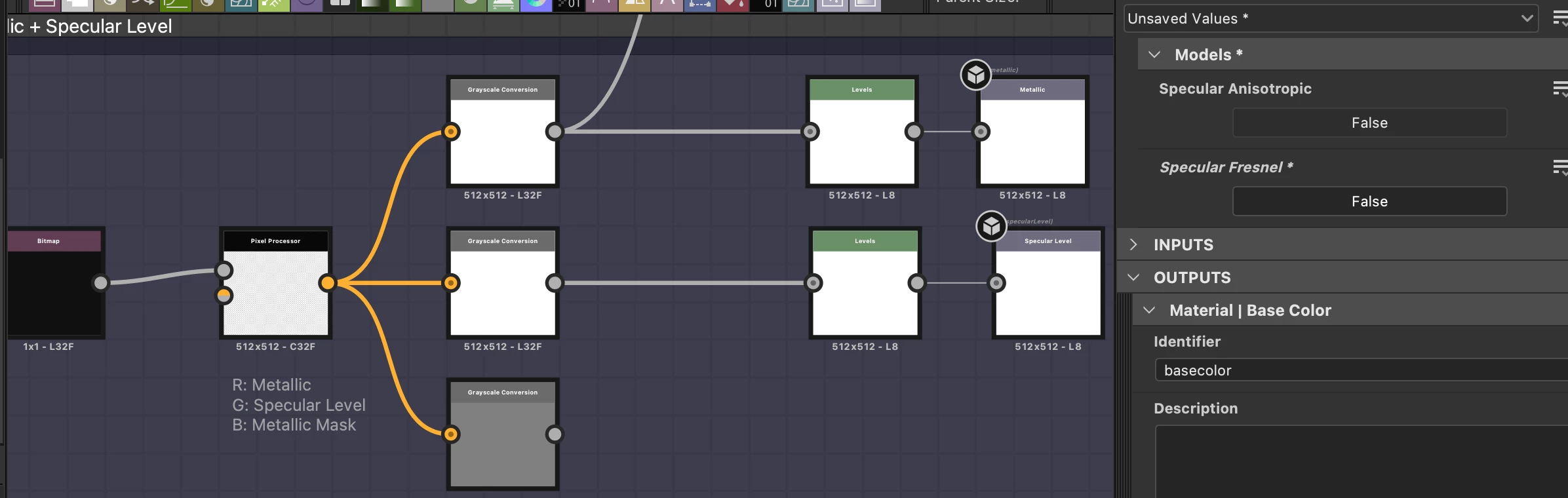
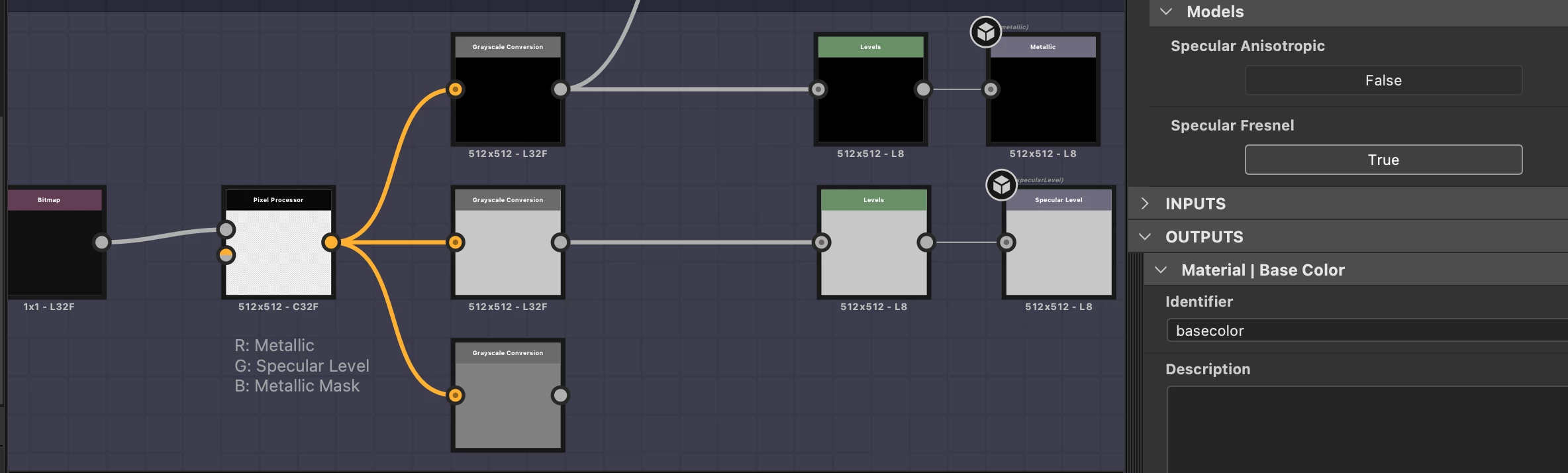
We are importing an axf file into Designer, and the resulting graph doesn't look quite right in the render preview.
Our material is a simple mate mesh textile. But the metallic map output by the graph is white, which seems wrong for this material.
In the graph's user params, models_specular_fresnel is set to false by default. And when it is false, the input Fresnel map seems to get ignored. If we change models_specular_fresnel to True though, the input fresnel map is taken into account, the output metallic map is almost black, and the render preview makes more sense for that material.
Should we always set models_specular_fresnel to True? Or is that something that should be driven by the axf data?
Please find attached a snippet of the axf data that was extracted by the SAT axftools. The "models/specular/fresnel" property in the "representations" block sounds a lot like the graph's "models_specular_fresnel" user param. It is false though. So it doesn't look like we should rely on that value.
The "models_specular_fresnel" user param's Description field is empty. Could you please elaborate on how to use that parameter?

Thank you for your input.
Isabelle
 AdChoices