
Participant
August 3, 2022
Answered

Bad gradients, creating stepping in every texture

  • August 3, 2022
  • 2 replies
  • 815 views

Hello, 

I havent had this problem in the past, but all my textures are having super harsh gradients. Making this program literally unusable. I will have pictures of a very simple setup. 


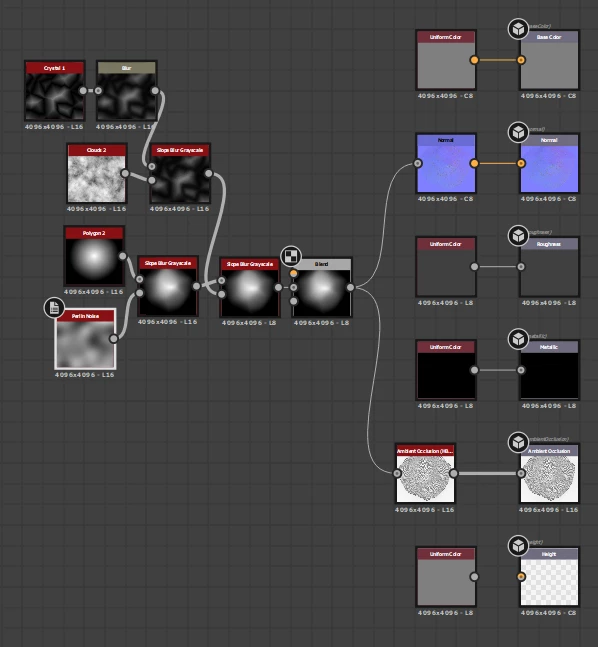
This picture is the graph, creating a very simple rock shape
 

This is showing the AO to kinda depict what is going on 
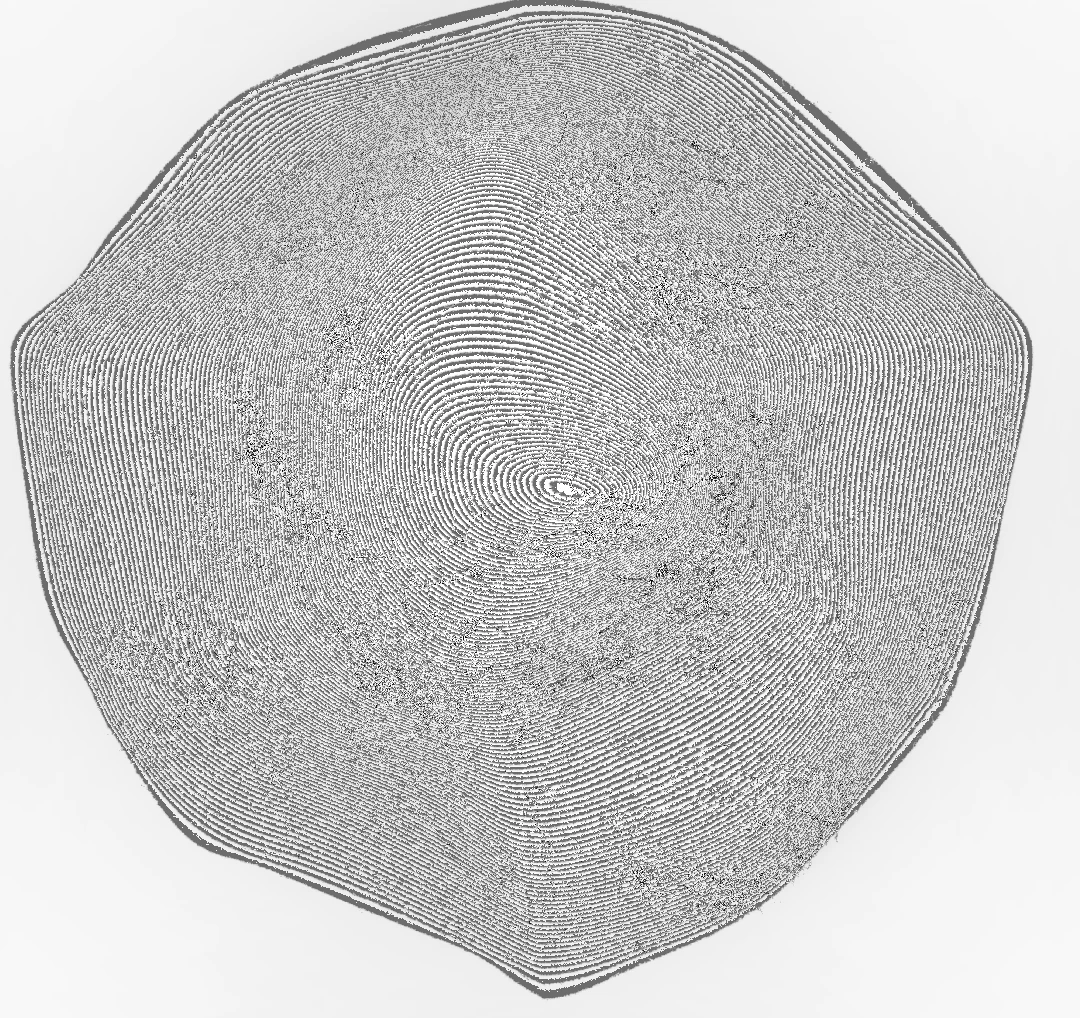
 

This is being cased by the base shape having harsh stepping. I have tried applying blurs and everything and it doesnt work 

 

Thank you for all the help, i really need to fix this soon. 

This topic has been closed for replies.
Correct answer davescm

Version 12.2.1 has now been released and includes a fix for the issue where parameters such as bit depth were not being inherited correctly

Dave

2 replies

davescm
Community Expert
davescmCommunity ExpertCorrect answer
Community Expert
August 4, 2022

Version 12.2.1 has now been released and includes a fix for the issue where parameters such as bit depth were not being inherited correctly

Dave

Participant
August 10, 2022

Thank you! I'll try the process out without modifying  the graphs bits.

davescm
Community Expert
Community Expert
August 3, 2022

Look at your slope blur. It is using 8 bits/channel which  is not enough for smooth heightmaps. It is not inheriting the 16 bits from the previous nodes.

There is a bug affecting inheritance in the current version which Adobe have confirmed they will be fixing in a coming release. In the meantime, as a workaround, you can go to Edit - Preferences -Graph and enable In Context Editing.


Dave