Inspiring
January 30, 2023
Frage

Chance substance player default material to Metallic Roughness

  • January 30, 2023
  • 1 Antwort
  • 420 Ansichten

Hi, 

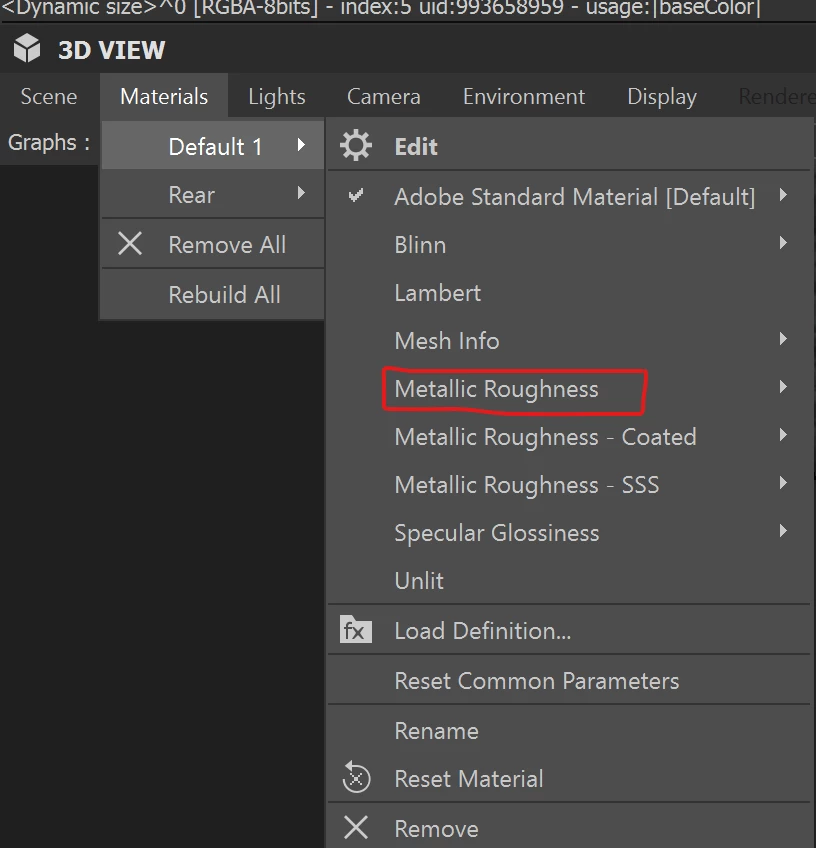
Is it possible to change the default material in Substance player?

I want SP to load with Metallic Roughness and not Adobe Standard Material.

Thank you.


Dieses Thema wurde für Antworten geschlossen.

1 Antwort

davescm
Community Expert
Community Expert
January 30, 2023

You have posted in the Substance Designer forum but mention Substance Player in your question.

If you do mean Substance Designer then the default shader can be set in Preferences >Projects>3D View>Default Shader


Dave

Inspiring
January 30, 2023

Hi @davescm 

I don´t think there is any group for SP and all the posts I found about SP were here so I did the same. 

I´m happy to move the post if necessary.


Anyway I found a way to change that in SP, I just edited the "adobe_standard_material.glslfx" and problem solved.

I was also trying to figure out how to change the HDR environment in SP , it seems to contain several inside the installation folder but I can't figure out how to change hdr.


Kind regards


davescm
Community Expert
Community Expert
January 30, 2023

No problems posting here - thanks for the clarity 🙂 

I don't have Substance Player installed so hopefully someone who does will be able to help with your HDR question


Dave
