stevec68799449
Participant
April 19, 2023
Answered

Change order of input nodes

  • April 19, 2023
  • 1 reply
  • 1399 views

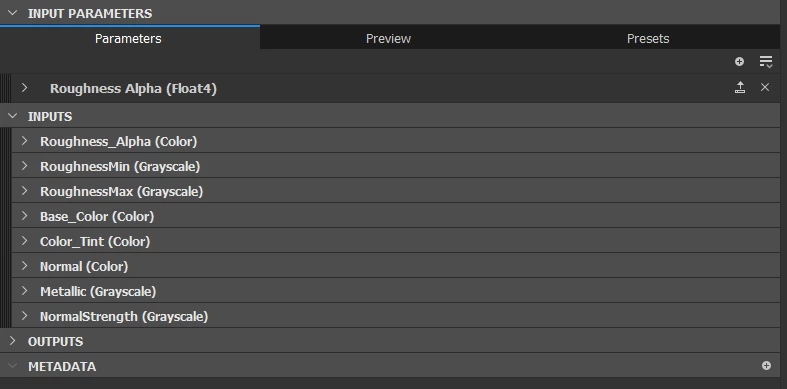
How can i change the order of input nodes so they are more organized in substance painter?
 

This topic has been closed for replies.
Correct answer davescm

Click to the left of the reveal arrow, next to the input name, and you can drag them up and down in the list.


Dave

1 reply

davescm
Community Expert
davescmCommunity ExpertCorrect answer
Community Expert
April 19, 2023

Click to the left of the reveal arrow, next to the input name, and you can drag them up and down in the list.


Dave

stevec68799449
Participant
April 20, 2023

Oh my, i was trying to drag on the whole thing missed that liitle box, thank you so much


davescm
Community Expert
Community Expert
April 21, 2023

Yes it is easily missed. 🙂

Dave

