Known Participant
April 3, 2022
Question

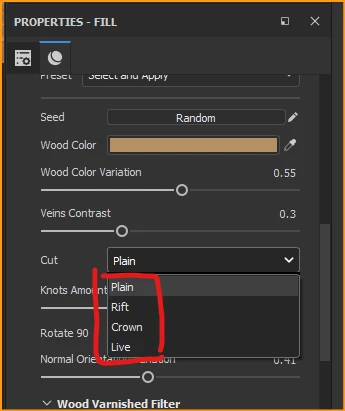
Could not find wood cutting procedural material?

  • April 3, 2022
  • 2 replies
  • 481 views

Hi

I read this thread

https://substance3d.adobe.com/magazine/lost-in-the-parametric-woods/
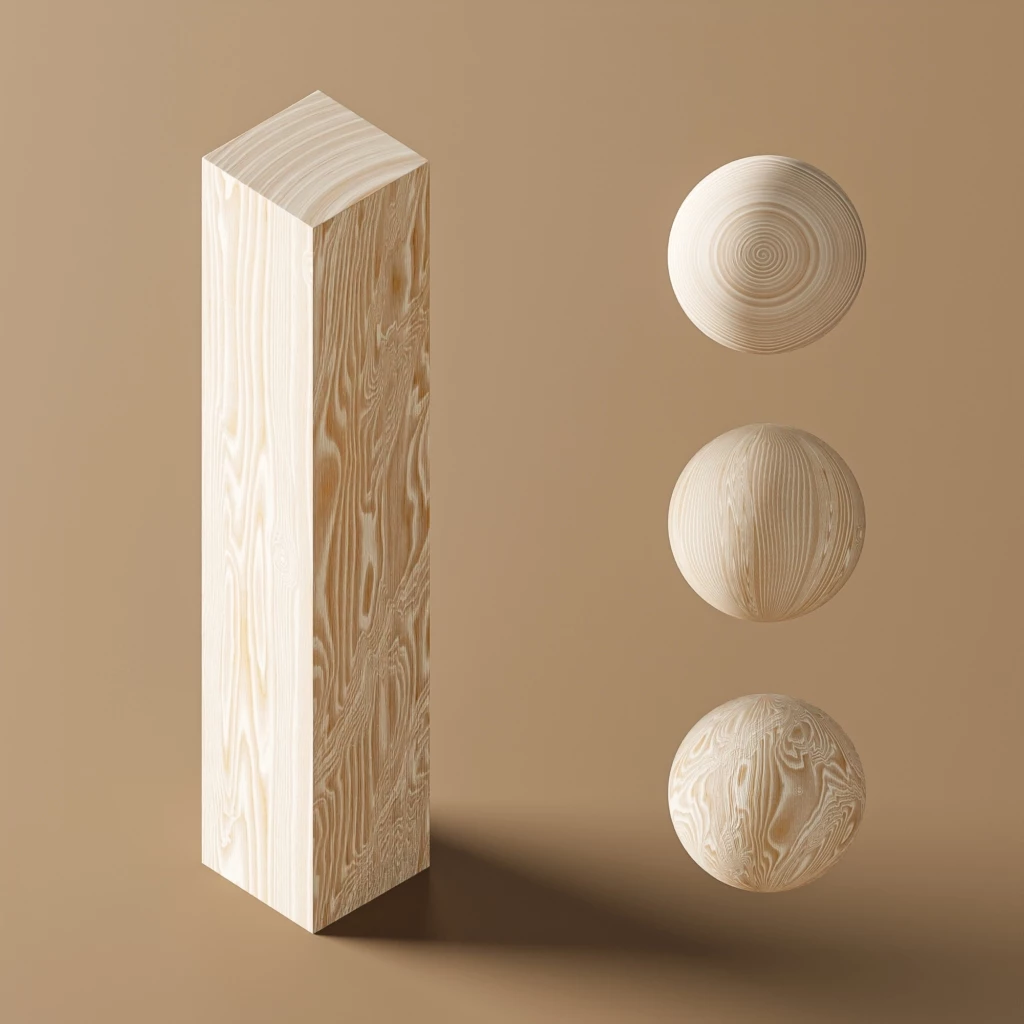
I subscribe Adoble in order to download this kind of wood material. I need to simulate wood cutting.

I found in substance source Oak Wood Varnished
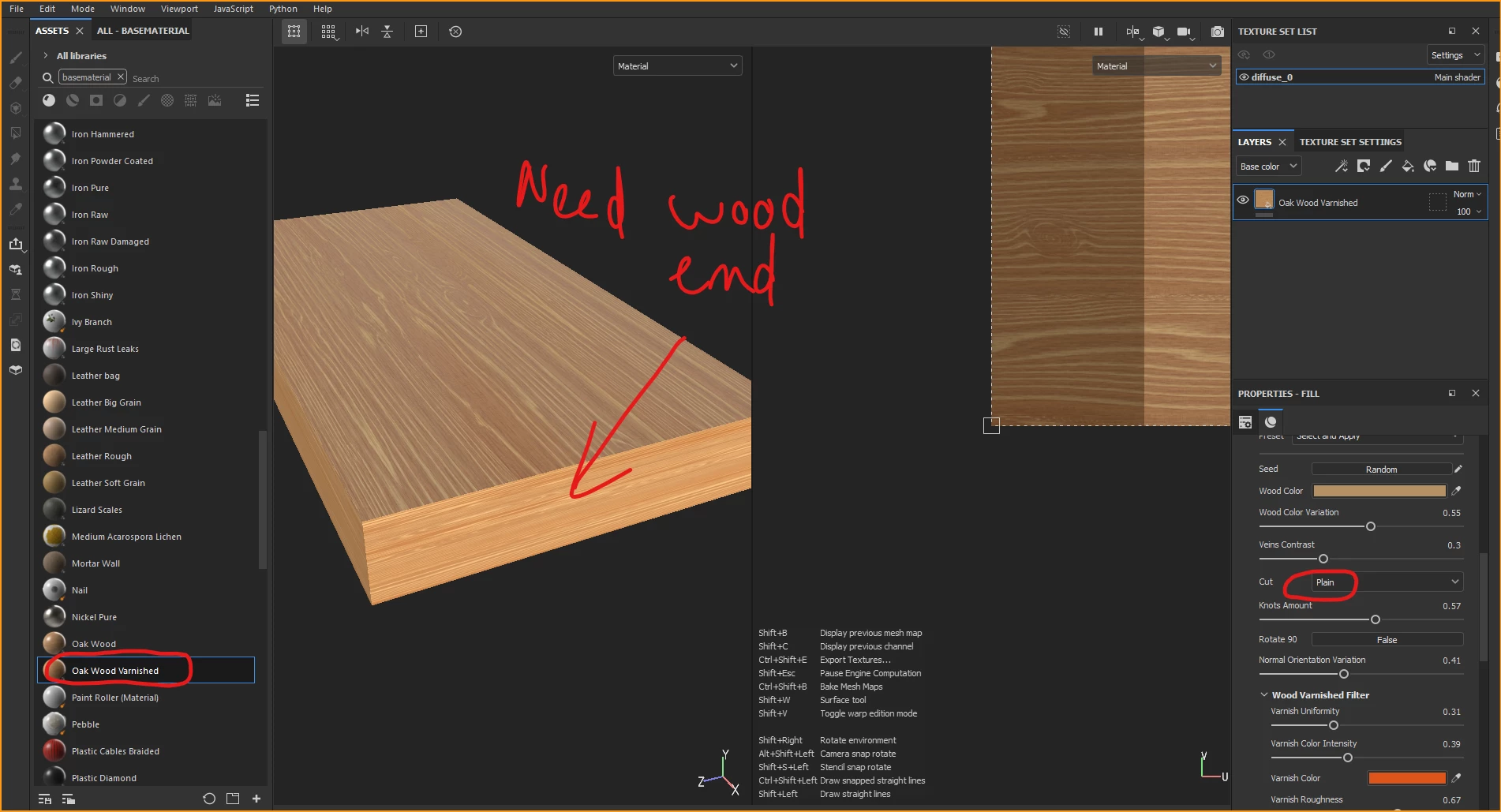
 

As you can see there no wood end (wood ring). How can I fix it? or other material can simulate wood cutting?


Thank

Travis


This topic has been closed for replies.

2 replies

jane-e
Community Expert
Community Expert
April 21, 2022
Luca Giarrizzo
Community Manager
Community Manager
April 4, 2022

Hello,


The wood end grain is not a part of the parametric asset, but can easily be generated using a Gradient radial combined with a Gradient Dynamic filter using an Anisotropic noise as Gradient input.


The result then needs to be applied to the specific part of the model you want, using a mask. Which part of the rings will be visible will depend on the UVs of the 3D model.


I hope this is informative!


Best regards.


Luca Giarrizzo | Quality Engineer - Substance 3D Designer | Adobe
Known Participant
April 4, 2022

Hi

It look like apply 2 parametric materials. How could I match wood long grain and end grain? beside that color?

Could  you please try and give more details.

Example wood block 100x150x300mm.


Thank

Travis


Luca Giarrizzo
Community Manager
Community Manager
April 5, 2022

Hello,


You may blend the two wood grains together using a Material Blend node and a mask. The mask would depend on the mesh, and ideally separate the sides of the model where wood grain differ. For instance, a world space directions map lets us easily separate opposite sides of a cube.


I have prepared a simple example to this message for demonstration purposes, which you can download as an archive file here.


Regarding the exact size of the wood block, if you know the exact scale of the texture you apply to the mesh, then you can scale these texture so they match the scale of the model exactly. We are working on Physical Size workflows – see here how they were recently implemented into Sampler – to facilitate such operations in Designer.


I hope it is helpful!

Best regards.


Luca Giarrizzo | Quality Engineer - Substance 3D Designer | Adobe