Participant
September 9, 2022
Answered

Display timings all ms at 0

  • September 9, 2022
  • 1 reply
  • 1226 views

Hi guys,


When I activate display timings all nodes are at 0ms and I just can't figure out how to make it work.


Thank you for your time.

This topic has been closed for replies.
Correct answer Luca Giarrizzo

In addition to Dave's suggestion, a good way to have a rough estimate of a node's timings is to click a few times the 'Randomise' button for the node or graph's 'Random seed'. Averaging the values can give you a ballpark estimate.
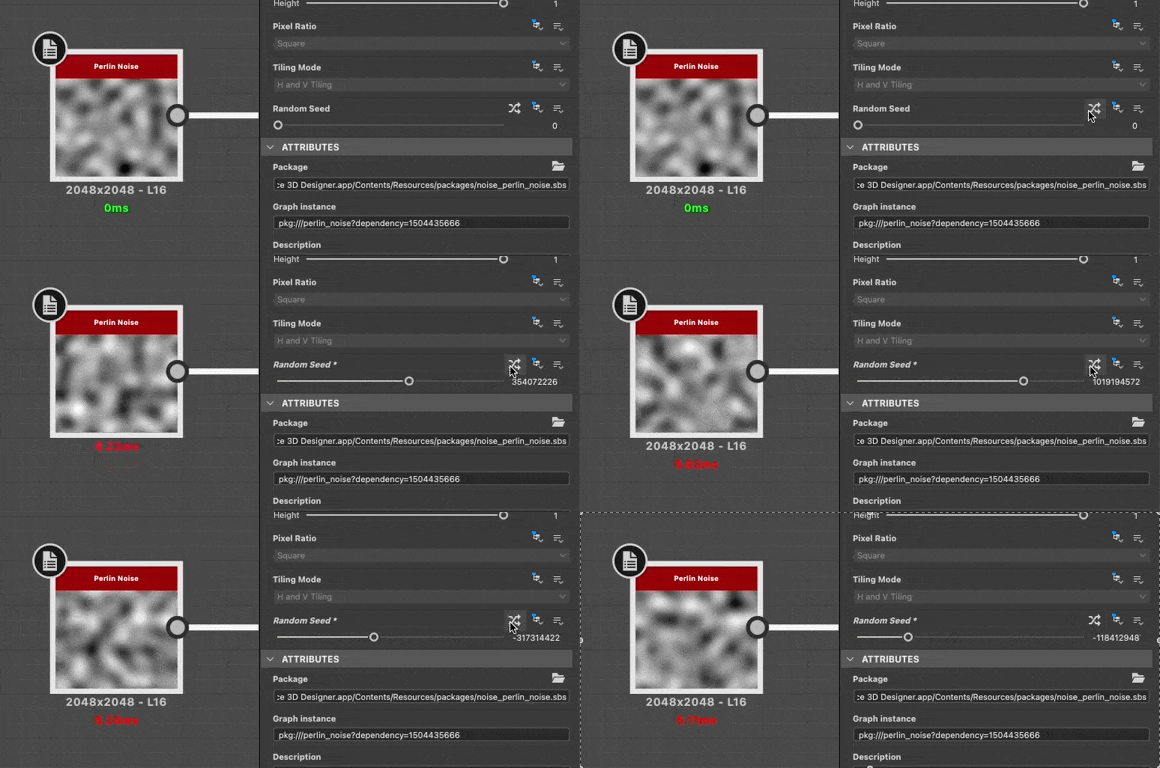
 

Please note the timings may not reflect 'real world' performance once the graph is published to SBSAR, as Designer does additional computations that impact timings.


Best regards.

1 reply

david5E86Author
Participant
September 9, 2022

Omg nevermind I just had to continue my graph and connect new stuff around for it to wake up. No wonder I couldn't find anything about this.

Participating Frequently
March 30, 2024

I'm glad I found this. However for me I have a fairly complex node network from following a tutorial and unplugging and replugging in every part of the graph seems sub optimal. Were you able to find a way to refresh the entire node network in a few clicks or am I going to the wire connector dungeon for an hour. 

Participating Frequently
March 30, 2024

Boosting for visibility. While I still did not find a way to refresh the entire network through conventional "update grid" type of button. I did  figure out a scarey hacky way to refresh everything. Make sure to save all files 

first before anything else happens.


Instructions:

1) Select everything in your graph

2) Delete EVERYTHING (fear intensifies)

3) Ctrl + Z to brings everything back with the proper timings so you can prune them.