

Layton224WI
Participant
June 11, 2022
Answered

Hot use the Isoparametric curve node

  • June 11, 2022
  • 1 reply
  • 242 views

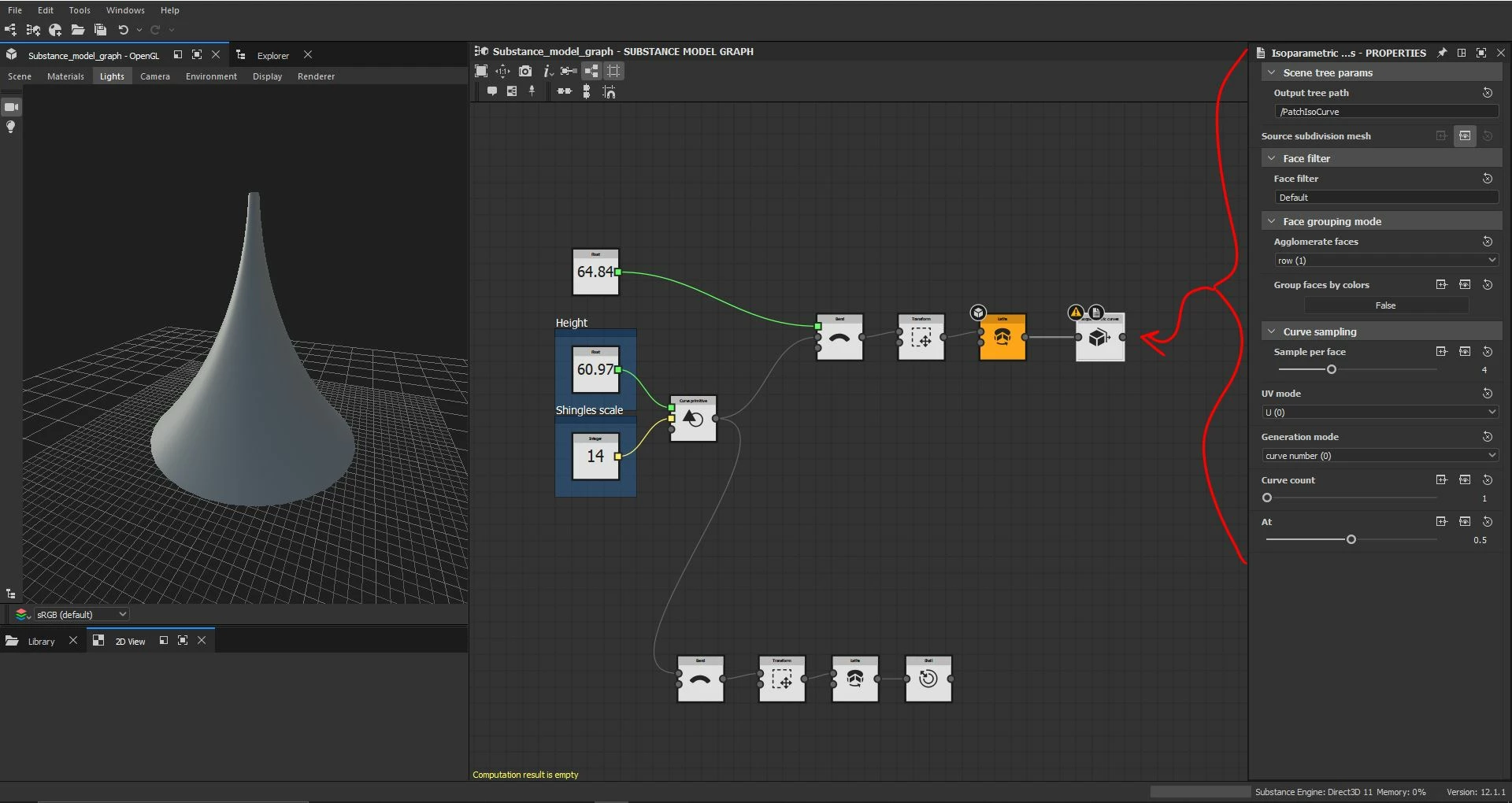
Hello today I was trying to use the isoparametric curve node and it keeps giving me an error, "computation result is empty." I was wondering if anyone else has run into this issue or might have a solution to why this doesn't work as I am trying to feed into it a mesh that was made buy a curve and a sweet note. From what I've understood there must be some way to highlight or designate the mesh has a target but I haven't been able to understand how, any help would be appreciated thank you so much in advance advance.


This topic has been closed for replies.
Correct answer davescm

That node is designed for use with a SubD mesh (which is different to a normal geometric mesh that has been subdivided). For example, its input can be from a SubDivision primitive node or from an imported mesh with the As Subd property of the Asset loader set to 'True'

https://substance3d.adobe.com/documentation/sddoc/types-of-items-in-a-scene-215286318.html

https://substance3d.adobe.com/documentation/sddoc/scene-asset-loader-215286577.html


Dave


1 reply

davescm
Community Expert
davescmCommunity ExpertCorrect answer
Community Expert
June 15, 2022

That node is designed for use with a SubD mesh (which is different to a normal geometric mesh that has been subdivided). For example, its input can be from a SubDivision primitive node or from an imported mesh with the As Subd property of the Asset loader set to 'True'

https://substance3d.adobe.com/documentation/sddoc/types-of-items-in-a-scene-215286318.html

https://substance3d.adobe.com/documentation/sddoc/scene-asset-loader-215286577.html


Dave


Layton224WI
Participant
June 21, 2022

Thank you Dave I will be trying this out