
Participant
September 29, 2023
Question

Signed Distance Field Generation

  • September 29, 2023
  • 1 reply
  • 2311 views

Hi, what's my best option for producing a higher quality version of the distance node's output? I need something that oversamples the boundary between black and white.

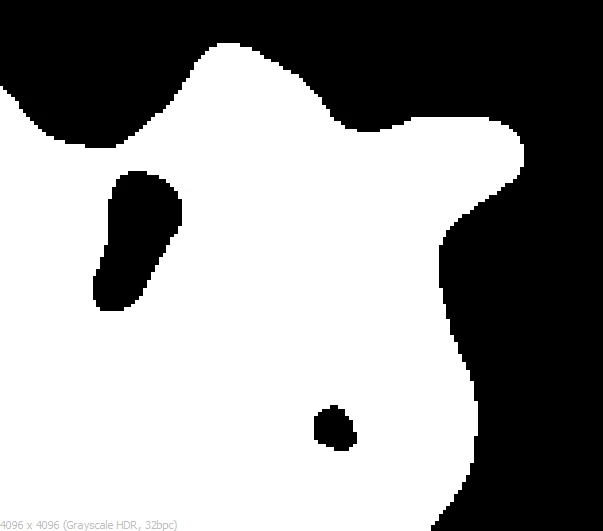
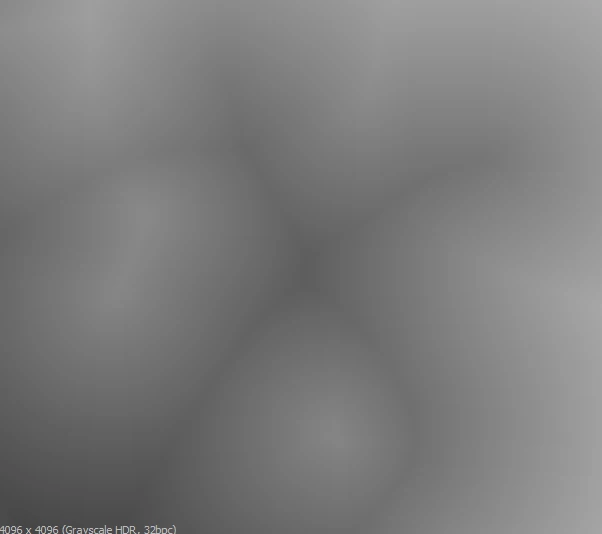
I'm trying to create a signed distance field texture in substance designer from a threshold black and white mask generated from noise. Using the distance node and some blending, I can get something that is pretty close to what I need, but the issue is that the distance node doesn't have the capability to oversample along the boundary between black and white, and thus, it produces pixel artifacts. To illustrate the problem, here are three images.

Black and white mask:

Signed distance field remapped from [-1,1] to [0,1]
SDF visualized by normal
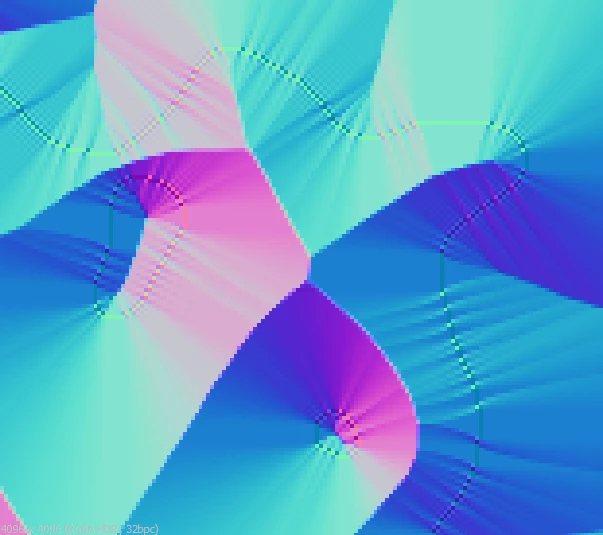
 

In the last image you can clearly see the problem with this approach. The boundary between black and white doesn't contain enough information, and so the distance node produces streaking artifacts. Simply increasing the resolution alleviates the problem somewhat, but it never truly goes away, and working in an unneccessarily high resolution is impractical.


This topic has been closed for replies.

1 reply

davescm
Community Expert
Community Expert
September 30, 2023

Without seeing your graph, have you tried a small amount of blur HQ ahead of the distance node?

Dave

Participant
September 30, 2023

Hi dave, thank you for the idea. Unfortunately the distance node doesn't take into account any anti aliasing. The documentation says that the distance node measures the distance between any pixel and the nearest pixel above 0.5, and I've verified experimentally. So under the hood it's thresholding the input anyway.

davescm
Community Expert
Community Expert
September 30, 2023

Also, just a minimal reproducible example of the issue: take a threshold black and white texture, connect it to a distance node, connect it to to an invert node and then another distance node. Invert them both. Blend using the subtract blending mode. The result is a signed distance field [-1,1] of the original black and white texture. You can then remap it to [0,1] using a levels node, and then see the boundary artifacts especially when it's connected to a normal node.


You could try this:

Have a section of your graph working in a higher resolution (I used 8K) and go back to parent resolution after it.

Use a blur HQ grayscale and histogram scan before the distance nodes to smooth out the edges in that higher resolution


Close up of output without 8K section or Blur HQ or Histogram Scan:

Close up of output using 8K section + Blur HQ + Histogram Scan:


The only other alternative, I can think of, would be to try and write a new Distance node using the pixel processor and loop functions