Madeira 3D
Participant
January 20, 2023
Answered

Transform 2d for this?

  • January 20, 2023
  • 1 reply
  • 779 views

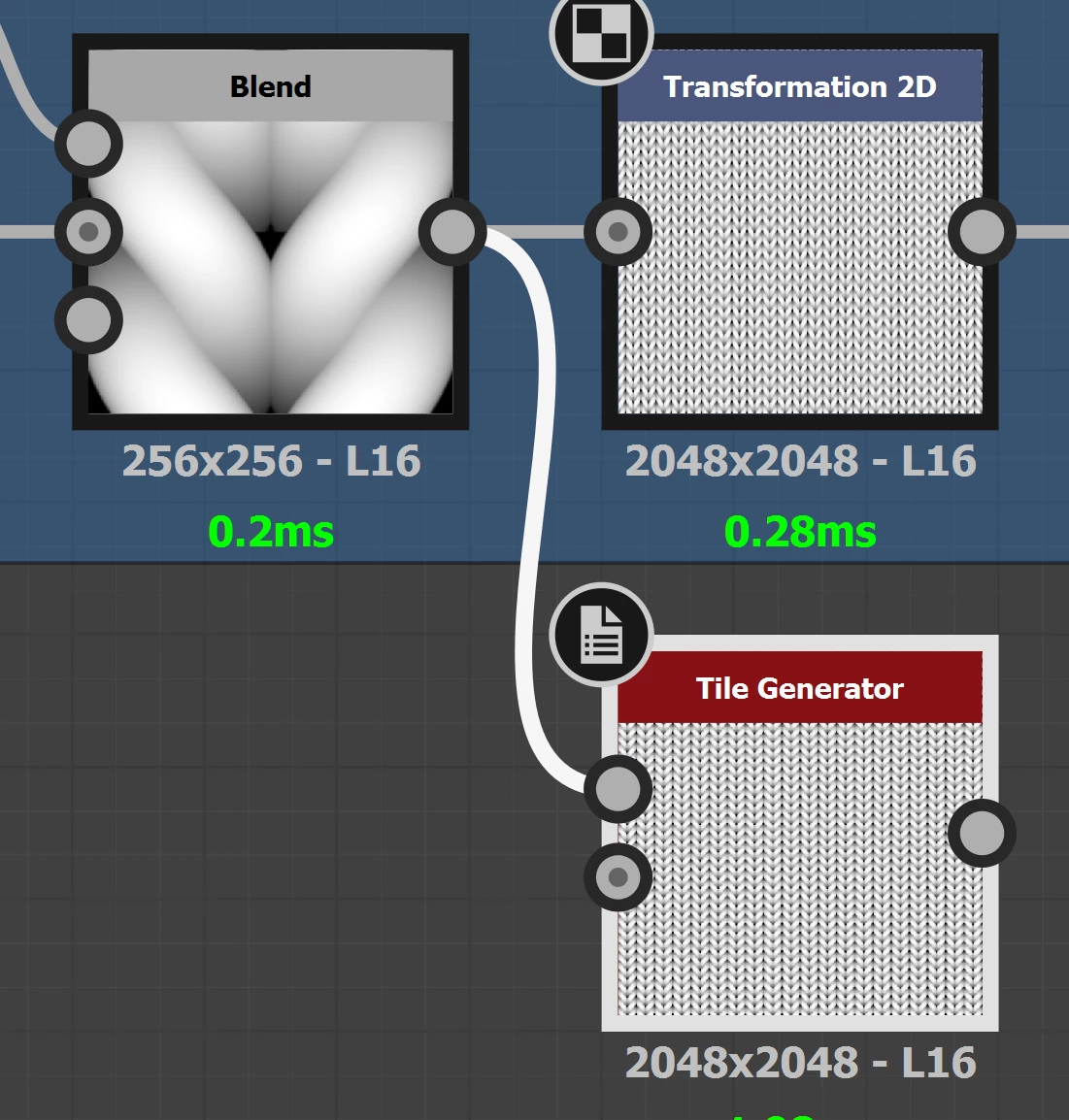
Hi, I have this situation where I used a transform 2d to make my texture smaller a bunch of times by pressing divide. I don 't think transform 2d allows you to see any numerical data right? I replaced the transform 2d in this situation with a tile generator with 10X10 on X/Y amount. Do you have any other node you would use? Also I noticed that if I use in the Tile Generator , Image input filtering to Bilinear + midmaps, this causes some subtle black edges on every tile, to remove that I changed to bilinear....
This topic has been closed for replies.
Correct answer davescm

You could use the 2D transform node with a function tied to an additional input for scaling. Then altering the scaling is a simple matter of changing that single value.


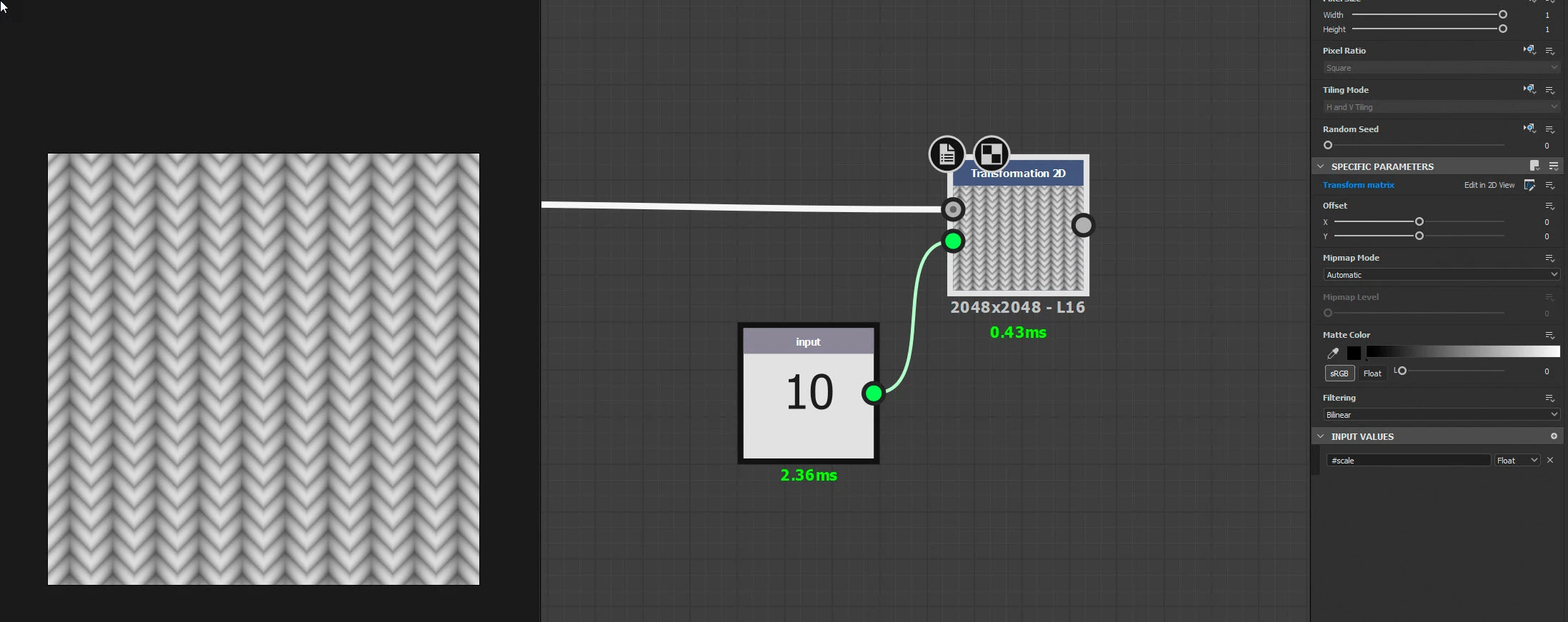
In the example below, I added an input value to the 2D transform node and called it #scale

I added a function to drive the transform matrix for that same 2D transform node

I connect the additional input to an input value node where I could enter the scale


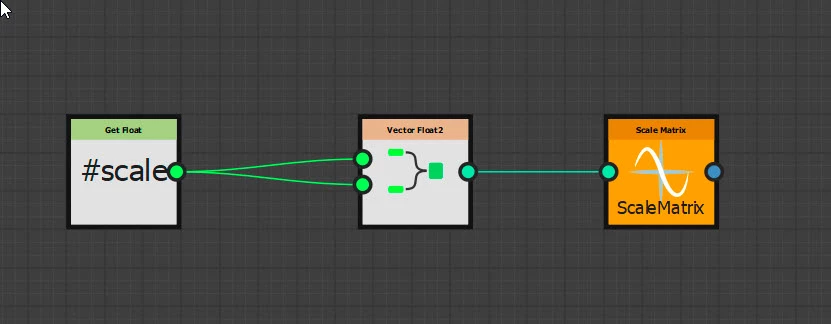
The function driving the transform matrix is shown below. Reading left to right:

It gets the #scale input value as a Float

It creates a Float 2 using the same float input twice

It feeds that to a Scale Matrix node which is then set to be the output for the function (right click and set as output node)


I hope that helps

Dave

1 reply

davescm
Community Expert
davescmCommunity ExpertCorrect answer
Community Expert
January 21, 2023

You could use the 2D transform node with a function tied to an additional input for scaling. Then altering the scaling is a simple matter of changing that single value.


In the example below, I added an input value to the 2D transform node and called it #scale

I added a function to drive the transform matrix for that same 2D transform node

I connect the additional input to an input value node where I could enter the scale


The function driving the transform matrix is shown below. Reading left to right:

It gets the #scale input value as a Float

It creates a Float 2 using the same float input twice

It feeds that to a Scale Matrix node which is then set to be the output for the function (right click and set as output node)


I hope that helps

Dave

Madeira 3D
Participant
January 21, 2023

Hi @davescm ,

Yes it does help, I actually thought about that but was wondering if most of the users do it manually with transform 2d, or use another node or create a modified transform2d with functions as input. Thank you

davescm
Community Expert
Community Expert
January 21, 2023

I can't speak for most users 🙂  Personally, it depends on how I am using the node. For simple scaling, I tend to use 2D transformation. For more complex scaling, such as multiple inputs, varying size/position, etc. I go for  Tile Sampler


Dave