Participant
December 13, 2023
Answered

Use a curve as value processor input

  • December 13, 2023
  • 1 reply
  • 727 views

Hi there,


I have this question that in my opinion would be great if it works.


Is it possible to use a curve as value processor input so it can be used as custom distribution instead of a linear one?


What I am trying to make is a remap a linear distribution based in a custom curve. Instead of using a linear one where all the samples are equally distributed, using the curve would remap these values in the position where we want.


Thank you
This topic has been closed for replies.
Correct answer davescm

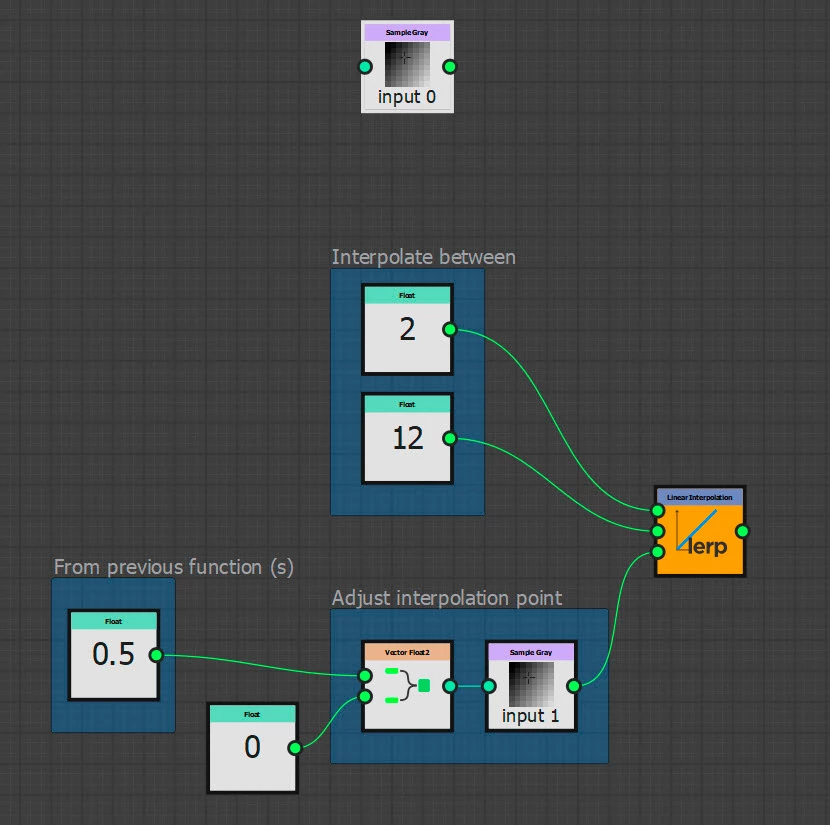
You could do that with a grayscale curve plugged into a second sample input.

Then use that do adjust the interpolation point of your value

Dave


1 reply

davescm
Community Expert
Community Expert
December 13, 2023

I'm struggling to envisage what you are trying to achieve. Could you show what you want to see as an input and an output, that way we may find a way.


Dave

Participant
December 15, 2023

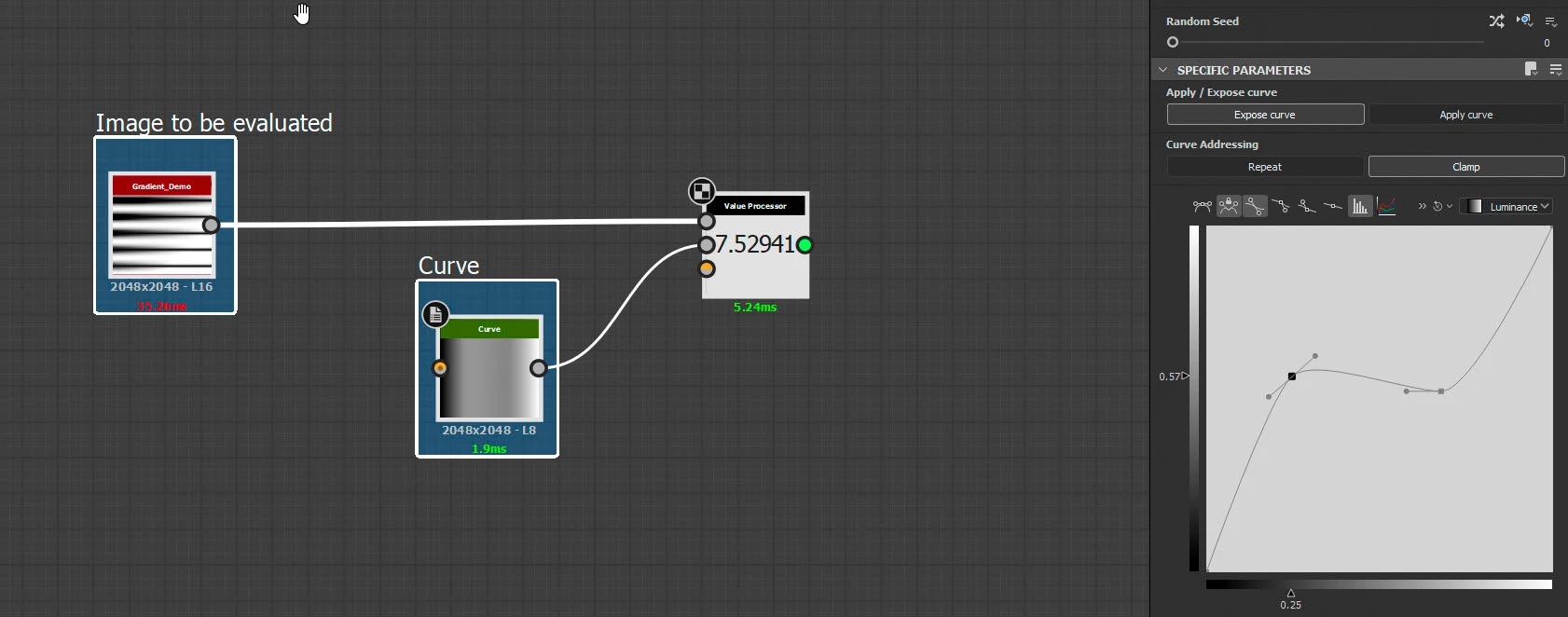
Yes the main idea is use a curve as input of a value processor so it can be used for example with the linear interpolation node so it can outputs non lerp distribution numbers.


Hope it can be easier to understand with the attached images. 

- I create a curve in the main graph and attach it to a value processor node.

- I import this curve inside the value processor so it can be used in a non linear distribution function as input.


Thank you for your time.


davescm
Community Expert
davescmCommunity ExpertCorrect answer
Community Expert
December 15, 2023

You could do that with a grayscale curve plugged into a second sample input.

Then use that do adjust the interpolation point of your value

Dave